
Lab 4-2: Integrated HTML GUI
Equipment Required
- Cisco 2821 router with the GUI files loaded in flash (see Appendix D)
- Cisco 3560 switch
- PC
Objectives
- Access the HTML GUI on the router.
Scenario
Jimenez Research Inc. (JRI) would like the office manager to add users and phones without having to use the command line for configuration. Ideally, JRI want to be able to access the configuration from any PC without installing client software.
The integrated HTML GUI is simple enough for nontechnical personnel to use, yet powerful enough to get most phone and user configuration tasks done.
The HTML GUI does have drawbacks, however. The Java and HTML files take up precious flash space, and the configuration is limited to just common CUCME tasks. In fact, the best use of the HTML GUI is for customer users needing to complete basic configuration tasks.
Task 1: Load Prior Configurations
This lab is based on the configuration from Lab 3-2. If necessary, load the configuration for both switch and router, and cable the devices as the topology shown on Lab 3-2:
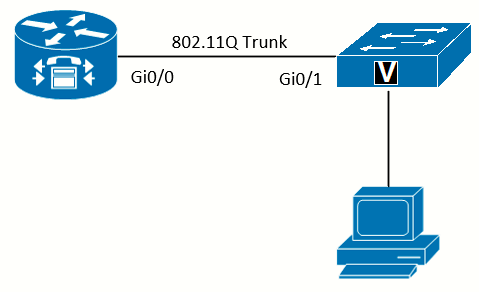 Topology
Task 2: Configure the Router for Web Access
I will be using the HTTP (non-secure) server. Then configure the location of the HTML files in flash, and set the router to use local authentication to log in. Be aware that the IOS is case sensitive when specifying the path to the HTML files:
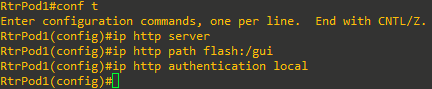
Create a CUCME Web Administrator Account
In this step we will create a CUCME web administrator account to access all the GUI features:
RtrPodx(config)# telephony-service
RtrPodx(config-telephony)# web admin system name webadmin secret 0 webadmin
RtrPodx(config-telephony)# dn-webedit- web admin system name webadmin secret 0 webadmin - tells CME to spin up its embedded HTTP(S) server for administration and defines a user/account. Without a valid admin user, the CME web server won't allow you to log in or even start. This single command both enables the HTTP interface and seeds it with a credential.
- dn-webedit - enables the web pages that let you create, delete, or modify your phones' DN (extension) assignments.
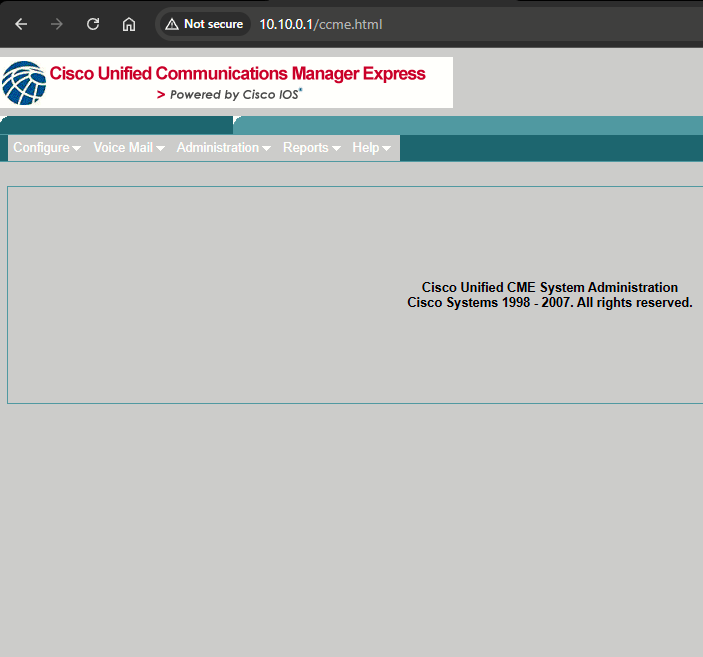
To access the GUI go to http://10.10.0.1/ccme.html
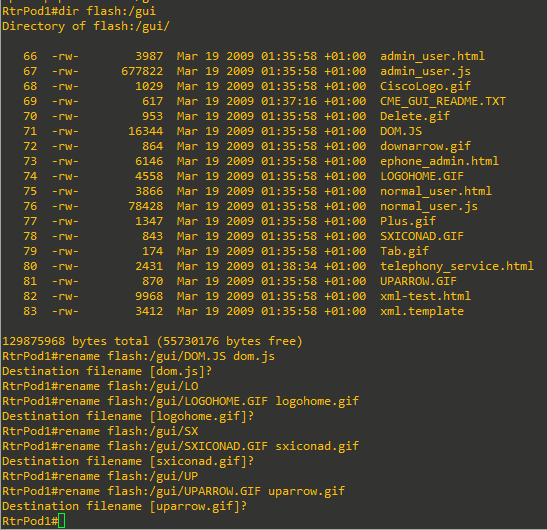
I have faced a problem related with the copy of the GUI files from the PC to the CF card. Some of the files inside the GUI files folder were renamed to uppercase and they weren't loaded properly. I had to rename then to lowercase to fix the GUI:
|
|
|
 |
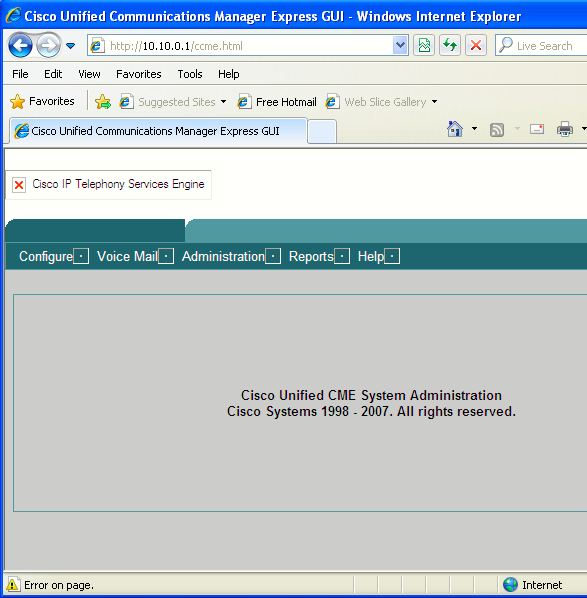
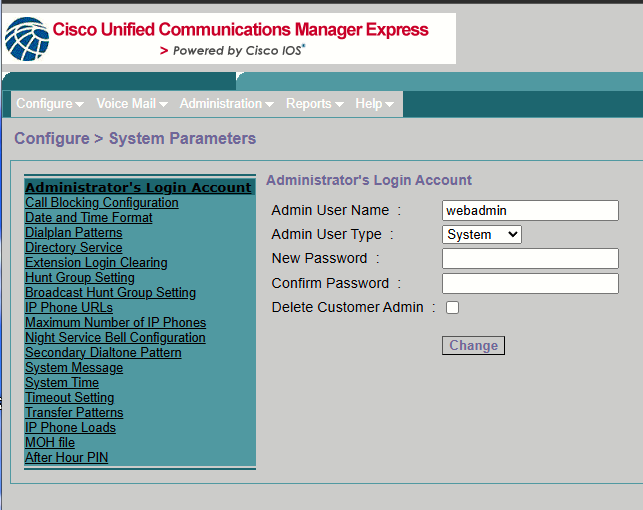
Choose Configure > System Parameters. The window will show the various system parameters that can be changed:
A custom configuration for the HTML GUI is possible that restricts what features are available for users. You can create a custom XML file that allows or restricts features, and then associate the XML file with a user account.