Lab 6-1: Configuring 802.11 Support and Data Rates
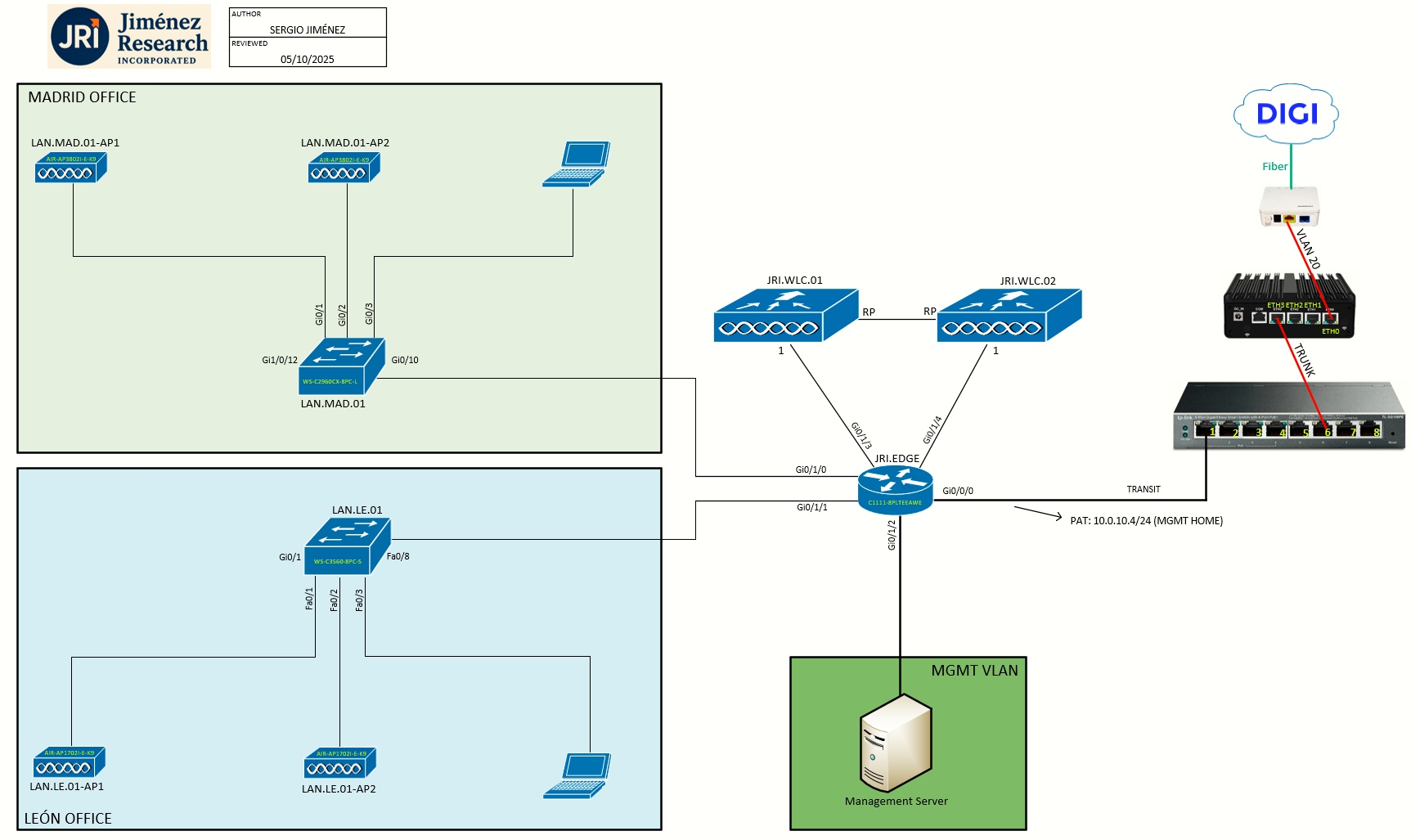
Topology
Task 1: Configuring 802.11 Support
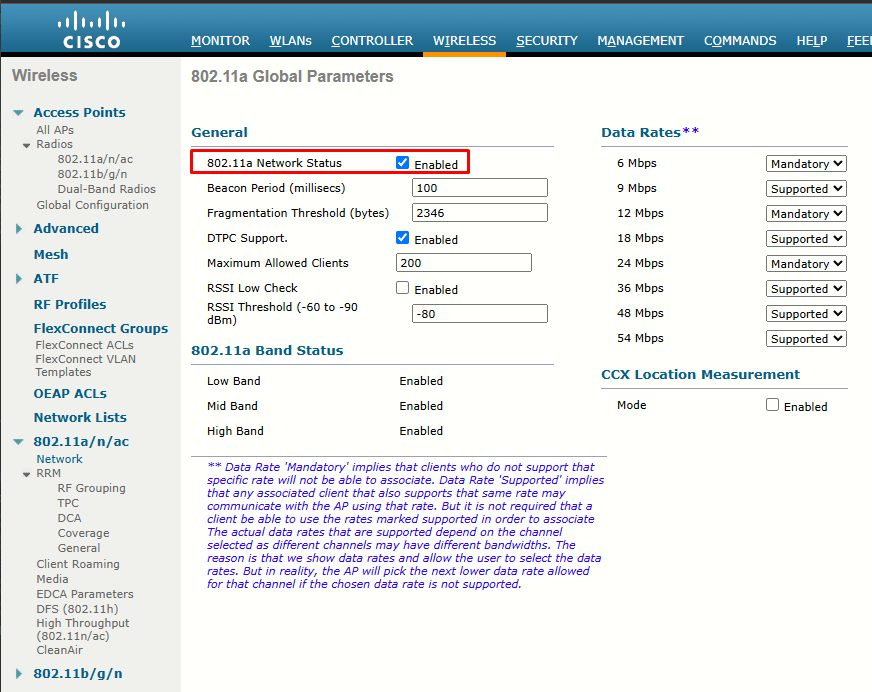
Cisco WLCs and most APs can support WLANs in both the 2.4 GHz and 5 GHz bands. By default, both bands are enabled; however, you can view or change a number of parameters by browsing to the Wireless tab in the controller.
The wireless parameters are organized under a list of links that are found on the left side of the web page.
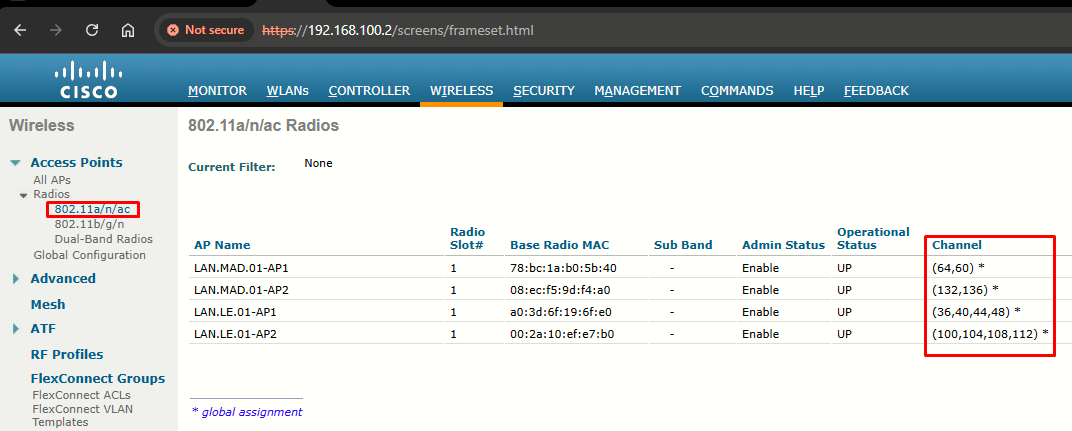
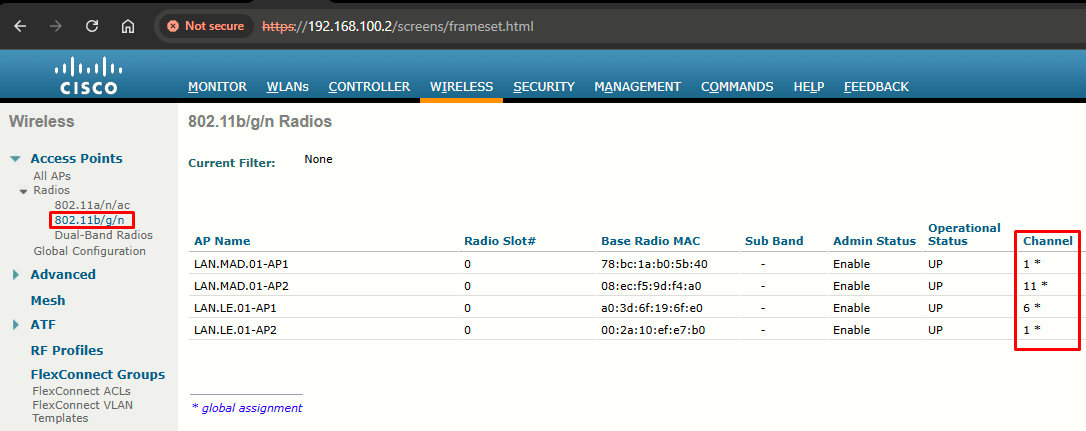
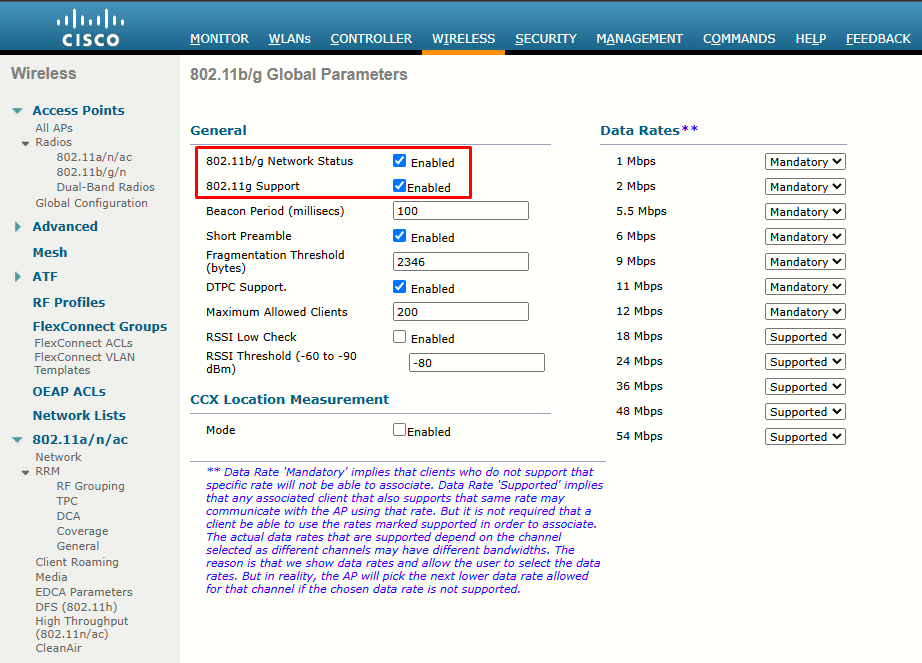
You can enable or disable the 2.4 GHz or 5 GHz bands entirely by going to the Network submenu under 802.11a/n/ac or 802.11b/g/n:
|
|
|
Configuring 802.11n and 802.ac Support
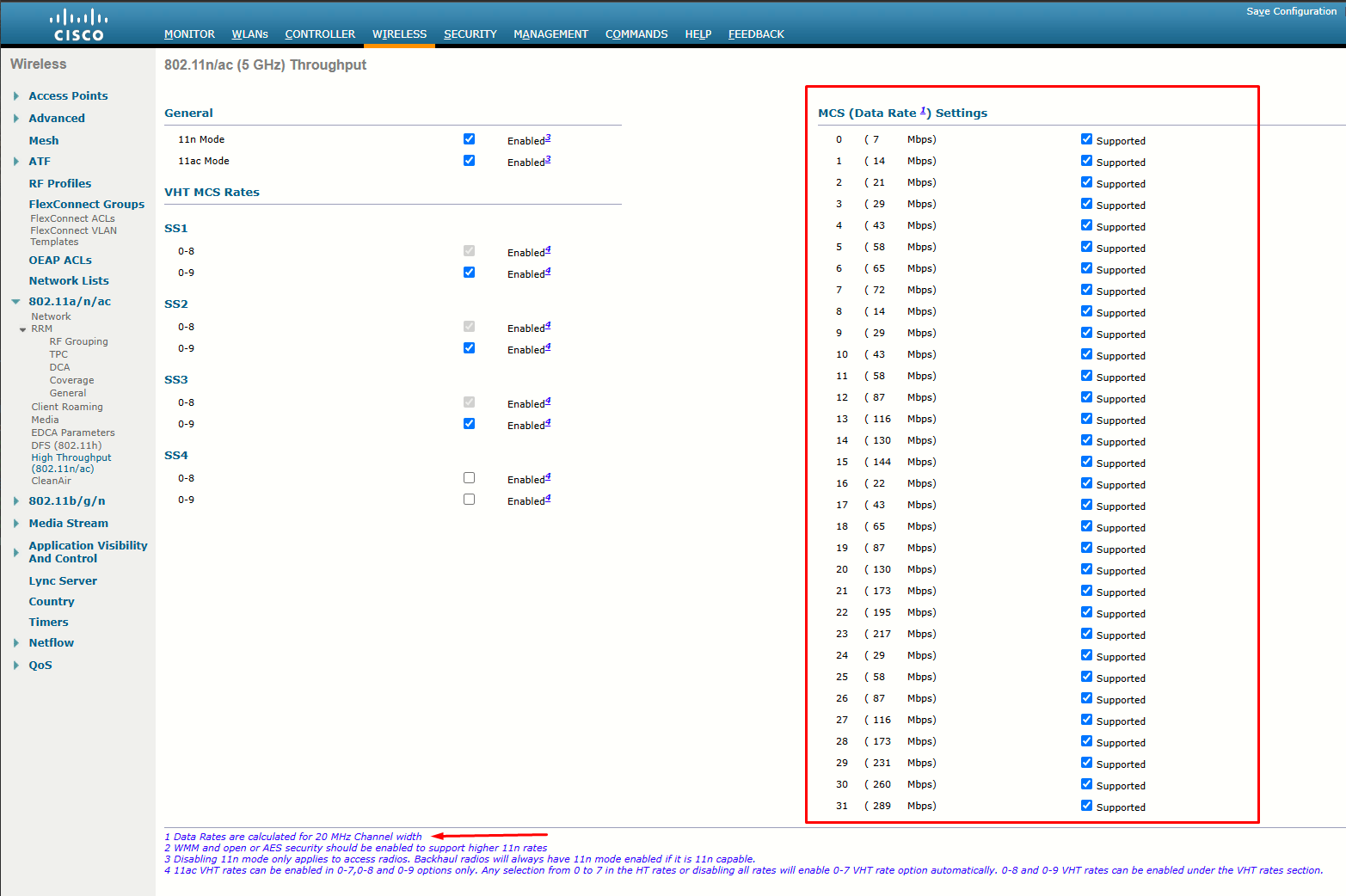
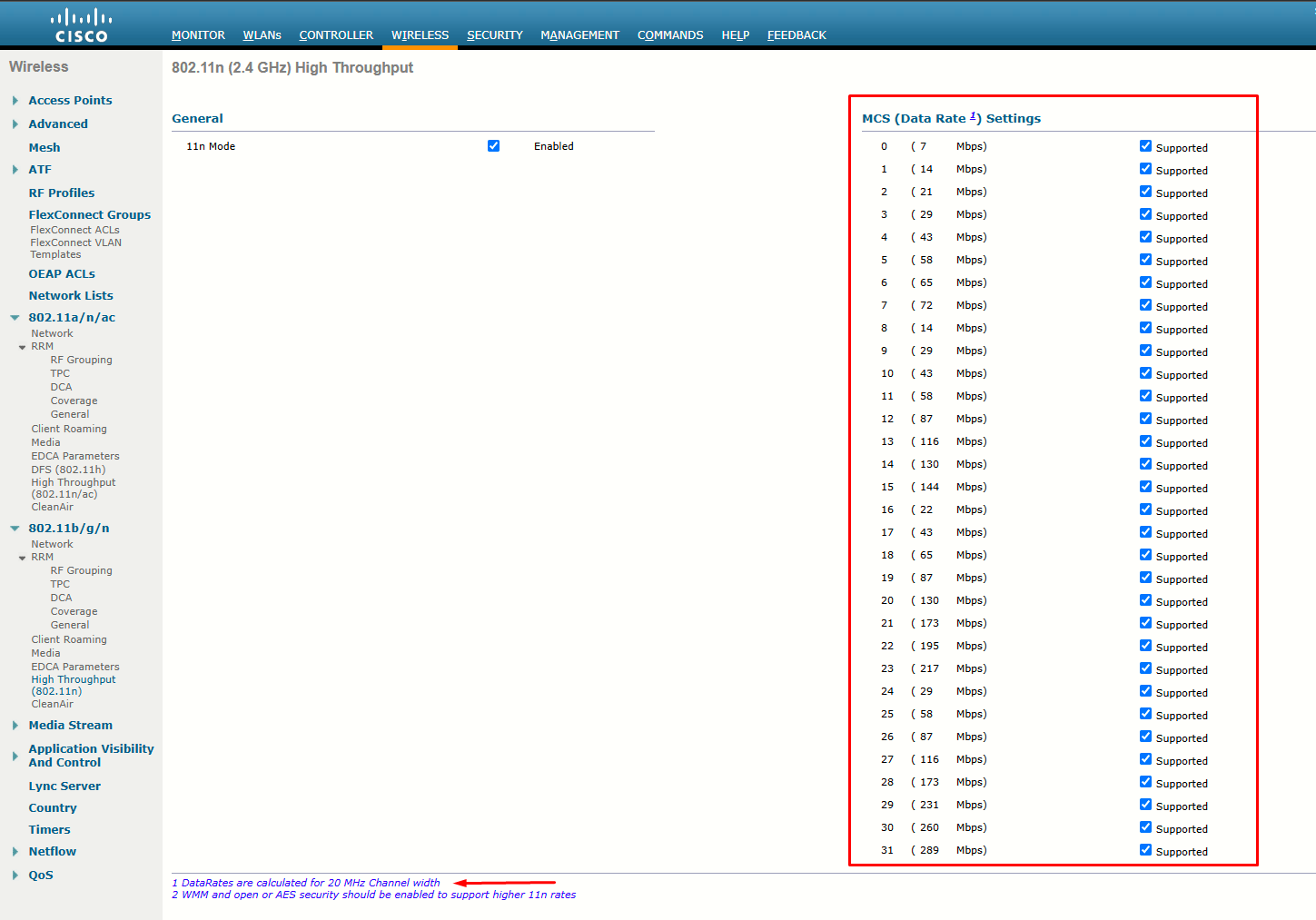
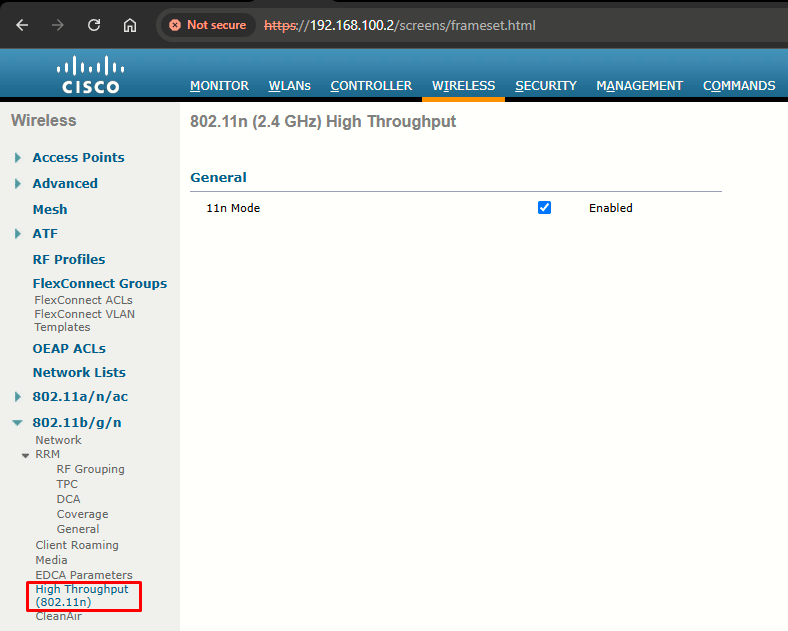
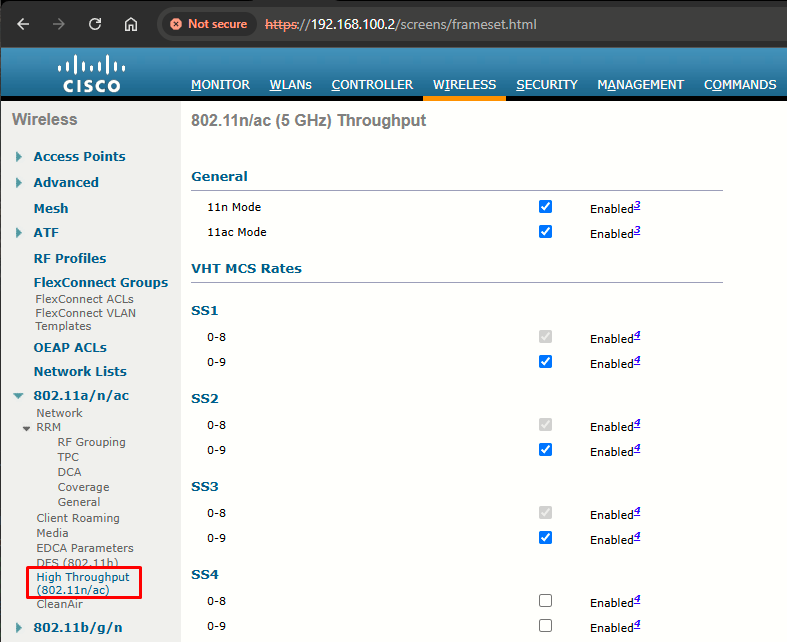
Both are considered to be rich sets of high-throughput enhancements and must be configured separately. By default, both are enabled. To check or change their state, go to Wireless > 802.11a/n/ac or 802.11b/g/n > High Throughput to open the (5 GHz or 2.4 GHz) HT page. By default, every possible MCS is enabled and supported:
|
|
|
Task 2: Configuring Data Rates
On the right side of the Network submenu, as shown below, you can configure the individual data rates (and the corresponding modulation and coding schemes) that are supported on each band. Each data rate can have one of the following states:
- Mandatory: Clients must support this data rate in order to associate to an access point on the controller. At least one data rate must be mandatory.
- Supported: Any associated clients that support this data rate may communicate with the access point using that rate. However, the clients are not required to be able to use this rate in order to associate.
- Disabled: This data rate is not used for communication with associated clients.
|
|
|
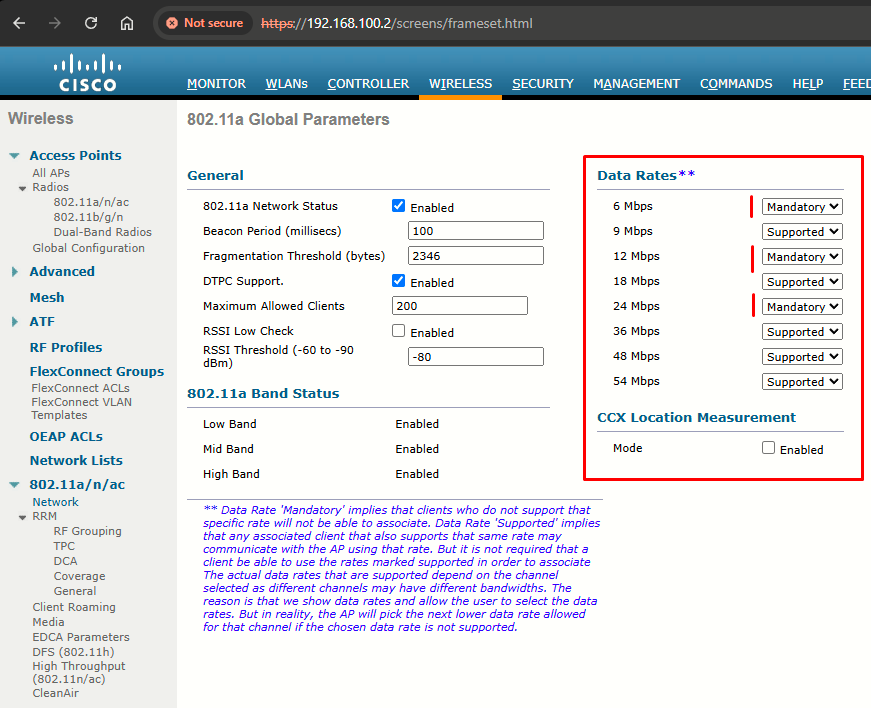
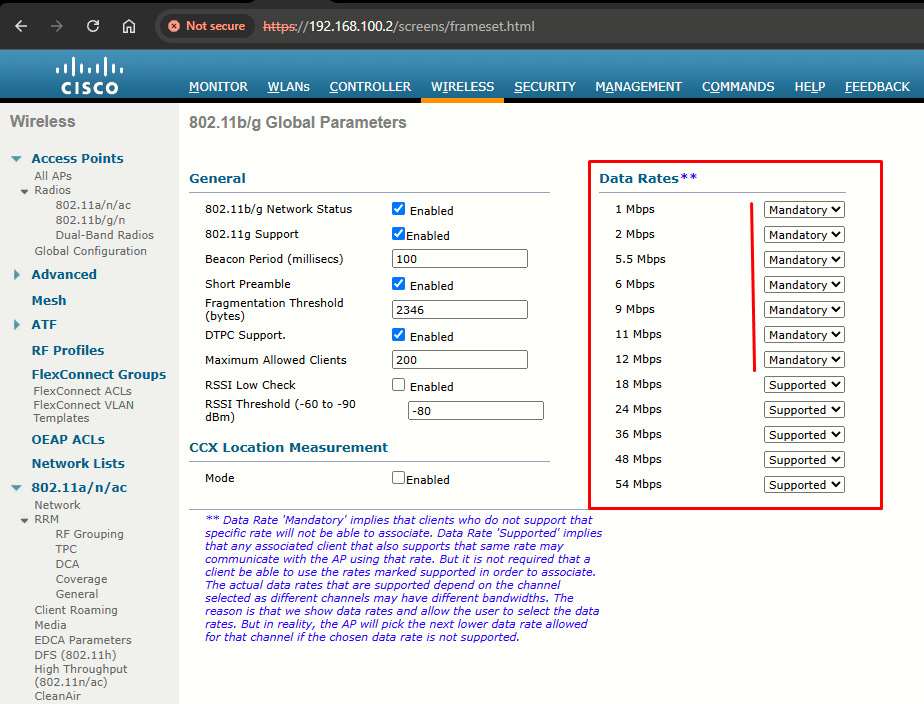
By default, all data rates are enabled and supported. In the 2.4 GHz band, the 1, 2, 5.5, 11 and 12 Mbps rates are all marked as mandatory, based on the initial IEEE requirement that all clients be able to support each possible modulation type defined in 802.11b. In the 5 GHz band, the 6, 12 and 24 Mbps rates are marked as mandatory.
You can disable lower data rates to decrease the AP cell size and make channel use more efficient. Just make sure the cells are not shrunk too much, leaving holes or gaps in the coverage between APs. Also be sure that all of your wireless clients can use the same set of mandatory and supported data rates.
Configuring 802.11n and 802.ac Data Rates
At Wireless > 802.11a/n/ac or 802.11b/g/n > High Throughput, open the (5 GHz or 2.4 GHz) HT page, where you can select the check boxes of the desired rates to specify the MCS rates at which data can be transmitted between the APs and the client.
Recall that 802.11 can bond one 20-MHz channel to an adjacent 20-MHz channel to effectively double the channel width. 802.11ac can scale even further. By default, the WLC will use only a single 20-MHz channel on each AP. You can configure channel bonding as a part of the dynamic channel allocation (DCA) configuration for the 5 GHz band only.
|
|
|