Cisco 5500 WLC - Cisco WLAN Express Setup
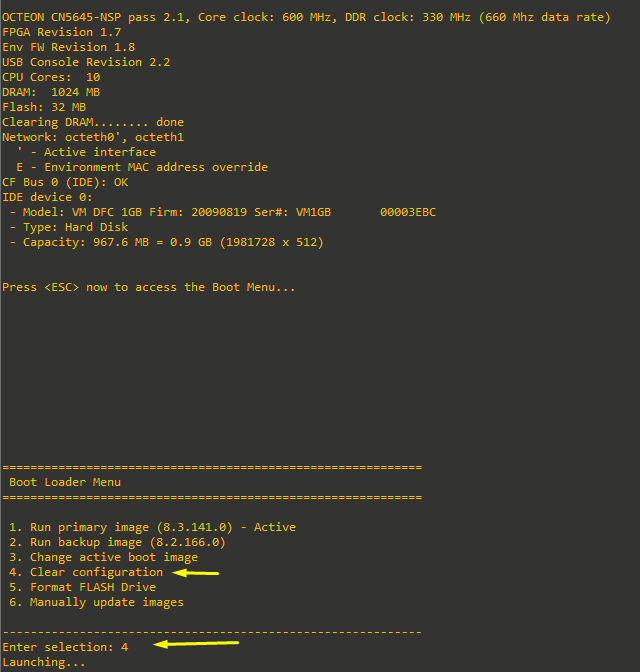
1. Connected the WLC to the PC via console. Entered the bootloader and selected option 4:
2. Connected Ethernet cable to SP and then to PC. Configured it via DHCP, accessed http://192.168.1.1:
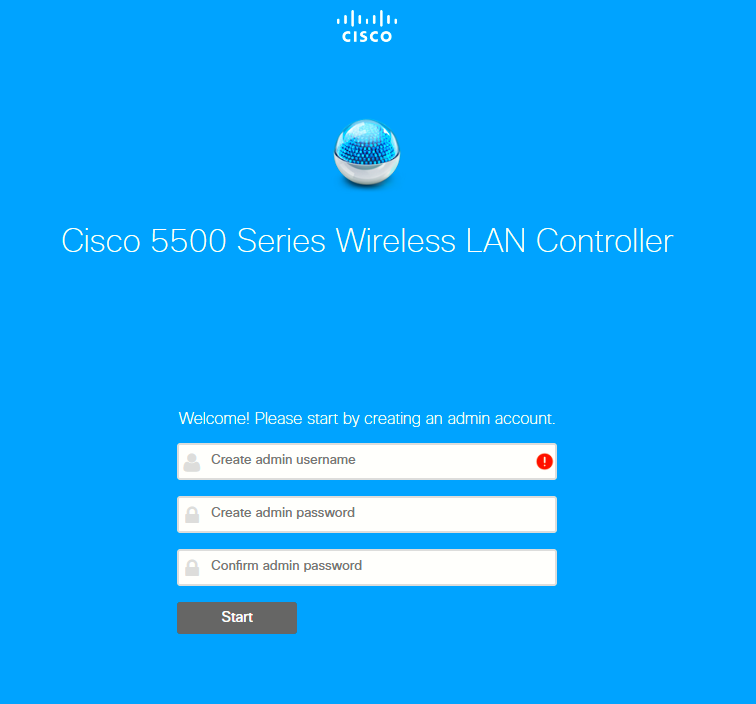
Entered admin username/password and clicked start.
3. Entered the following configuration for basic LAB:
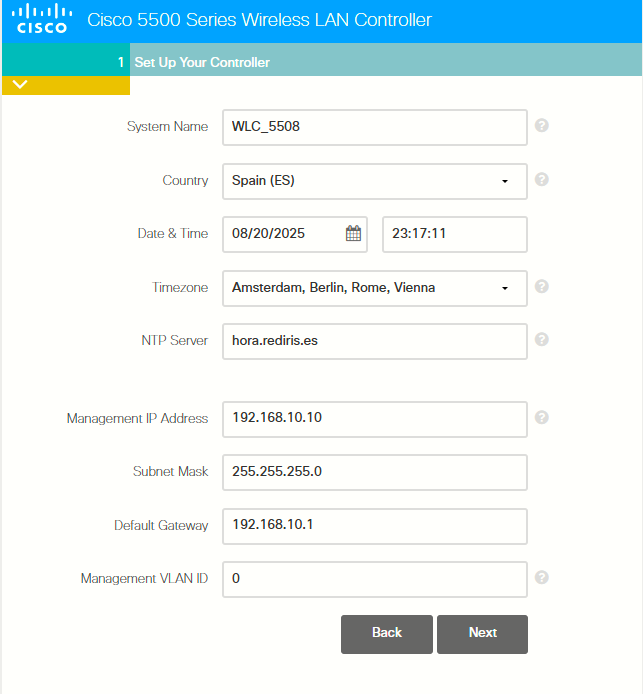
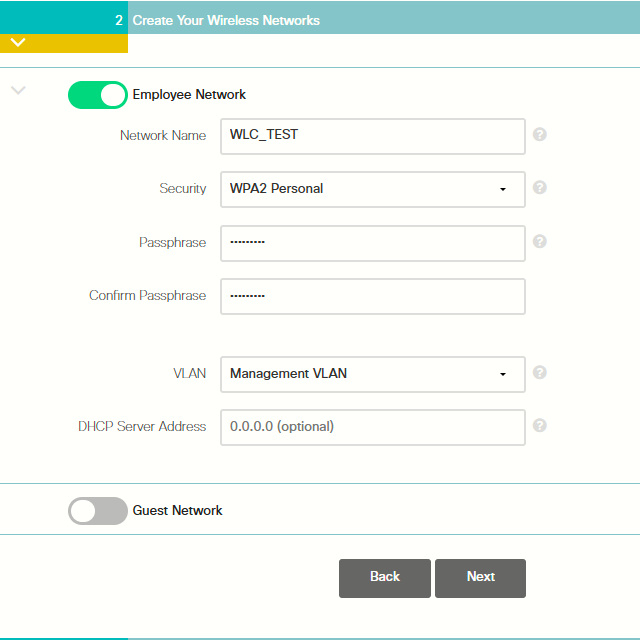
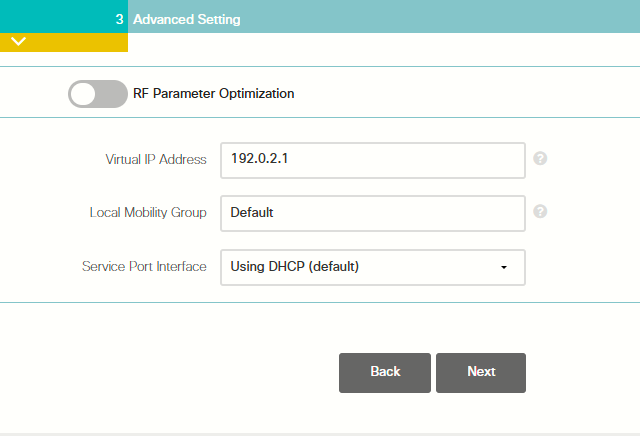
Resume:
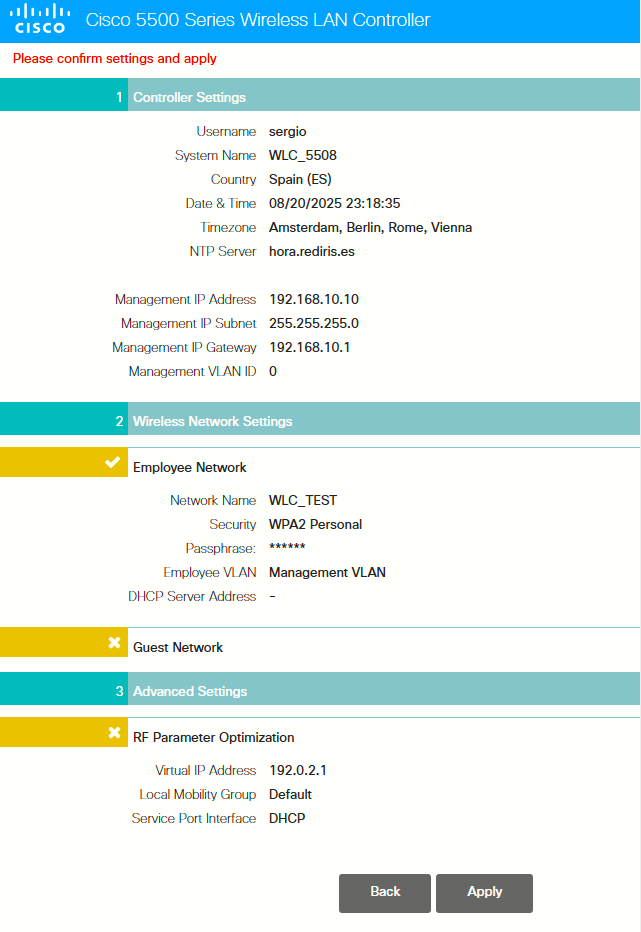
4. Applied settings
5. As the WLC has 8 sfp slots, but sfp none installed, I had to configure service port to access the controller via gui:
(Cisco Controller) > config interface dhcp service-port disable
(Cisco Controller) > config interface address service-port 192.168.50.1 255.255.255.0
(Cisco Controller) > config network webmode enable
Then configured fixed IP address on PC 192.168.50.2 and then I could access the GUI
6. Went to Commands > Download File, to upgrade the controller
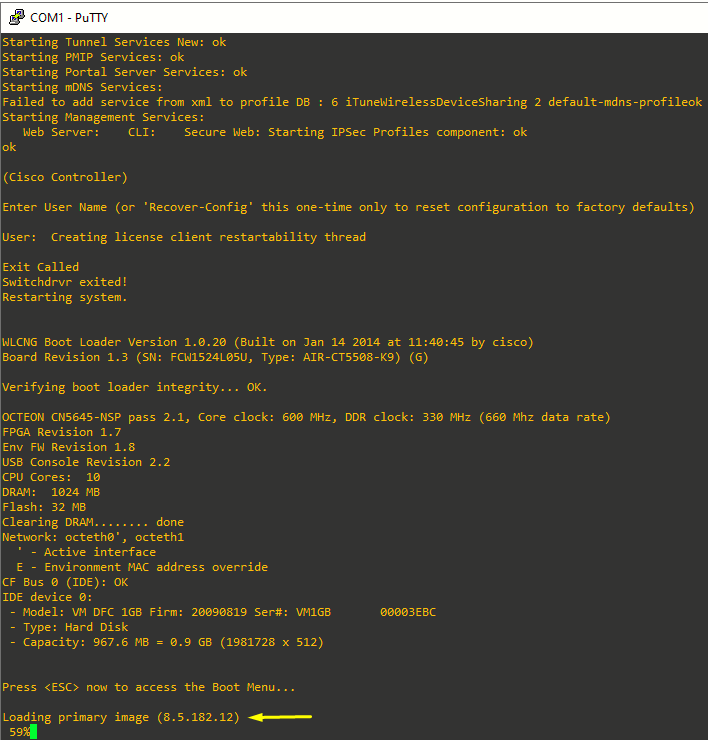
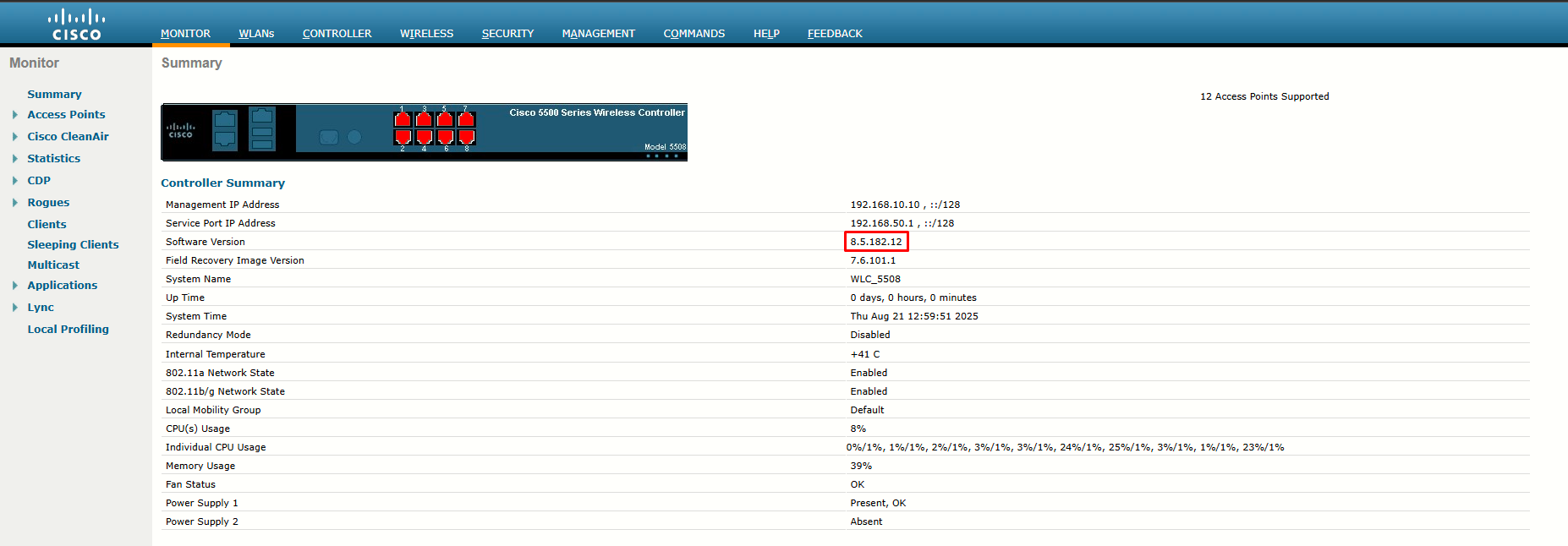
Used file AIR-CT2504-K9-8-5-182-12.aes since I could not get AIR-CT5500-K9-8-5-182-12.aes (but since they have the same hash, it is supposed to work -> https://community.cisco.com/t5/wireless/wlc-upgrade/td-p/5010985)
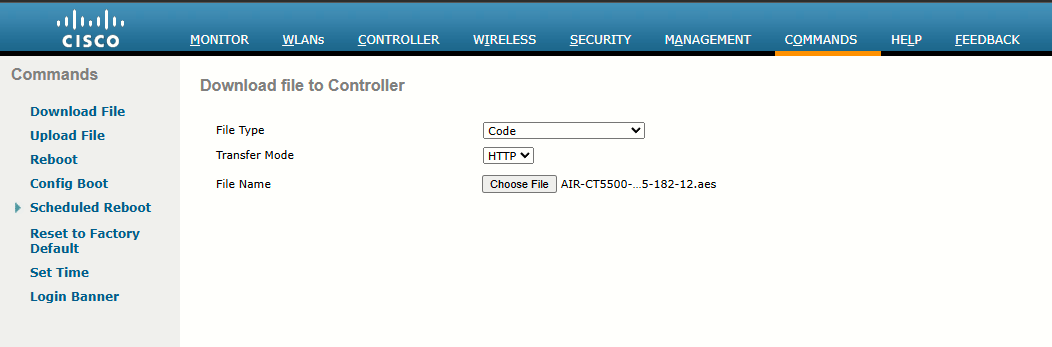
Just renamed the file accordingly and uploaded it to WLC (or downloaded...)
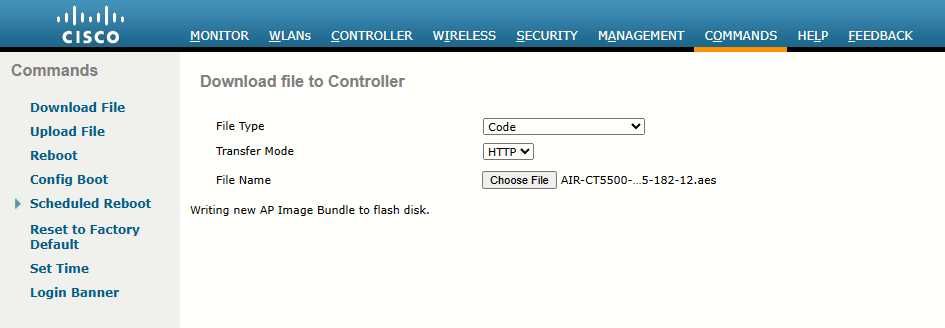
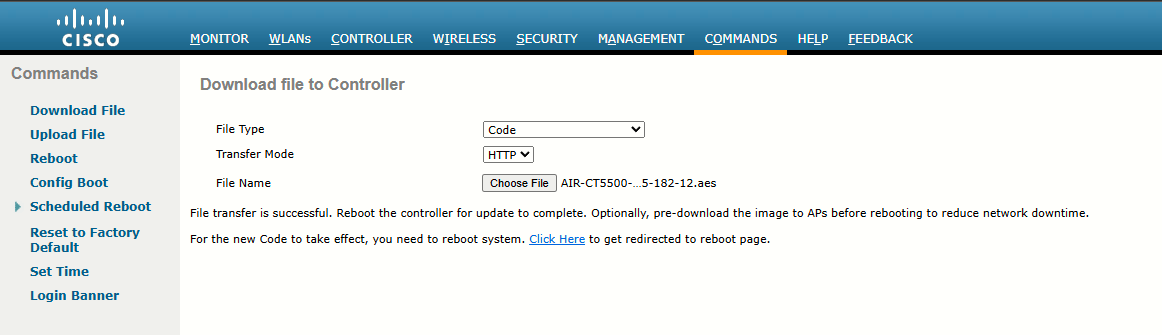
Worked: