
Lab 4-3: Updating the WLC Image and AP Bundle (GUI method)
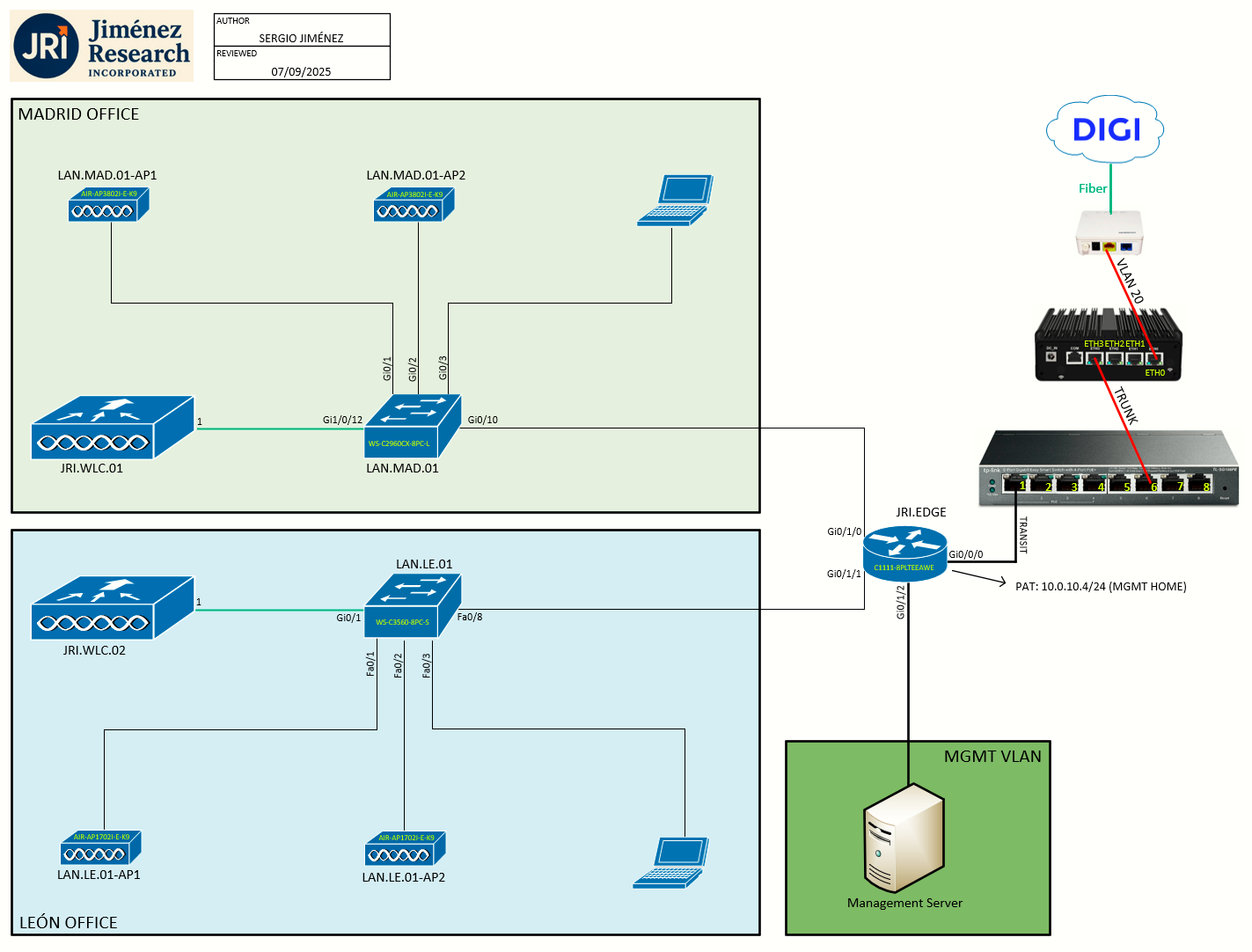
Topology
Task 1: The Need for Upgrading JRI.WLC.02
This page will show the upgrade process for an AireOS WLC in version 8.5. The WLC to be upgraded in the topology is the JRI.WLC.02 which we just setup in the previous lab (Lab 4-2).
To add some context, the main WLC (JRI.WLC.01) is at version 8.5.182.109 (the latest available for WLC 5508 as of 2025), and JRI.WLC.02 is at 8.5.182.7. We want both the be at the exact same version, hence we need to upgrade JRI.WLC.02 to 8.5.182.109.
Not only do we have the main Controller Image for the 5508 platform, but we also have at hand the Cisco Wireless Controller AP Bundle Software for 5508 Platform (see note below).
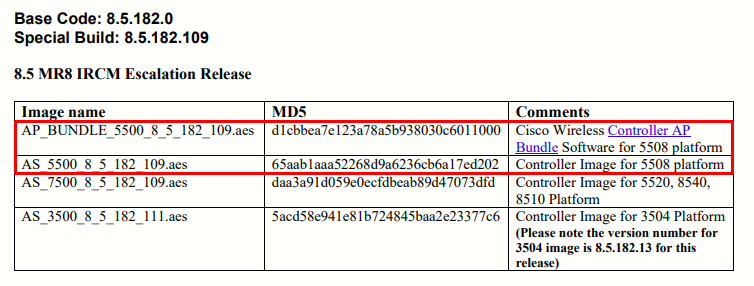
Do we really need to install the AP bundle? Not really.
From the Release Notes for Cisco Wireless Controllers and Lightweight Access Points, Cisco Wireless Release 8.5.182.0, section Upgrading Cisco Wireless Release, Guidelines and Limitations:
Changes in Images and Installation Procedure for Cisco 5508 Controllers
Due to an increase in the size of the Cisco controller software image, the Cisco 5508 controller software images are split into the following two images:
Base Install image, which includes the Cisco controller image and a subset of AP images (excluding some mesh AP images and AP80x images) that are packaged in the Supplementary AP Bundle image.
Supplementary AP Bundle image, which includes AP images that are excluded from the Base Install image. The APs that feature in the Supplementary AP Bundle image are:
Cisco AP802
Cisco AP803
Cisco Aironet 1530 Series AP
Cisco Aironet 1550 Series AP (with 128-MB memory)
Cisco Aironet 1570 Series APs
Cisco Aironet 1600 Series APs
As you can see the supplementary AP bundle image is just to make certain APs work with this platform. Since I don't (and probably never) have any of those APs I will just skip the AP bundle installation.
Task 2: GUI Upgrade Procedure
We will use the following components:
- AS_5500_8_5_182_109.aes (Controller Image for 5508 platform)
- A PC with HTTP/S access to the WLC for file transfer via HTTPs.
- A Cisco 5508 WLC that runs 8.5.182.7 to be upgraded to software release 8.5.182.109.
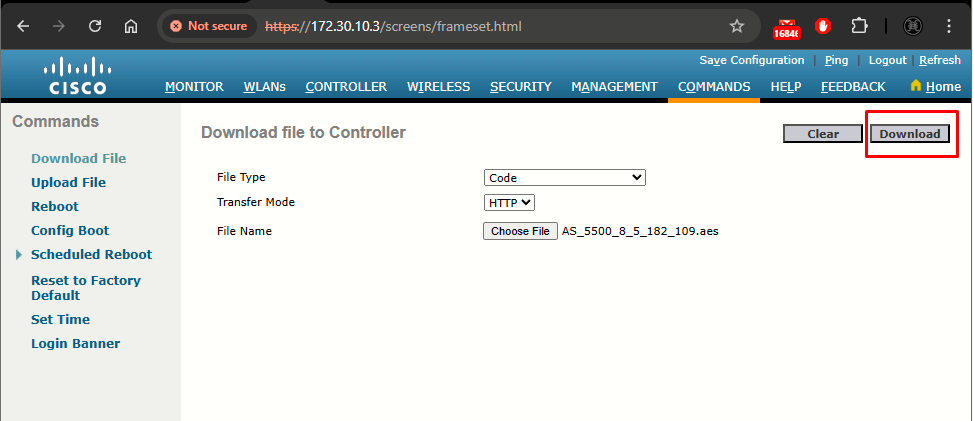
Step 1: At the WLC, navigate to Commands > Download File
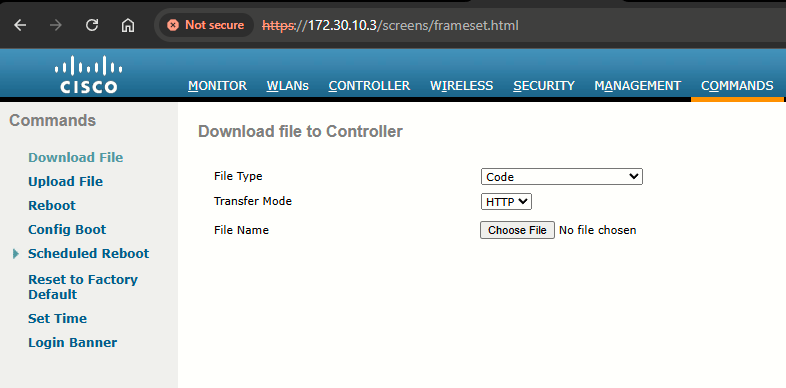
Step 2: Leave File Type > Code, Transfer Mode > HTTP, and click on Choose File to select the AS_5500_8_5_182_109.aes file
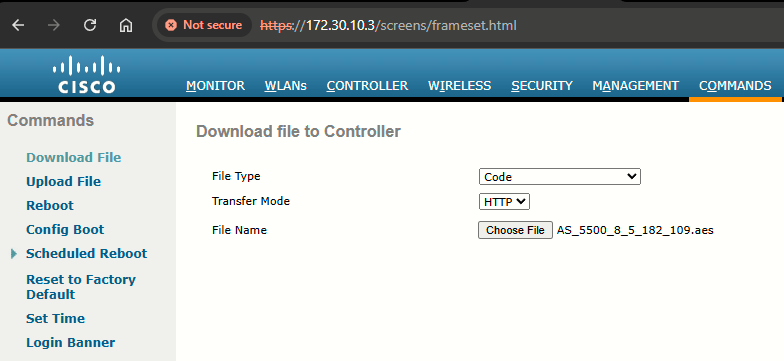
Step 3: Finally, click Download at the upper right corner:
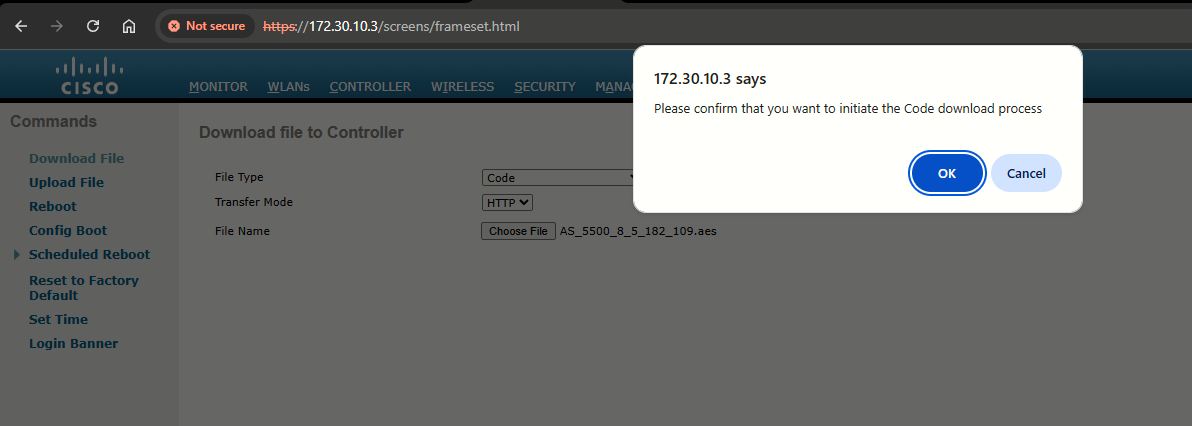
Accept the prompt:
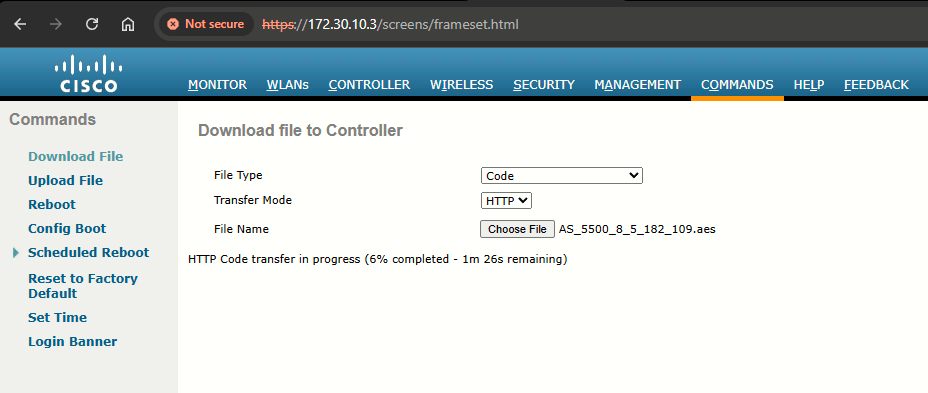
The WLC begins uploading the image via HTTP:
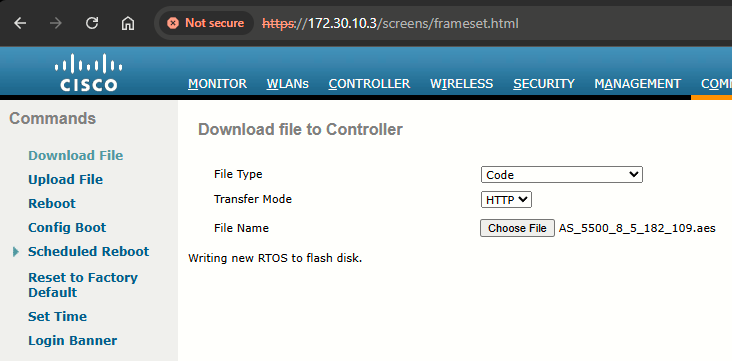
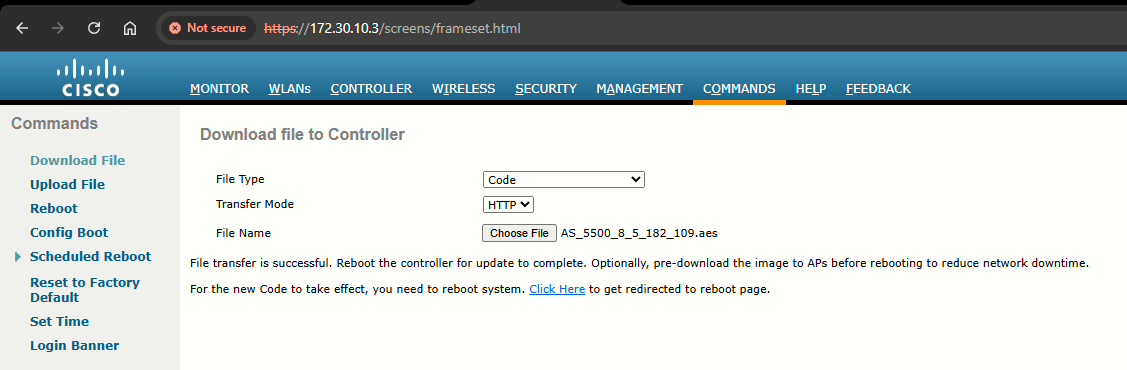
Step 4: When the file transfer is successfully completed the following message will appear indicating so. To finish the upgrade, reboot the WLC.
Task 3: Verification
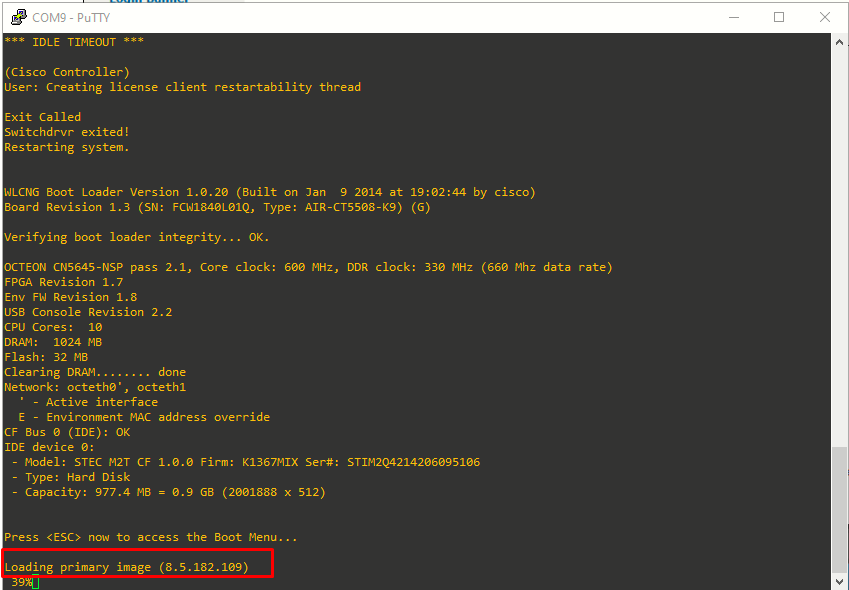
From the console, just after rebooting, we can see the 8.5.182.109 image is booting as primary image:
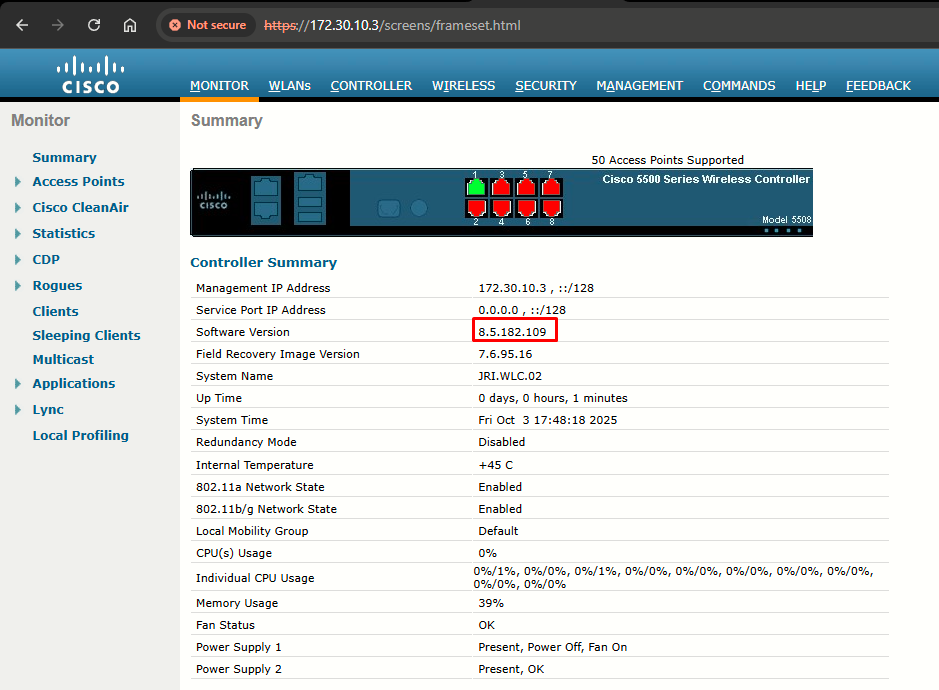
Back at the GUI, we can see the WLC upgraded succesfully:
Sources
Upgrade Process for AireOS Wireless LAN Controllers
https://www.cisco.com/c/en/us/support/docs/wireless-mobility/wireless-lan-wlan/68835-wlc-upgrade.html#toc-hId--779471950
Recommended AireOS Wireless LAN Controller Releases
https://www.cisco.com/c/en/us/support/docs/wireless/wireless-lan-controller-software/200046-tac-recommended-aireos.html
Addendum Release Notes for Cisco Wireless LAN Controllers and Lightweight Access Points for Special Build 8.5.182.109
https://www.cisco.com/web/software/280926587/167621/Release_Notes_8_5_182_109.pdf
Release Notes for Cisco Wireless Controllers and Lightweight Access Points, Cisco Wireless Release 8.5.182.0
https://www.cisco.com/c/en/us/td/docs/wireless/controller/release/notes/crn85mr8.html#supplementary-image