
TP-LINK Switch Configuration
Introduction
Per the reference topology, which I have copied below for reference, the TP-LINK switch must be configured so it can pass tagged traffic onto the OPNsense (a trunk link):
|
|
|
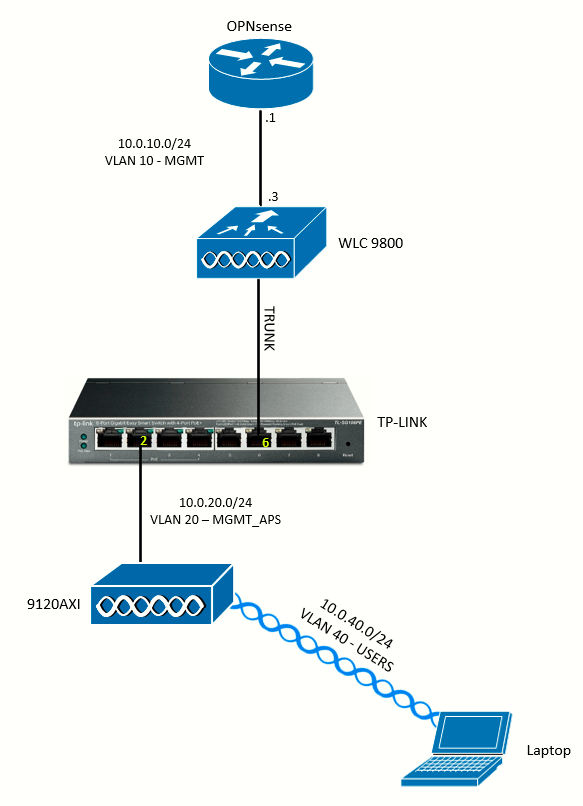
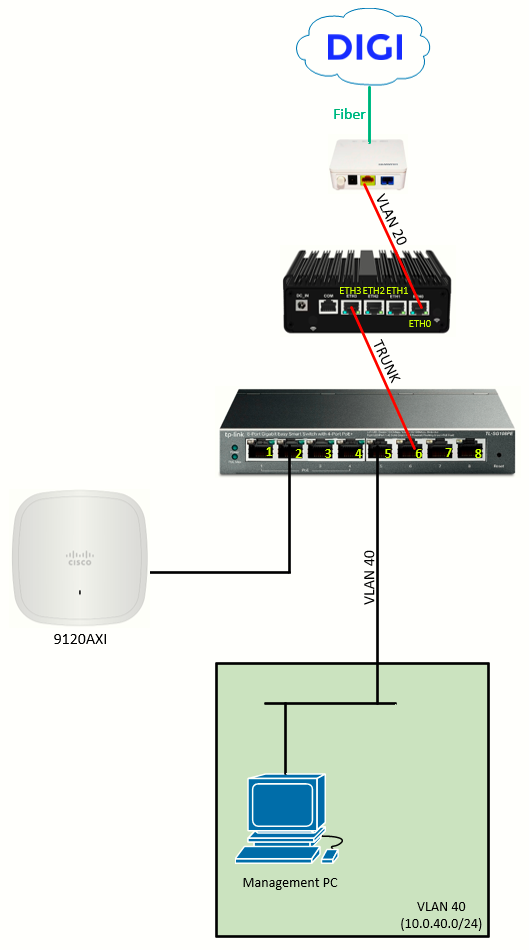
A problem with this switch model (TL-SG108PE) is its lack of options available to configure. Also, it is not very clear per the instructions how to configure a trunk link and an access port.
Easy Smart Configuration Utility
TP-LINK has a software called Easy Smart Configuration Utility that can be used to configure the switch. It will auto-scan the networks attached to the management PC (where the software will be installed) to search for TP-LINK switches.
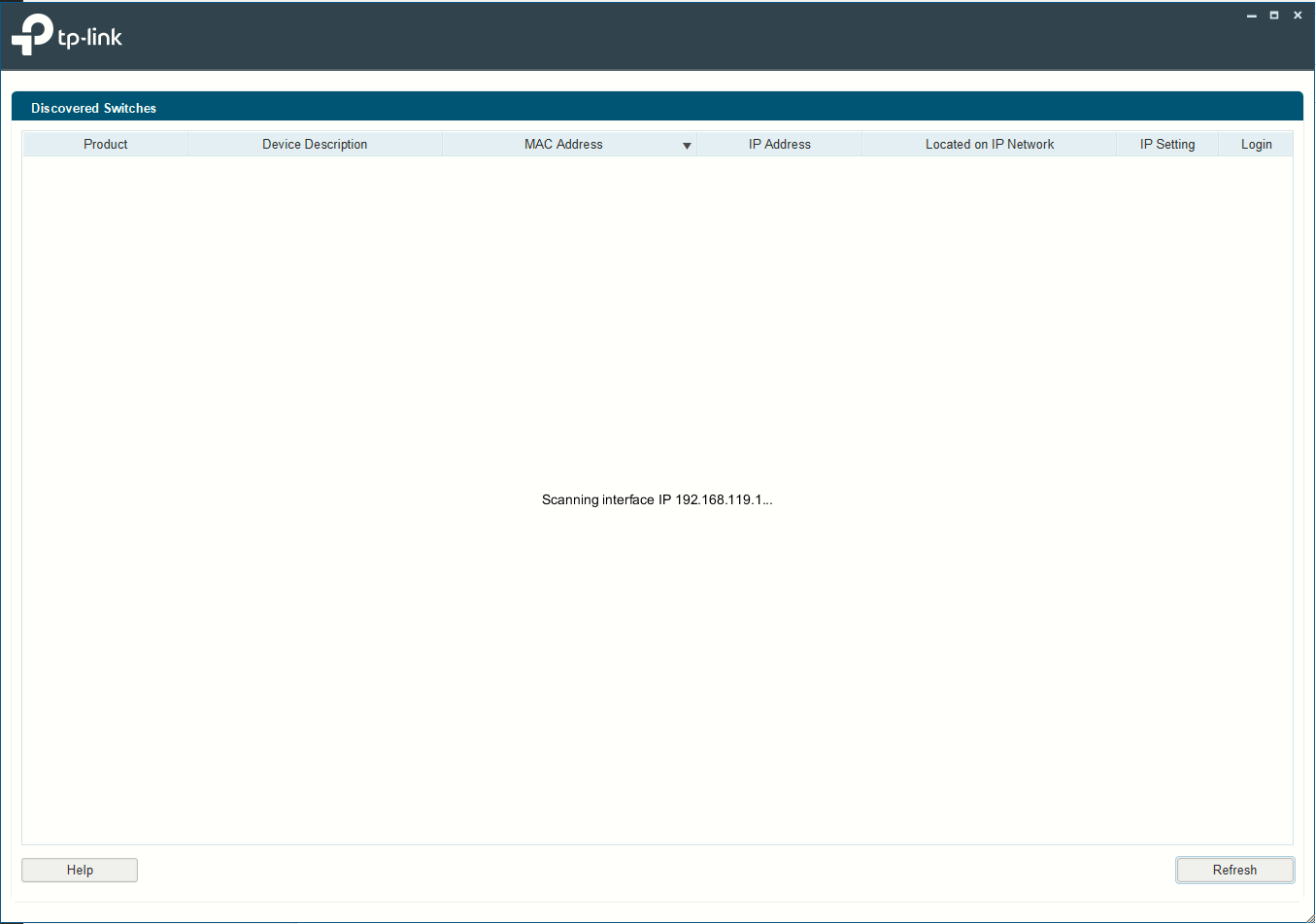
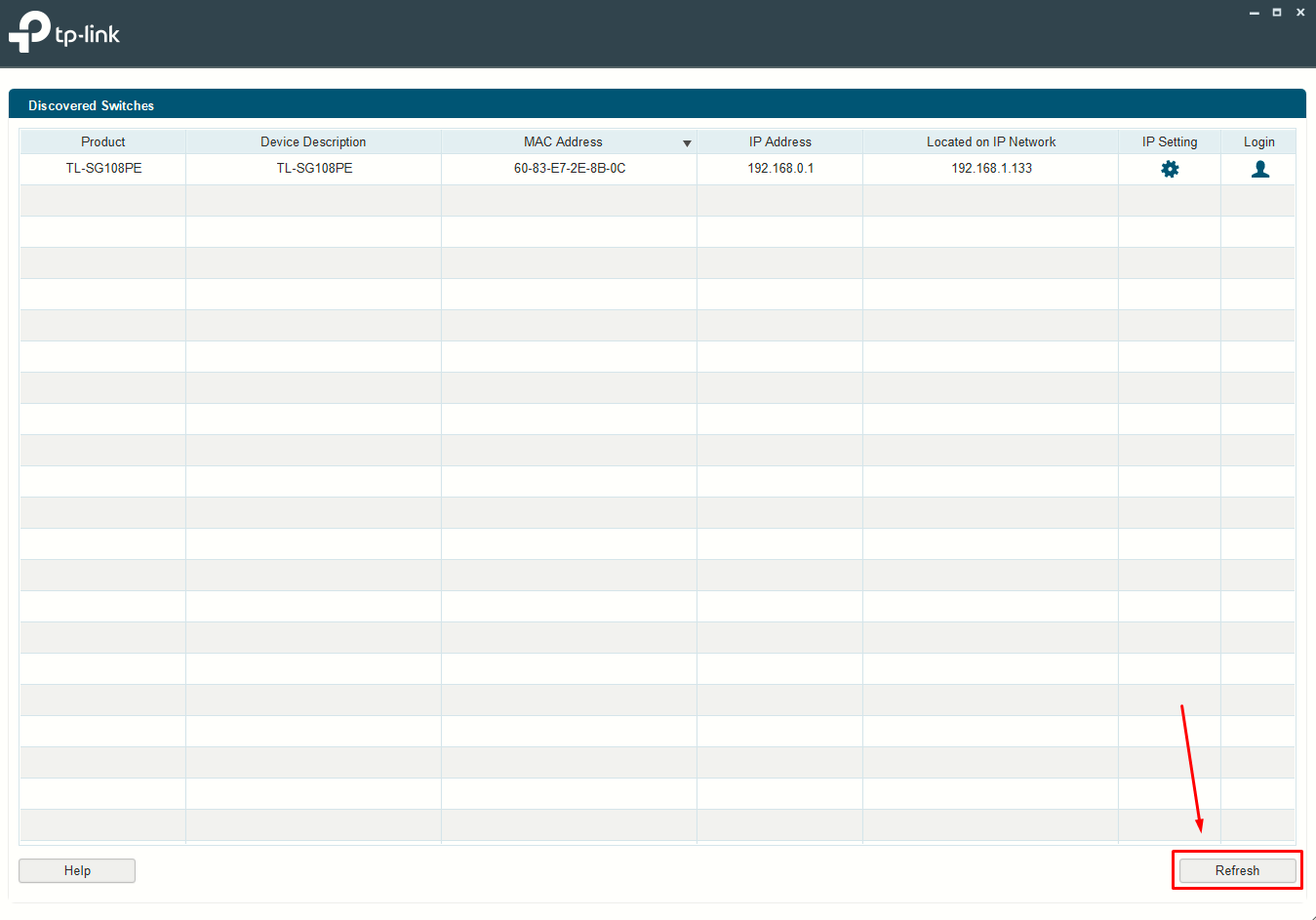
The switch default configuration has 192.168.0.1/24 as its management address, but if the switch does find a DHCP server on any of its connected ports it will get IP from it and this will change.
In any case, the management PC should have visibility onto the switch IP address so the software can find it:
Enabling 802.1Q VLANs on the Switch
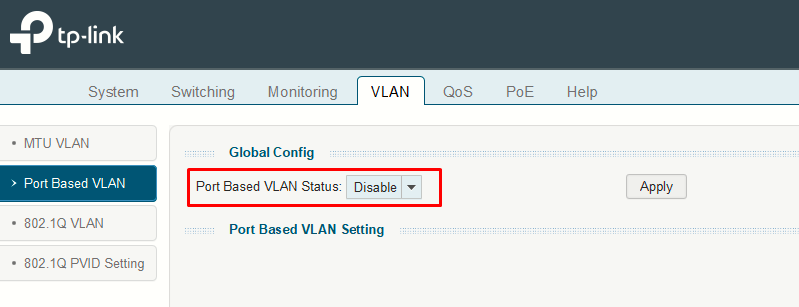
I will move to the VLAN tab. Here, I will go to section Port Based VLAN and disable it:
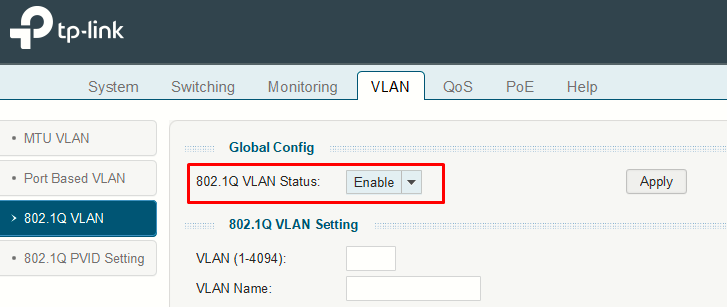
Then, I'll want to enable 802.1Q VLANs.
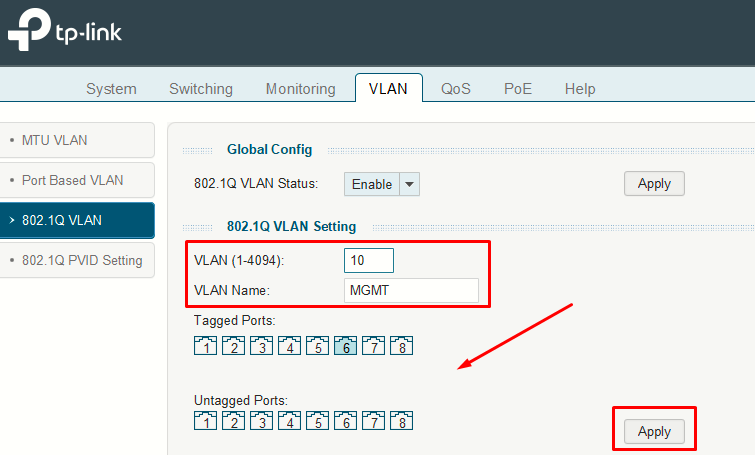
To create a VLAN, I will:
- Add tag (number)
- Add name
- Select at least one port to which the VLAN configuration should apply (tagged or untagged).
- Click Apply
The following image, shows what I have already configured here:
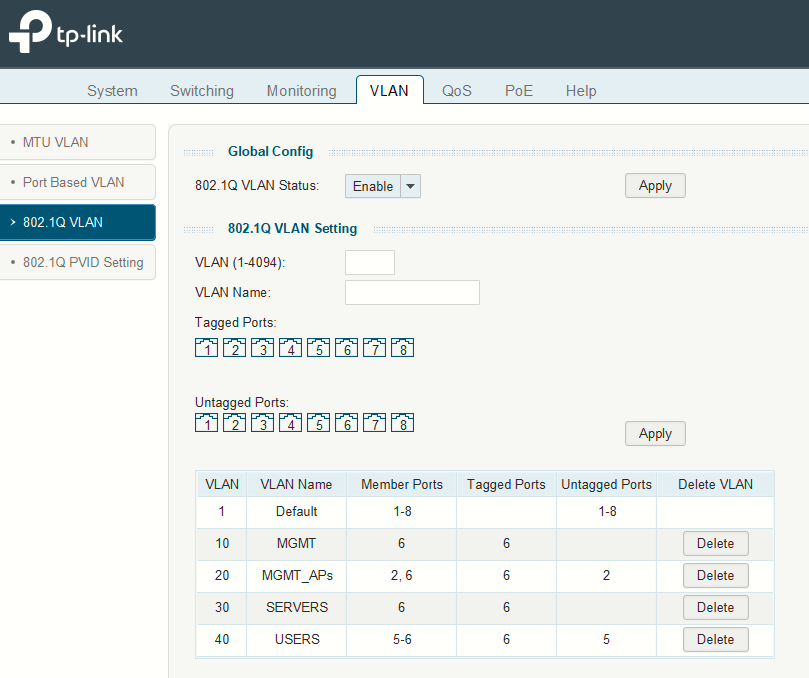
- VLAN 1 (Default) cannot be deleted and is assigned to all ports as untagged. In essence as if "switchport access vlan 1" was configured on all switch ports.
- VLANs 10 and 30 have been created and tagged on port 6 only (the trunk).
- VLAN 20 has been tagged on port 6 (the trunk) and untagged on port 2.
- VLAN 40 has been tagged on port 6 (the trunk) and untagged on port 5.
- Every configuration takes precedence on the default VLAN 1 configuration.
This means that:
- An AP plugged into port 2 will send/receive untagged frames, which the TP-LINK maps to VLAN 20. Those frames will be forwarded onto the trunk (port 6) as tagged VLAN 20.
- An user plugged into port 5 will behave the same for VLAN 40.
- The trunk (port 6) carries four tagged VLANs (10, 20, 30, 40). OPNsense/Proxmox will only see traffic for those four VLANs (as of now) coming from that link.
However, VLAN config is not finished for untagged (or access) ports. We still need to configure some things on the 802.1Q PVID Setting section:
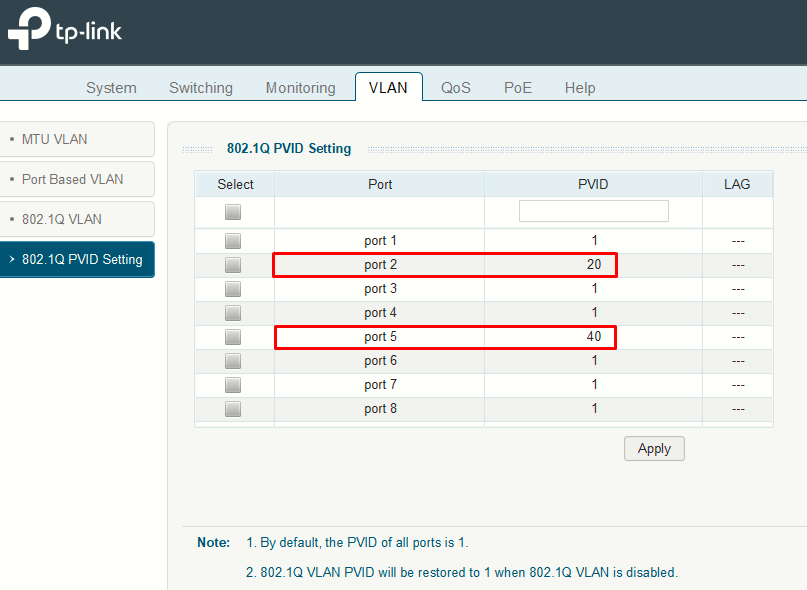
- PVID = Port VLAN ID for untagged ingress traffic. If a frame arrives on a port without 802.1Q (as expected on access ports), the switch assigns it to the PVID.
- This is equivalent to making a port an access port on Cisco:
switchport access vlan 20-> untagged frames on that port become VLAN 20. - Incoming untagged frame (from a device connected on an access port) -> TP-LINK tags it internally with the port's PVID
- Incoming tagged frame (from the trunk, incoming from OPNsense) -> TP-LINK sees the tag and delivers it to the matching VLAN.
- Egress behavior: whether the switch sends a frame tagged or untagged depends on the VLAN membership table configured for that VLAN.