
Configuring Proxmox Network Interfaces
Introduction
Note I have not configured the Network settings on the previous OPNsense installation page. I will configure it separately according to the following addressing plan and topology:
Here I am introducing my homelab topology version 1.0, which will serve onwards as the reference for the rest of the chapter.
|
|
|
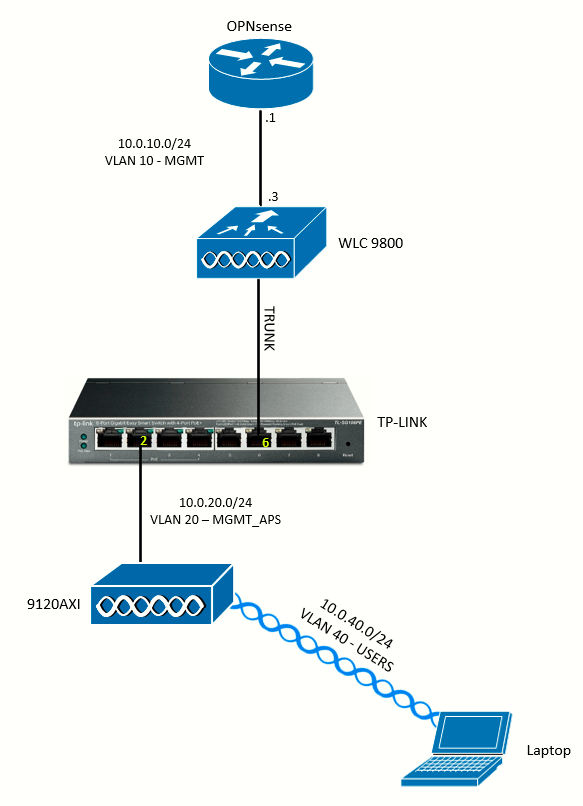
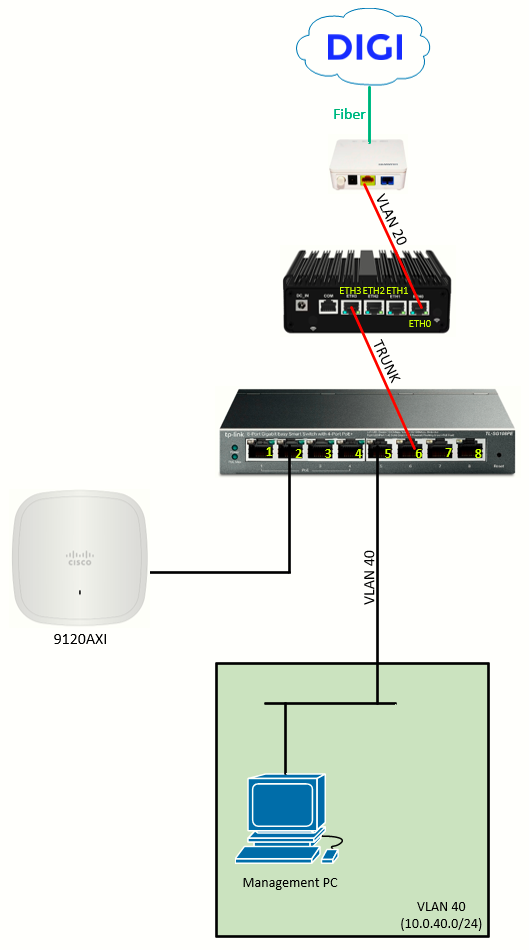
| NETWORK | ADDRESS |
| VLAN 10 (MANAGEMENT) | 10.0.10.0/24 |
| VLAN 20 (WAN) | - (explanation just below) |
| VLAN 20 (MANAGEMENT_APs) | 10.0.20.0/24 |
| VLAN 30 (SERVERS) | 10.0.30.0/24 |
| VLAN 40 (USERS) | 10.0.40.0/24 |
WAN Interface
With DIGI fiber, Internet traffic is carried over VLAN 20 between the ONT and the DIGI router. The DIGI router is preconfigured to accept VLAN 20 on its WAN port and establish the PPPoE session.
Since we are substituting the DIGI router with the OPNsense VM in the miniPC, we will be reconfiguring the ETH0 as the WAN port (which will act as an access port in VLAN 20). DIGI's ONT expects the miniPC to tag all Internet traffic with VLAN 20 (802.1Q), including the initial establishment of the PPPoE session.
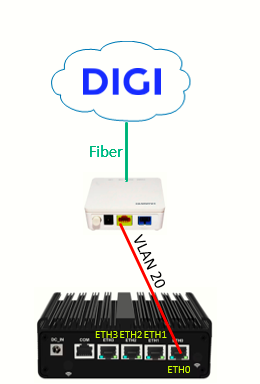
To conifugre this on Proxmox/OPNsense, I want to start by creating a Linux VLAN interface on Proxmox. Creating a Linux VLAN interface called enp1s0.20 tells the host to accept/tagged frames on the physical link (ETH0) and present them to the system as a separate logical interface. It isolates the DIGI VLAN 20 from other traffic on that NIC (ETH0), although for now this will be the only traffic on that link. No IP configured as I want this purely as a bridge port:
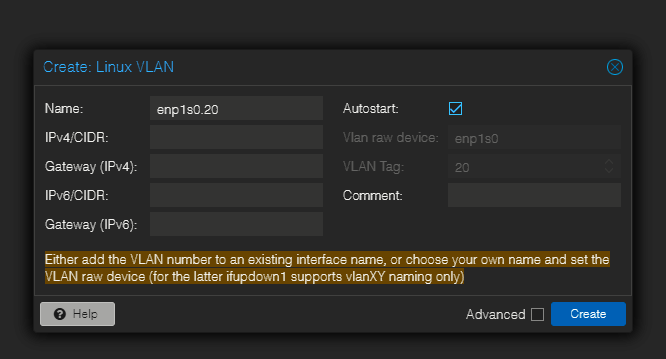
Host VLAN device (enp1s0.20): strips the VLAN tag on the physical interface and exposes that VLAN as an ordinary interface on the host. That is simple and robust when only one VM (OPNsense) needs that VLAN on its WAN.
Next, I will create a bridge interface called wan. Proxmox VMs attach to bridge interfaces. By bonding enp1s0.20 into wan, any VM NIC attached to wan will receive the VLAN 20 traffic as untagged frames. This keeps the WAN traffic isolated from other host or LAN bridges.
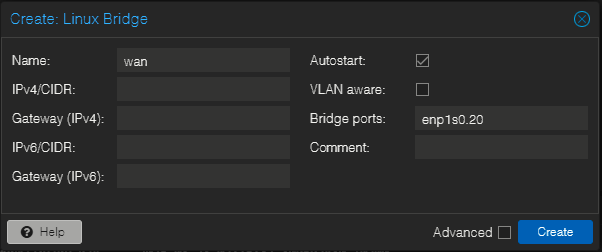
Non-VLAN-aware bridge: the bridge then carries untagged VLAN-20 frames to the VM. OPNsense sees them as plain WAN traffic and can request PPPoE for the public IP. This avoids having to configure VLAN handling inside OPNsense or add VM-level tagging in Proxmox.
Finally, I will edit the OPNsense VM Hardware > Add > Network Device
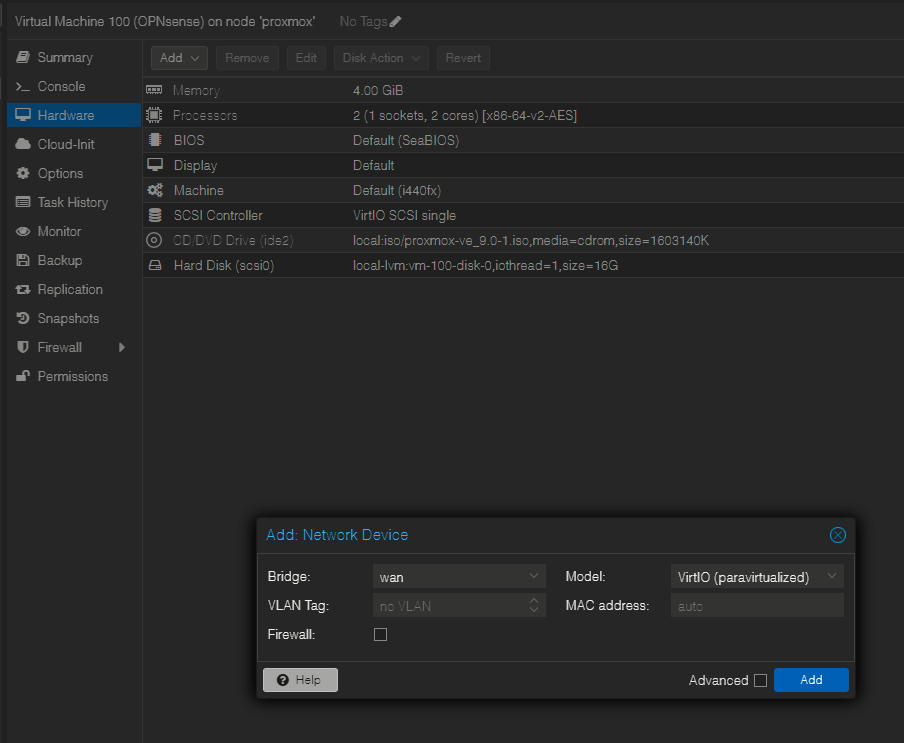
I want to leave the Firewall checkbox unchecked. OPNsense is the firewall — I want it to see all the raw WAN traffic and handle security itself. If Proxmox filters WAN before OPNsense, I might run into confusing issues (blocked DHCP from ISP, no PPPoE, odd packet drops).
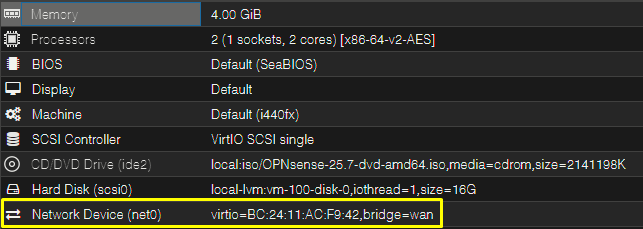
So, as of now I have an interface called wan, attached to the OPNsense VM:
LAN Interface
The LAN interface is a trunk link connecting to a TP-LINK managed switch (see topology diagram).
Let's start going back to the Proxmox Network Settings. I will create a bridge interface called trunk and bound it to interface enp4s0 (physical port ETH3), and attach it to the OPNsense VM.
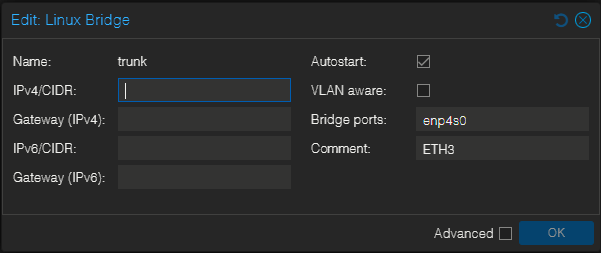
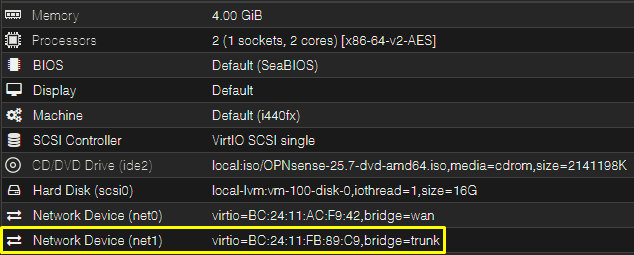
When you create a Linux bridge in Proxmox and attach a physical NIC to it, Proxmox is no longer "using" that NIC, it just passes traffic through like an unmanaged switch. By keeping that bridge not VLAN-aware, Proxmox doesn't try to interpret or strip 802.1Q VLAN tags. Frames from the TP-LINK trunk port (with VLAN tags) will go untouched straight into the OPNsense VM. OPNsense will receive those tagged frame on its virtual NIC vtnet1 and we will be configure VLAN interfaces inside OPNsense.
Next, I will add the interface to OPNsense VM and connect to it via console. The VM will detect the two NICs attached as vtnet0 (the "wan") and vtnet1 (the "trunk"). Note those are Proxmox identifiers. On OPNsense I will identify them as WAN and LAN respectively:
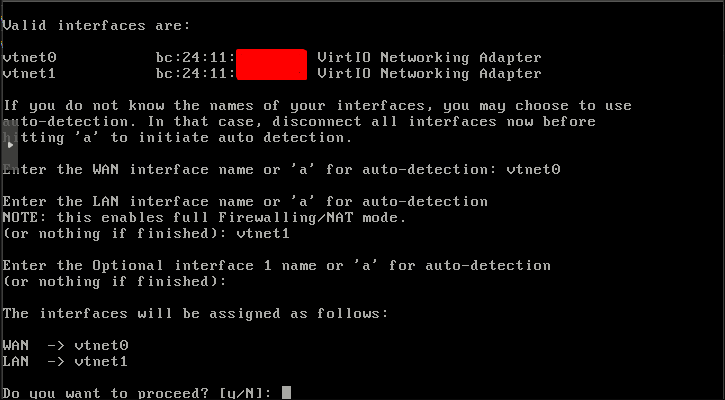
Since the management of OPNsense is mainly done via GUI, I set a temporary access on a dedicated management interface and began with the OPNsense interfaces configuration there.