OpenWRT - Initial WWAN Internet Access (Raspberry Pi 3 Model B)
Connecting to Internet using the WWAN Interface
Continuing where we left on the last page, we can see there is only a LAN interface, but in the current situation we don't have internet access. We will use the integrated WiFi chip (Cypress CYW43455) on the Pi to connect and use this interface as a WWAN interface.
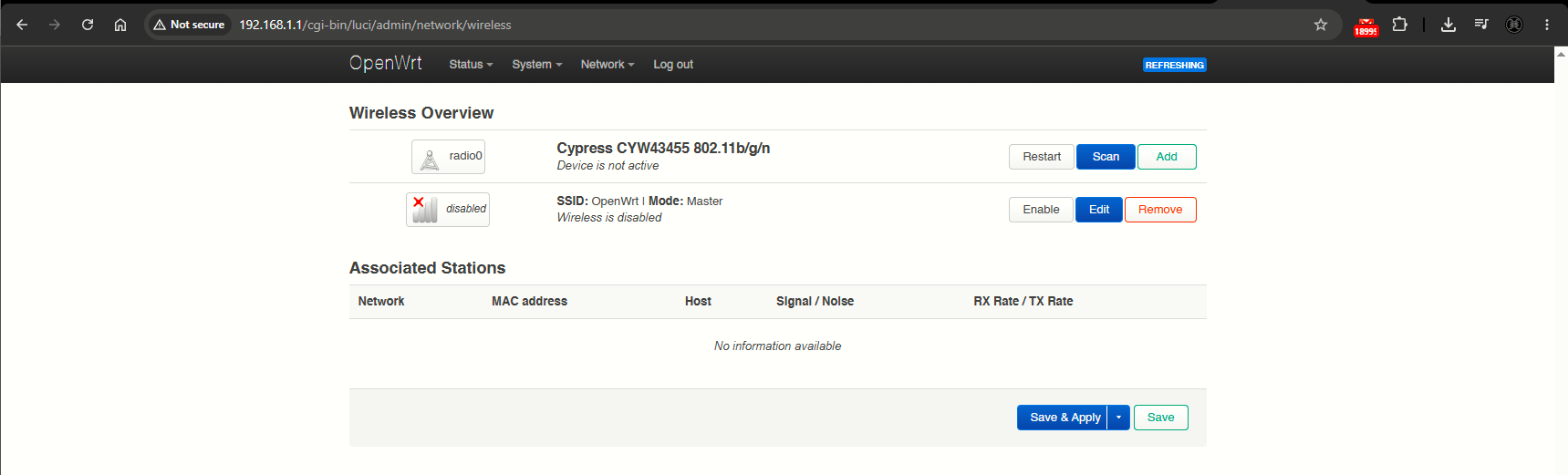
We will click on Scan, to list available WiFi networks:
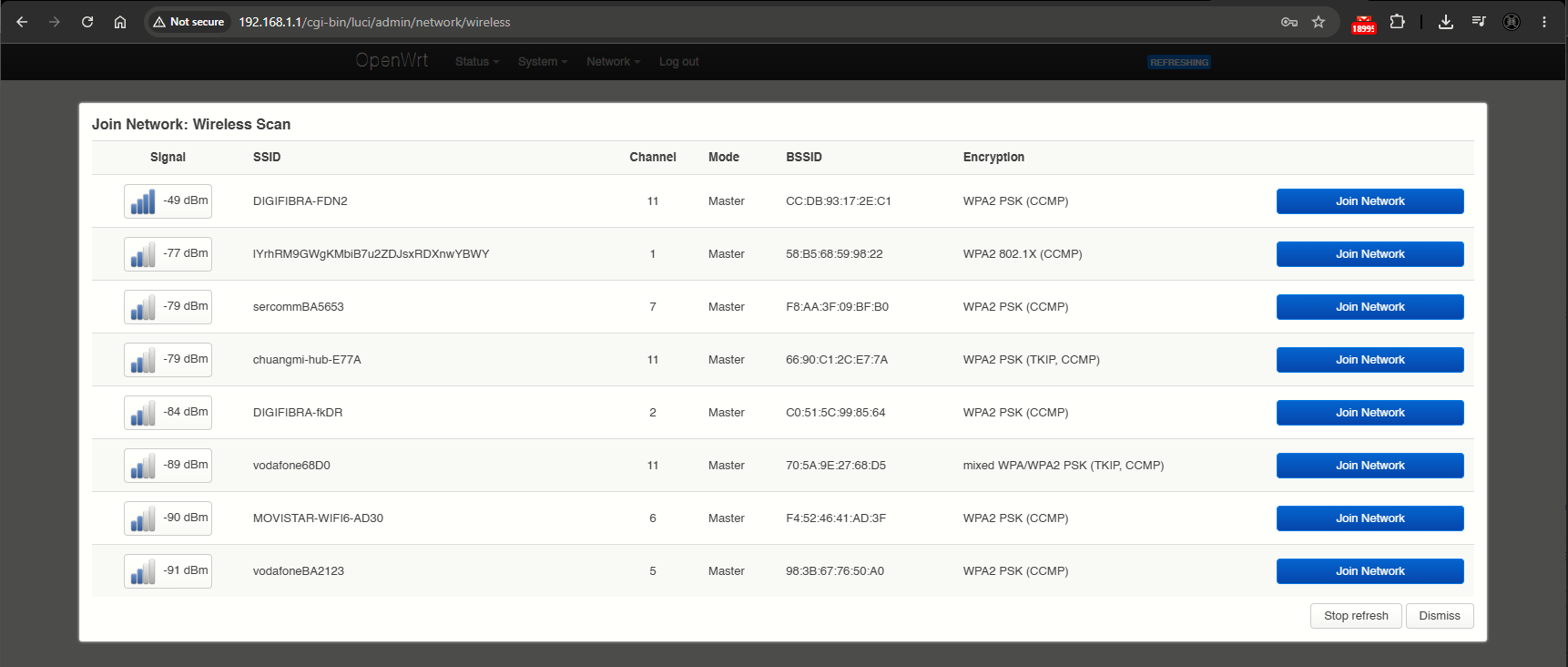
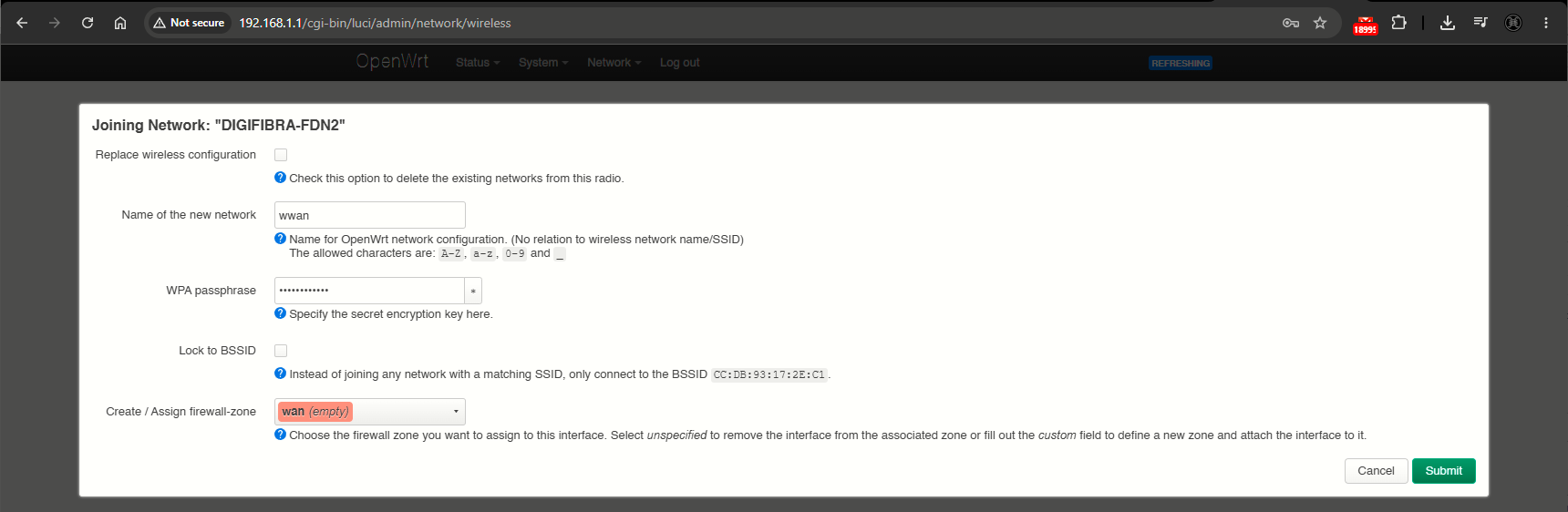
Now this is the key point; after clicking Join Network we are presented with the following configuration window, where basically we are configuring the WWAN interface. We want to make sure to use the name wwan as an easy identifier (default), and also assign it to the firewall wan zone.
After clicking Submit, we are presented with a further interface configuration. In effect, the Pi will as Client hence the Client selection on the Mode dropdown. The SSID and the PSK (at the Wireless Security tab) are automatically filled based on the previous screen input. Click Save.
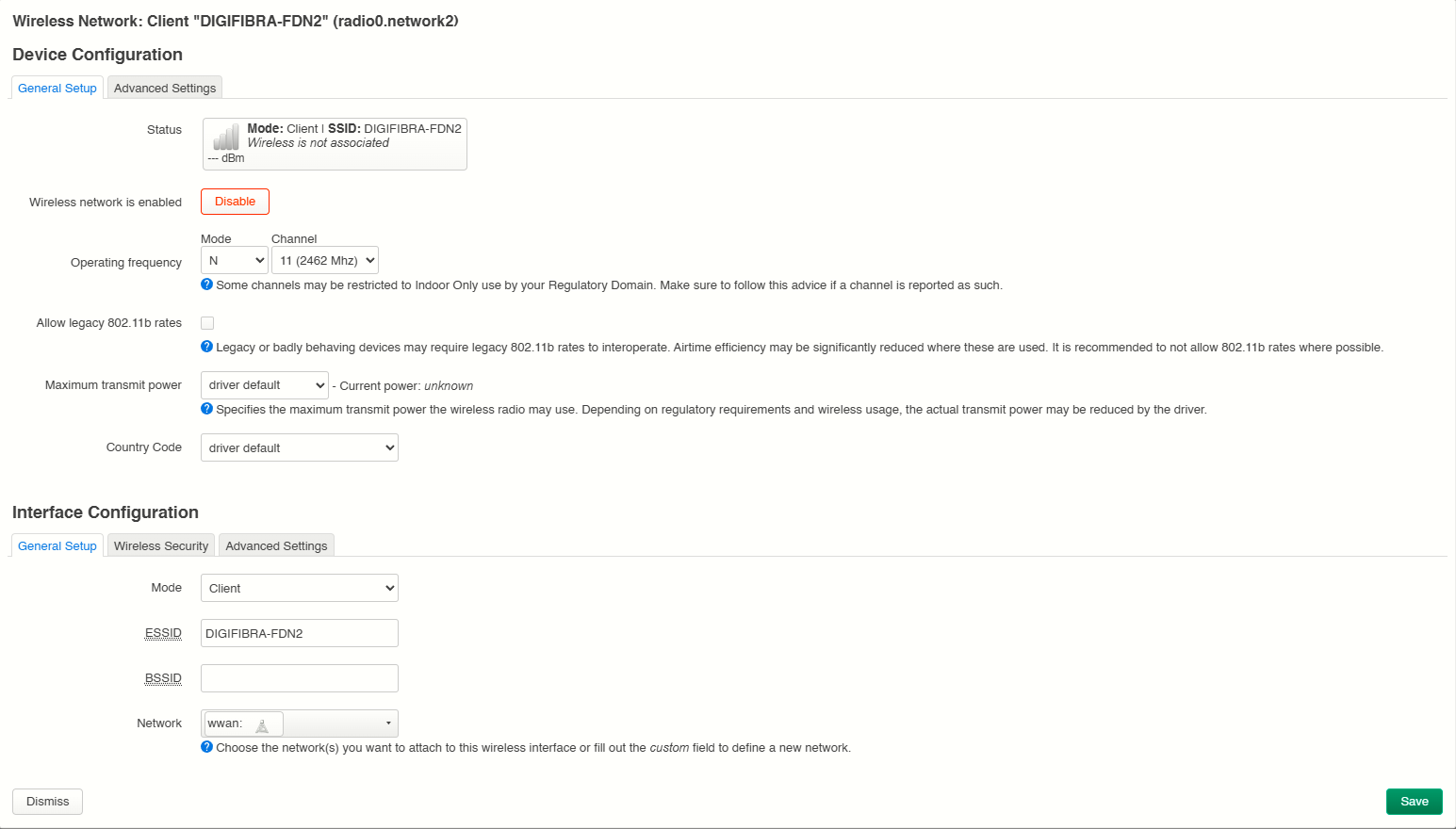
Then click Save & Apply
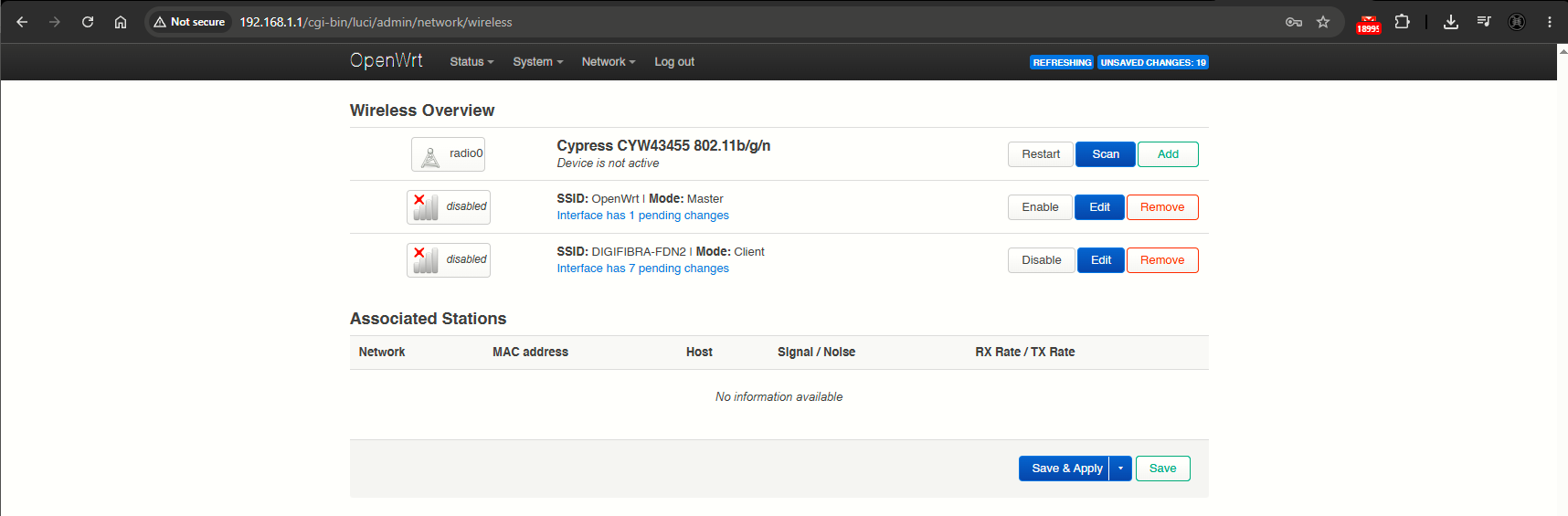
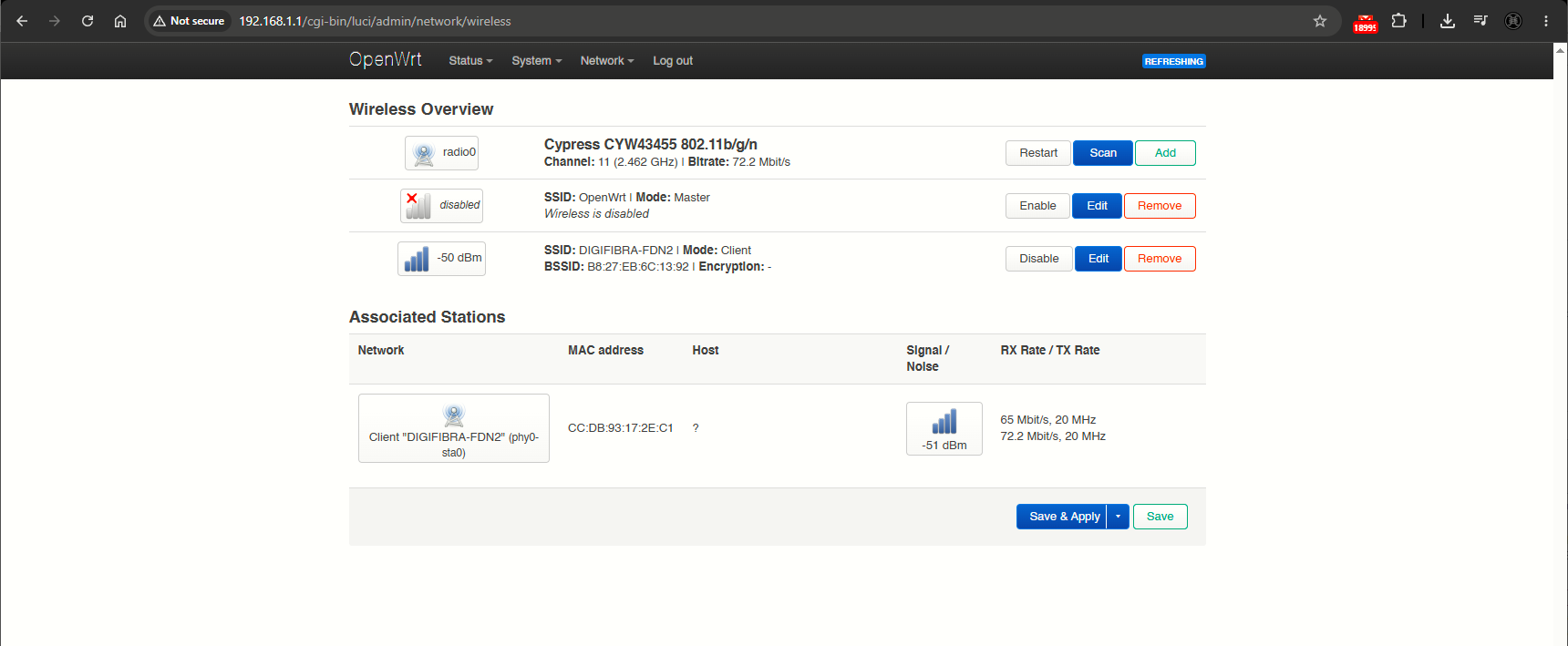
After the changes are applied, we will see Client mode currently on, with the Master mode disabled (as it should be - we would enable Master mode in case we wanted to bridge it to the Eth LAN to serve WiFi clients i.e).
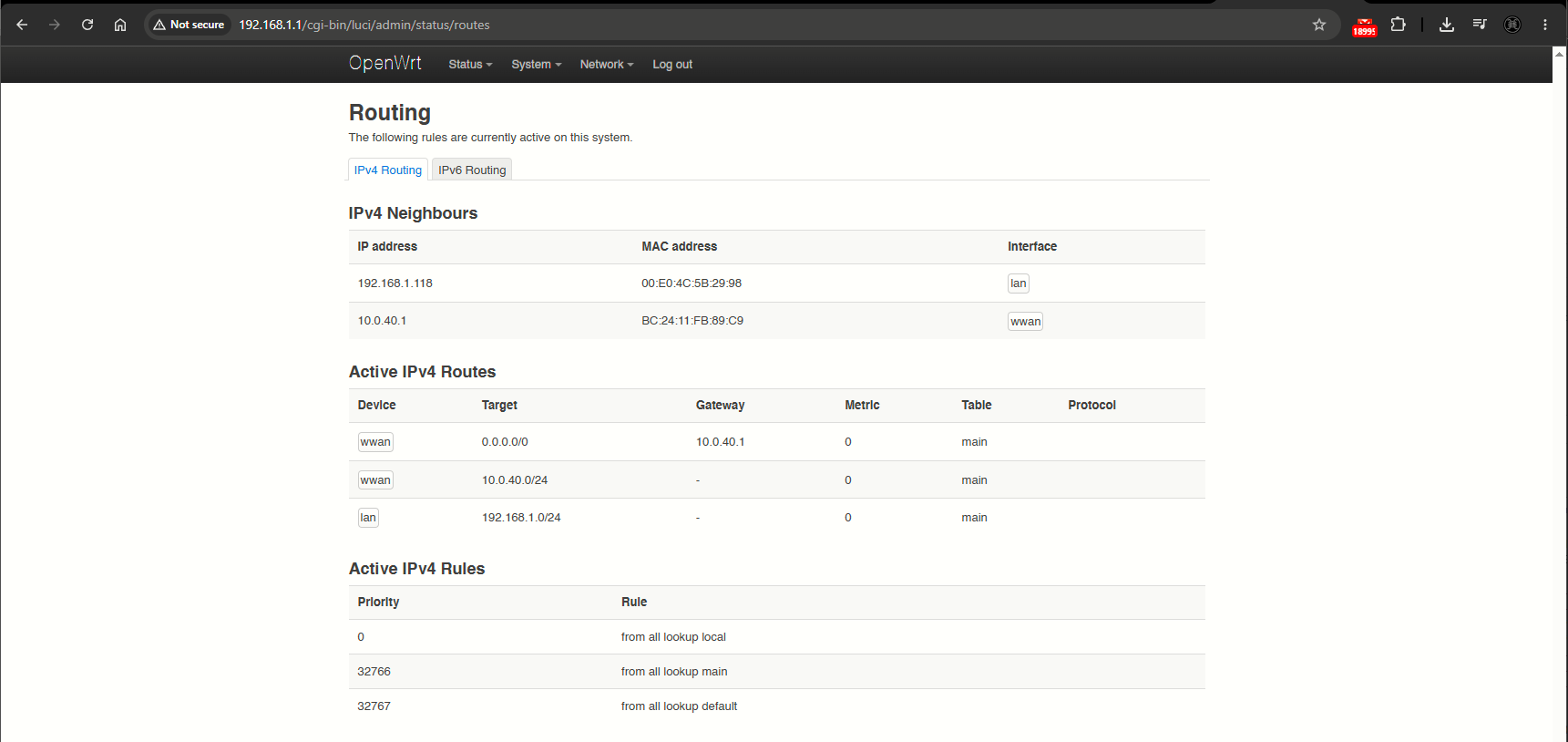
Back at the Overview > Routing, now we have a wwan gateway to 10.0.40.1 (my WiFi network gateway):
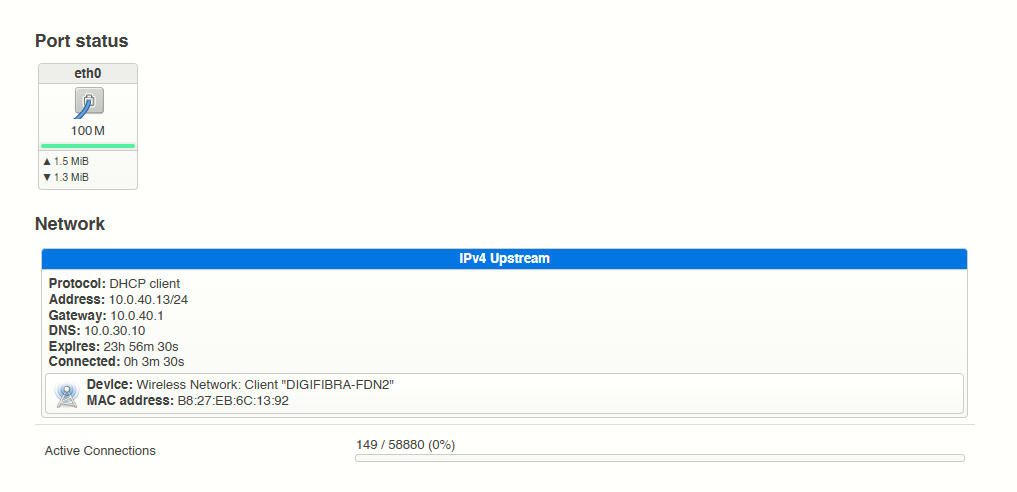
The Pi itself, got IP address 10.0.40.13 leased: