
OpenWRT - Upgrade procedure for Raspberry Pi 3 Model B
Introduction
This guide covers upgrading an existing OpenWrt installation on a Raspberry Pi 3 Model B to a current clean installation of OpenWrt.
The Raspberry Pi 3 belongs to the following OpenWrt target:
Target:    bcm27xx
Subtarget: bcm2710
Device:    Raspberry Pi 3 Model B
The Raspberry Pi 3 family is officially built under bcm27xx/bcm2710. For this procedure we are deliberately not preserving anything from the existing installation.
Everything will be discarded. The result will behave like a newly installed OpenWrt system, while using OpenWrt's normal sysupgrade mechanism instead of removing the microSD card and flashing it from another computer.
The important difference is:
sysupgrade                  -> keeps configuration by default

sysupgrade -n               -> DOES NOT keep configuration
OpenWrt specifically documents -n as the option that prevents any existing configuration from being preserved. Because we are already running OpenWrt, we use a sysupgrade image, not a factory image. The factory image is primarily intended for writing a fresh OpenWrt installation directly to the SD card.
Download and Copy the Firmware to the Raspberry Pi
As of September 2026, the current stable OpenWrt release is:
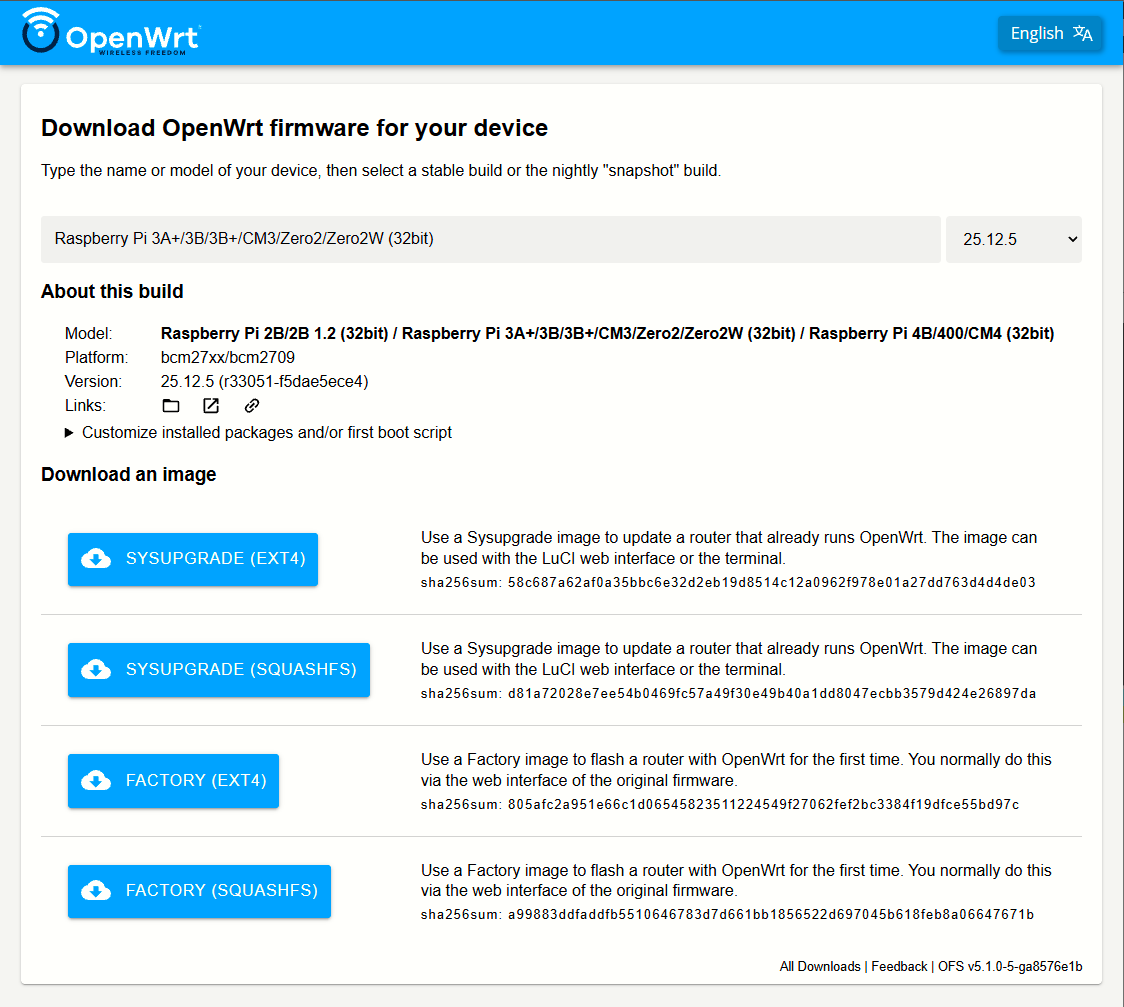
OpenWrt 25.12.5For ext4 (we are using this):
openwrt-25.12.5-bcm27xx-bcm2710-rpi-3-ext4-sysupgrade.img.gzNotice the important word:
sysupgradeDo not accidentally select:
*-factory.img.gzOpenWrt produces both factory and sysupgrade images for the Raspberry Pi target, and the sysupgrade variant is the one intended for upgrading an already running OpenWrt system.
We deliberately rename it on the Pi to firmware.img.gz:
|
|
|
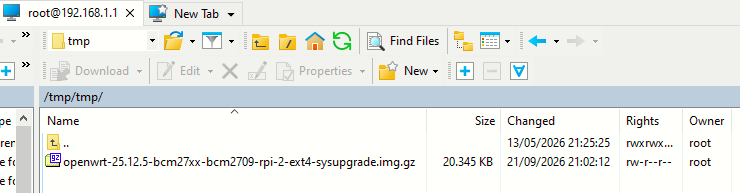

Checking the file arrived:
root@OpenWrt:/tmp# ls -lh /tmp/firmware.img.gz
-rw-r--r--    1 root     root       19.9M Sep 21  2026 /tmp/firmware.img.gz
root@OpenWrt:/tmp# df -h /tmp
Filesystem                Size      Used Available Use% Mounted on
tmpfs                   458.3M     20.1M    438.2M   4% /tmp
Testing and Installing the Firmware and Final Verification
root@OpenWrt:/tmp# sysupgrade -T /tmp/firmware.img.gz
Wed May 13 21:42:58 UTC 2026 upgrade: Reading partition table from bootdisk...
Wed May 13 21:42:58 UTC 2026 upgrade: Reading partition table from image...
root@OpenWrt:/tmp#
-T asks sysupgrade to check whether the firmware is valid for the device without actually installing it.
root@OpenWrt:/tmp# sysupgrade -n -v /tmp/firmware.img.gz
Wed May 13 21:43:40 UTC 2026 upgrade: Reading partition table from bootdisk...
Wed May 13 21:43:40 UTC 2026 upgrade: Reading partition table from image...
Wed May 13 21:43:40 UTC 2026 upgrade: Commencing upgrade. Closing all shell sessions.
Command failed: Connection failed
root@OpenWrt:/tmp#
OpenWrt will begin shutting down services and preparing the new filesystem. During the upgrade you will see messages relating to processes being stopped and the system switching into its upgrade environment. After the upgrade finishes, we can login again:
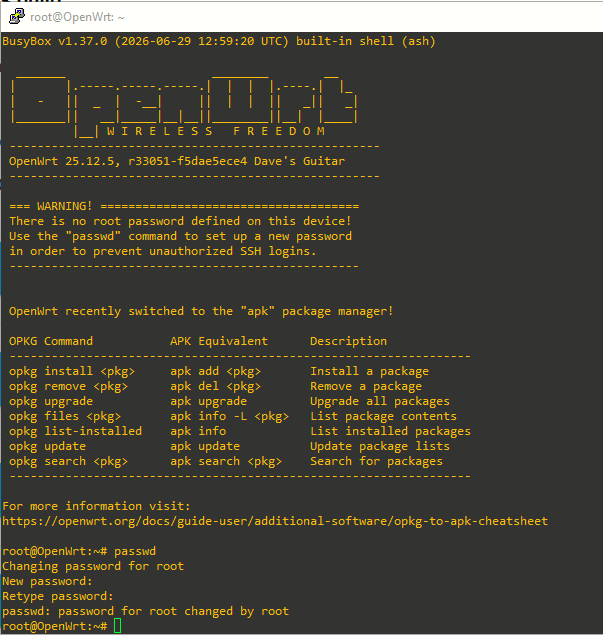
Here, I also designed root user password. Final verification commands:
root@OpenWrt:~# ubus call system board
{
        "kernel": "6.12.94",
        "hostname": "OpenWrt",
        "system": "ARMv7 Processor rev 4 (v7l)",
        "model": "Raspberry Pi 3 Model B Rev 1.2",
        "board_name": "raspberrypi,3-model-b",
        "rootfs_type": "ext4",
        "release": {
                "distribution": "OpenWrt",
                "version": "25.12.5",
                "firmware_url": "https://downloads.openwrt.org/",
                "revision": "r33051-f5dae5ece4",
                "target": "bcm27xx/bcm2709",
                "description": "OpenWrt 25.12.5 r33051-f5dae5ece4",
                "builddate": "1782737960"
        }
}
root@OpenWrt:~# cat /etc/openwrt_release
DISTRIB_ID='OpenWrt'
DISTRIB_RELEASE='25.12.5'
DISTRIB_REVISION='r33051-f5dae5ece4'
DISTRIB_TARGET='bcm27xx/bcm2709'
DISTRIB_ARCH='arm_cortex-a7_neon-vfpv4'
DISTRIB_DESCRIPTION='OpenWrt 25.12.5 r33051-f5dae5ece4'
DISTRIB_TAINTS=''