
NETCONF
Introduction
This is a simple lab testing NETCONF.
Data Models - Programmatic and Standards Based Configuration and Monitoring
Data models provide an alternate and centralized way to configure Cisco devices (instead of CLI or SNMP) and to collect operational data (show commands) from Cisco devices. Since the data models are standards based on the same procedure and can be used to configure or collect data from non-Cisco devices as well, it makes them ideal for customers that support multiple vendors. A centralized management platform (for example, a laptop) can be used to configure or collect data from multiple Cisco devices and the data model architecture allows for automating these procedures via Python scripting (two additional key benefits).
Yet Another Next Generation (YANG) Data Modeling Language (RFC 6020)
YANG is a standards based data modeling language used to create device configuration requests or the requests for operational data (show command). It has a structured format similar to a computer program that is human readable. Several applications are available that can be run on a centralized management platform (for example, a laptop) to create these configuration and operational data requests.
There are both standard (common) YANG data models that apply to all vendors (for example, a request to disable or shut down an ethernet interface can be identical for both Cisco and non-Cisco devices) as well as device (native, vendor specific) data models that facilitate configuring or collecting operational data associated with proprietary vendor features.
Network Configuration (NETCONF) Protocol (RFC 6241)
NETCONF is a standard based and XML encoded protocol that provides the transport to communicate the YANG formatted configuration or operational data request from an application that runs on a centralized management platform (for example, a laptop) to the Cisco device that a user wishes to configure or request operational (show command) data from. It provides transaction based services such as aborting the entire configuration request when a portion of that configuration request fails. NETCONF uses a simple Remote Procedure Call (RPC) based mechanism to facilitate communication between a client (centralized management platform script or application) and a server (Cisco switch or router). It uses Secure Shell (SSH) as the transport layer across network devices. Some NETCONF operations include get, get-config, edit-config, and rpc.
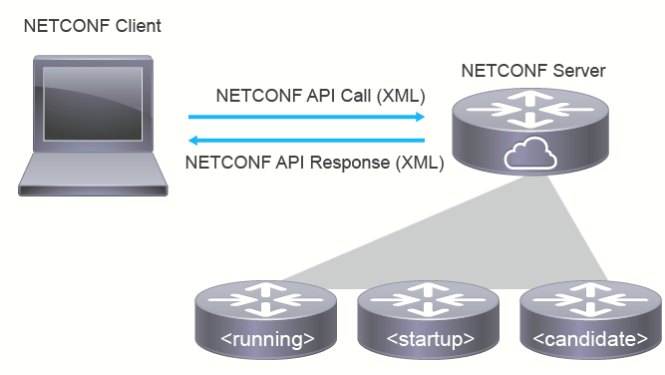
NETCONF can store configuration in one of several data stores. NETCONF uses a candidate configuration, simply a configuration with all proposed changes applied in an uncommitted state. It is the equivalent of entering CLI commands and having them not take effect right away. You would then “commit” all the changes as a single transaction. Once committed, you would see them in the running configuration
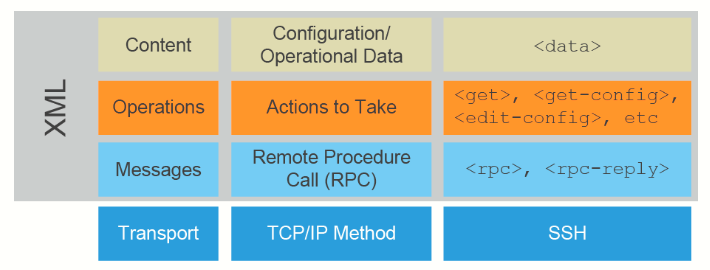
YANG Suite
YANG Suite is a set of tools related to YANG models (RFC 6020, RFC 7950) and related technologies such as NETCONF (RFC 6241). It provides a modular infrastructure which various YANG application plugins can be used.
To install YANG Suite I:
Step 1: Setup an Ubuntu Server (25.10) to be used as management server.
Step 2: Installed Docker Engine (using the apt repository)
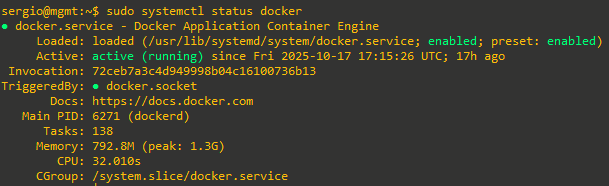
Step 3: Followed Linux post-installation steps for Docker Engine
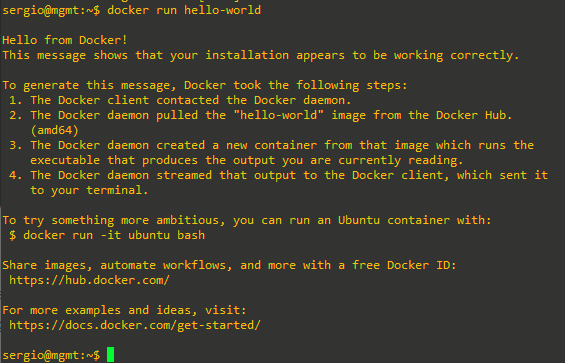
Step 4: Installed YANG Suite:
- Clone the repository:
git clone https://github.com/CiscoDevNet/yangsuite - Run start_yang_suite.sh:
cd yangsuite/docker/ ; bash ./start_yang_suite.sh
The start_yang_suite.sh will ask to set the username, password, e-mail address, and for the certificate details. The output will look similar to the below, be sure to enter certificate details in the red highlight area:
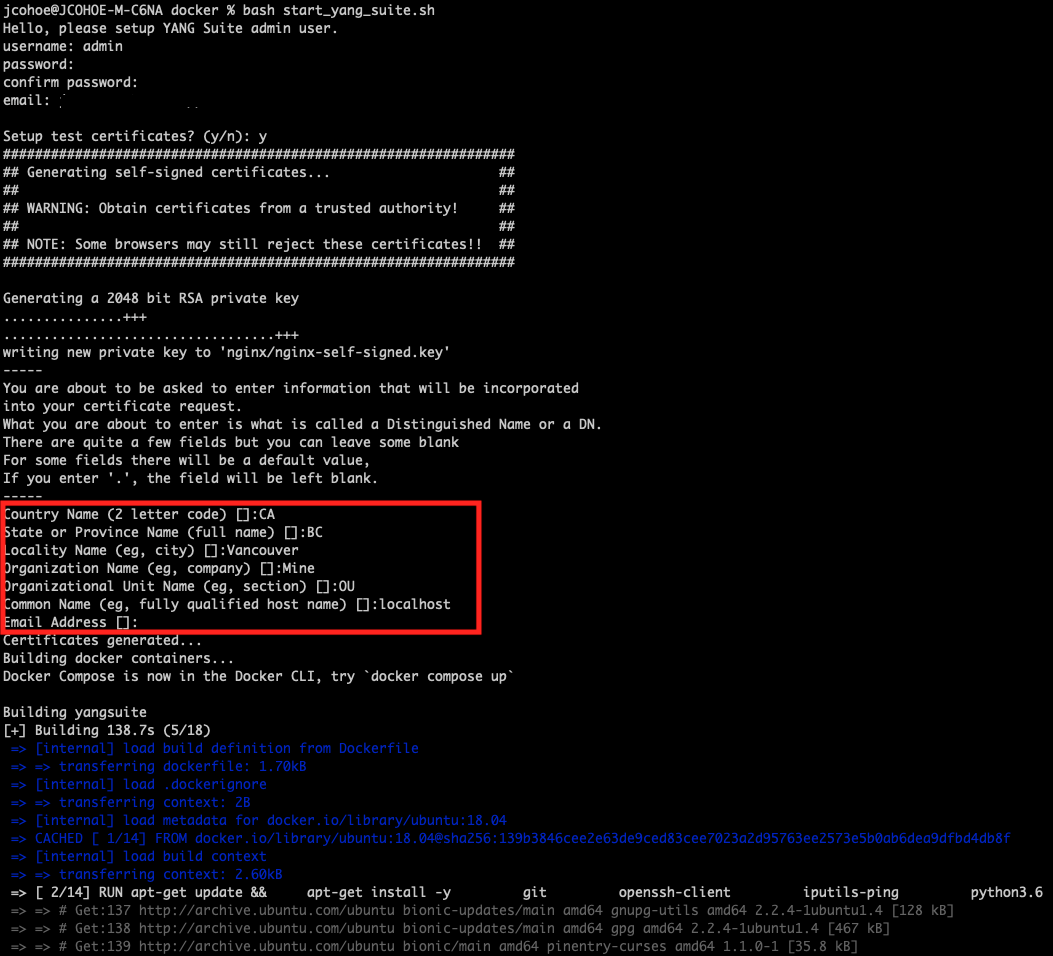
Once YANG Suite is ready for use the following will be seen:
Changing configuration with NETCONF of a CSR1000V Router on EVE-NG
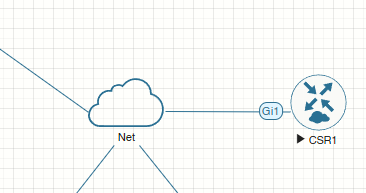
Added a CSR1000V node (which is compatible with NETCONF) on EVE-NG:
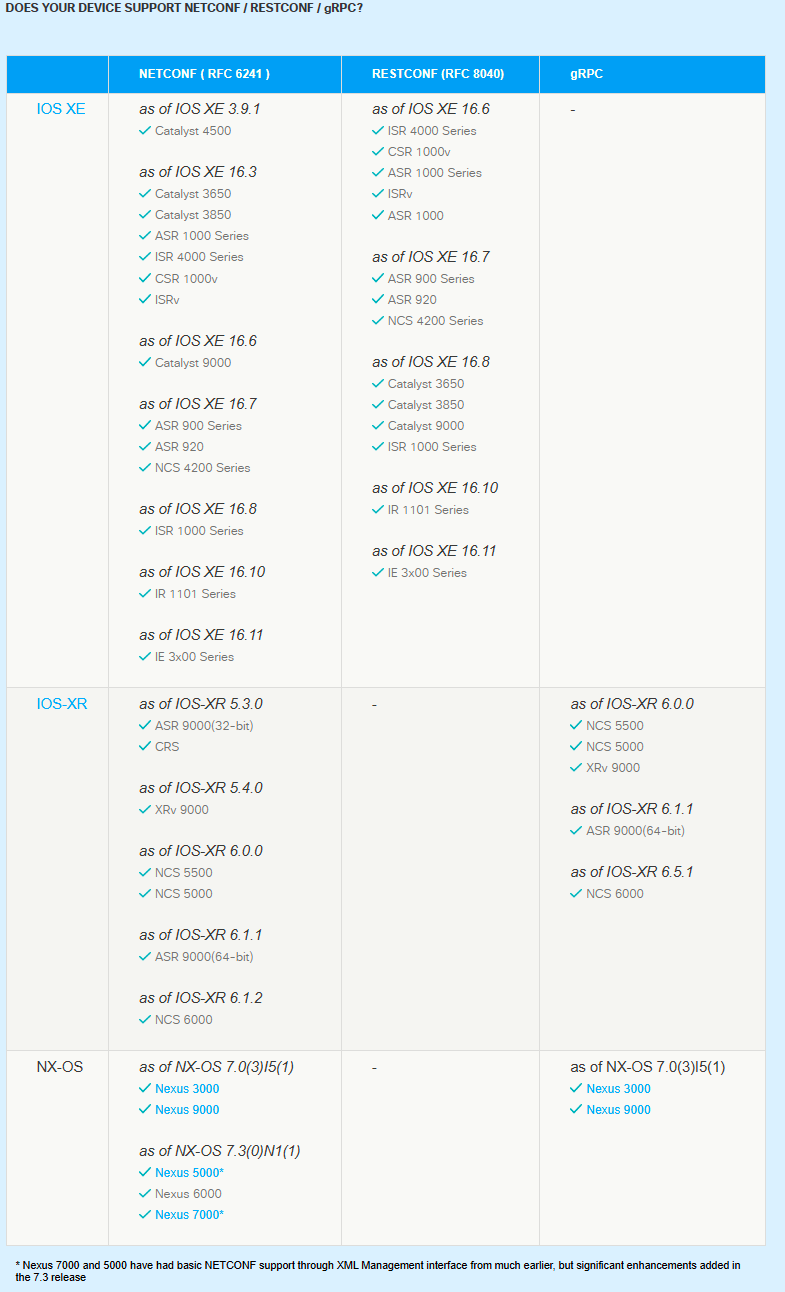
For info on the devices compatible with NETCONF: https://developer.cisco.com/site/standard-network-devices/
The router has IP 10.0.40.128. To add it on YANG Suit (which in my case is accessible via https://10.0.49.129:8443 once start_yang_suite.sh is executed):
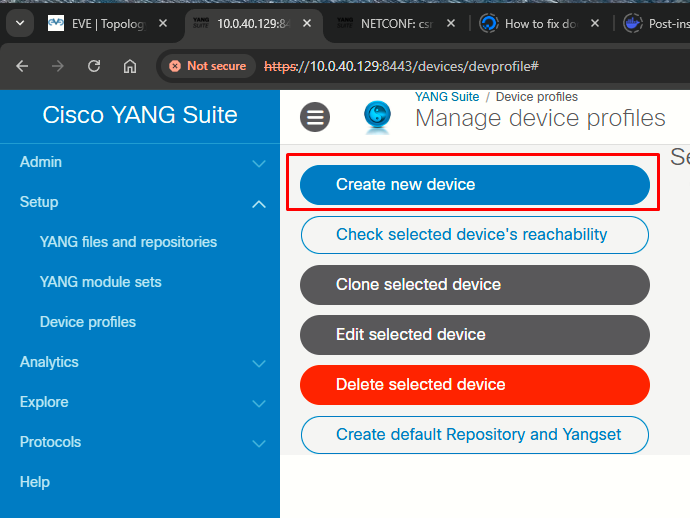
Step 1: Setup > Device profiles, Create new device:
 |
|
|
|
|
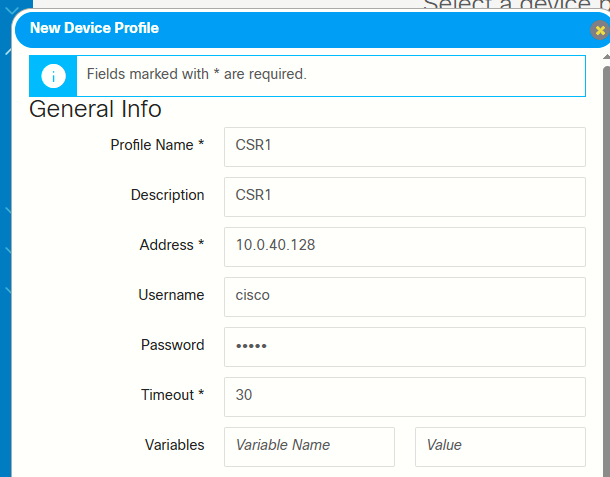
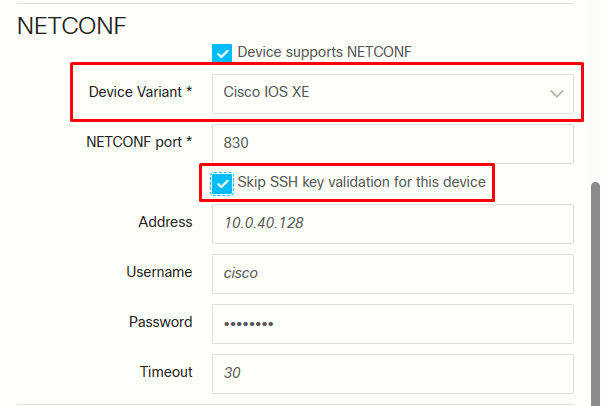
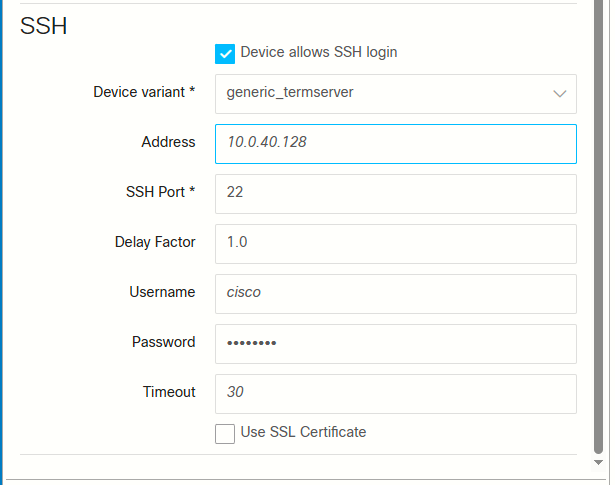
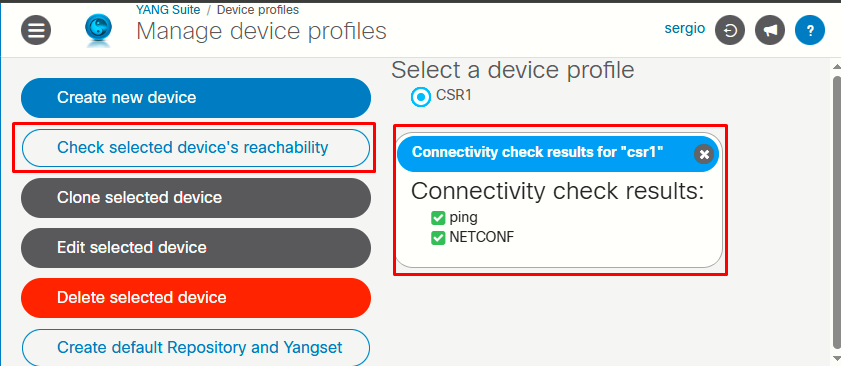
Complete the information required as shown in the images above. After finishing editing the device profile, select the device profile and click on Check selected device's reachability:
Step 2: Go to Setup > YANG files and repositories, New repository:
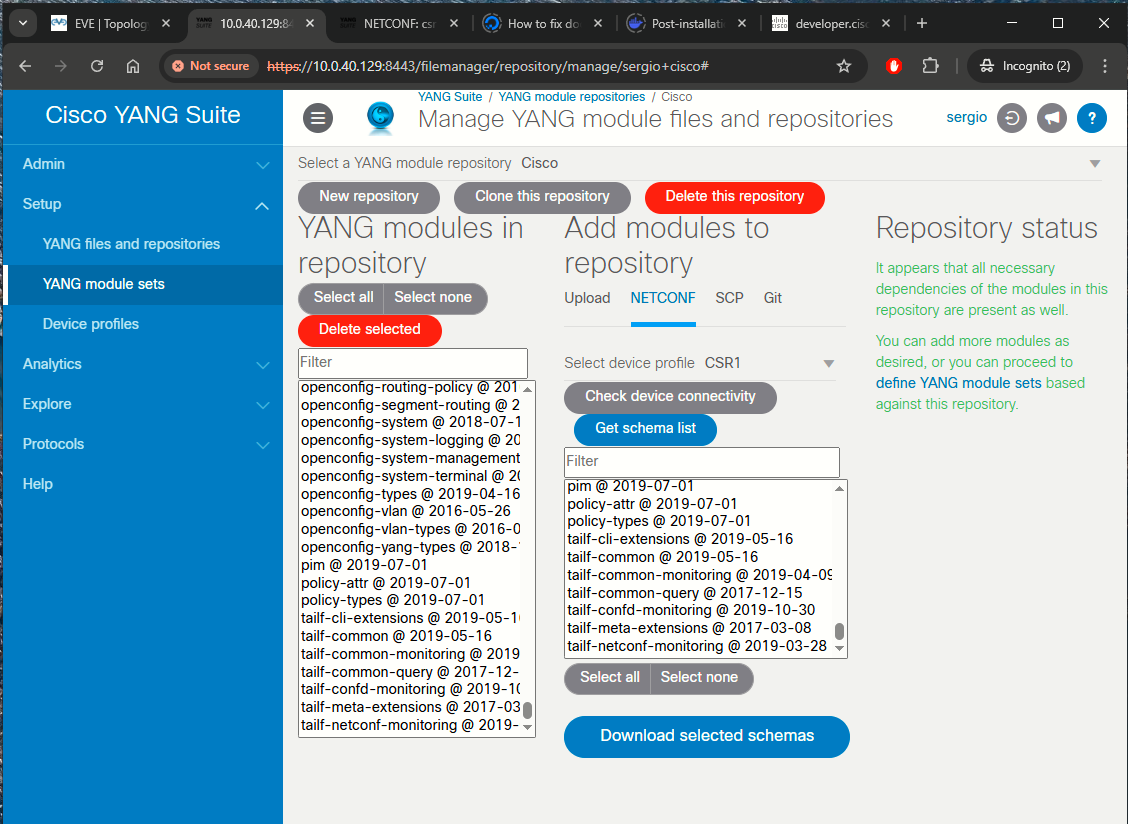
- Select device profile: CSR1
- Get schema list
- Select all -> Download selected schemas
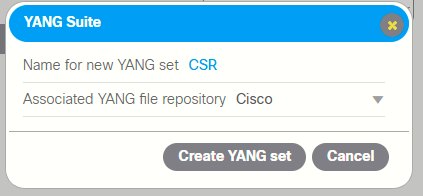
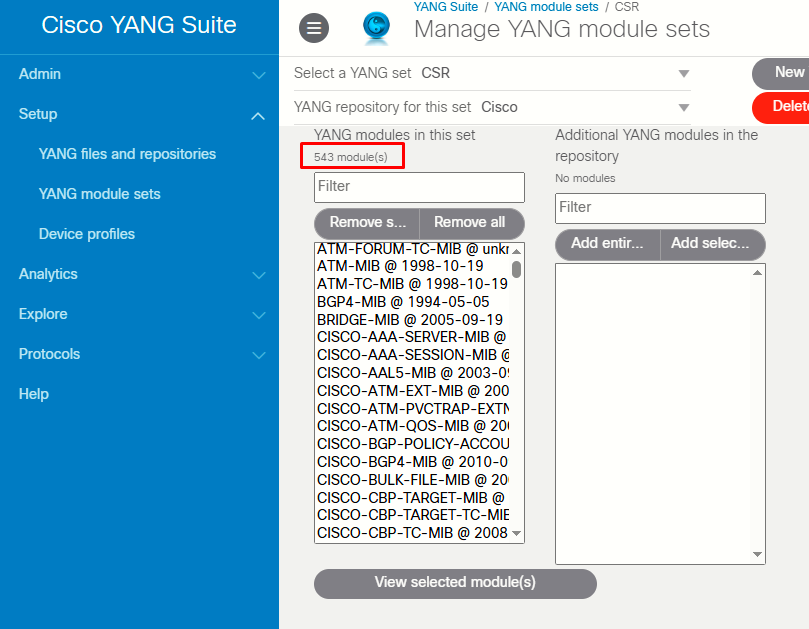
Step 3: Go to Setup > YANG module sets, New YANG set
|
|
|
Step 4: Protocols > NETCONF, follow the steps in the following order:
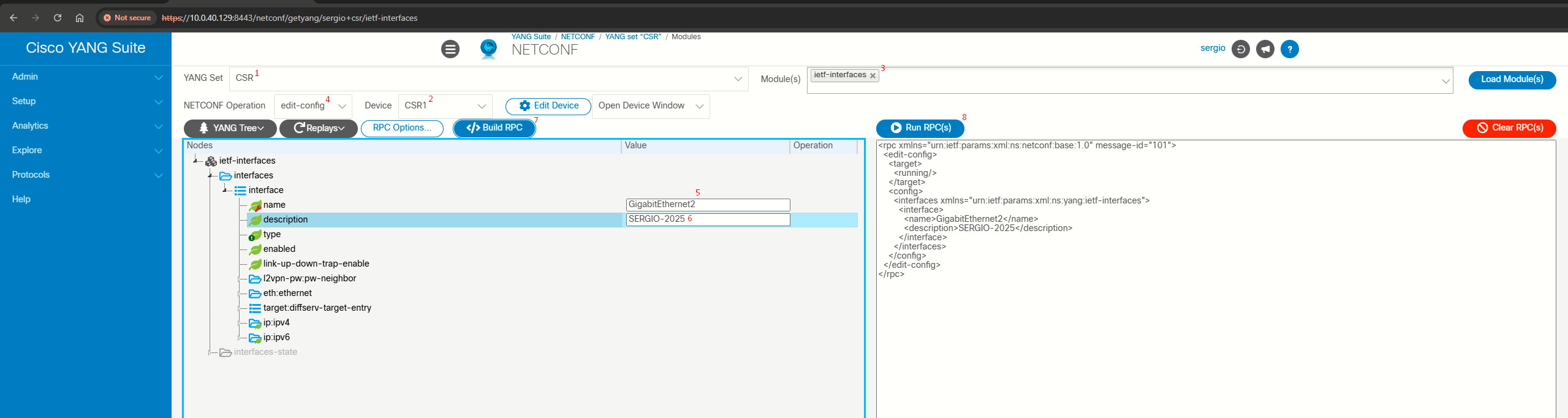
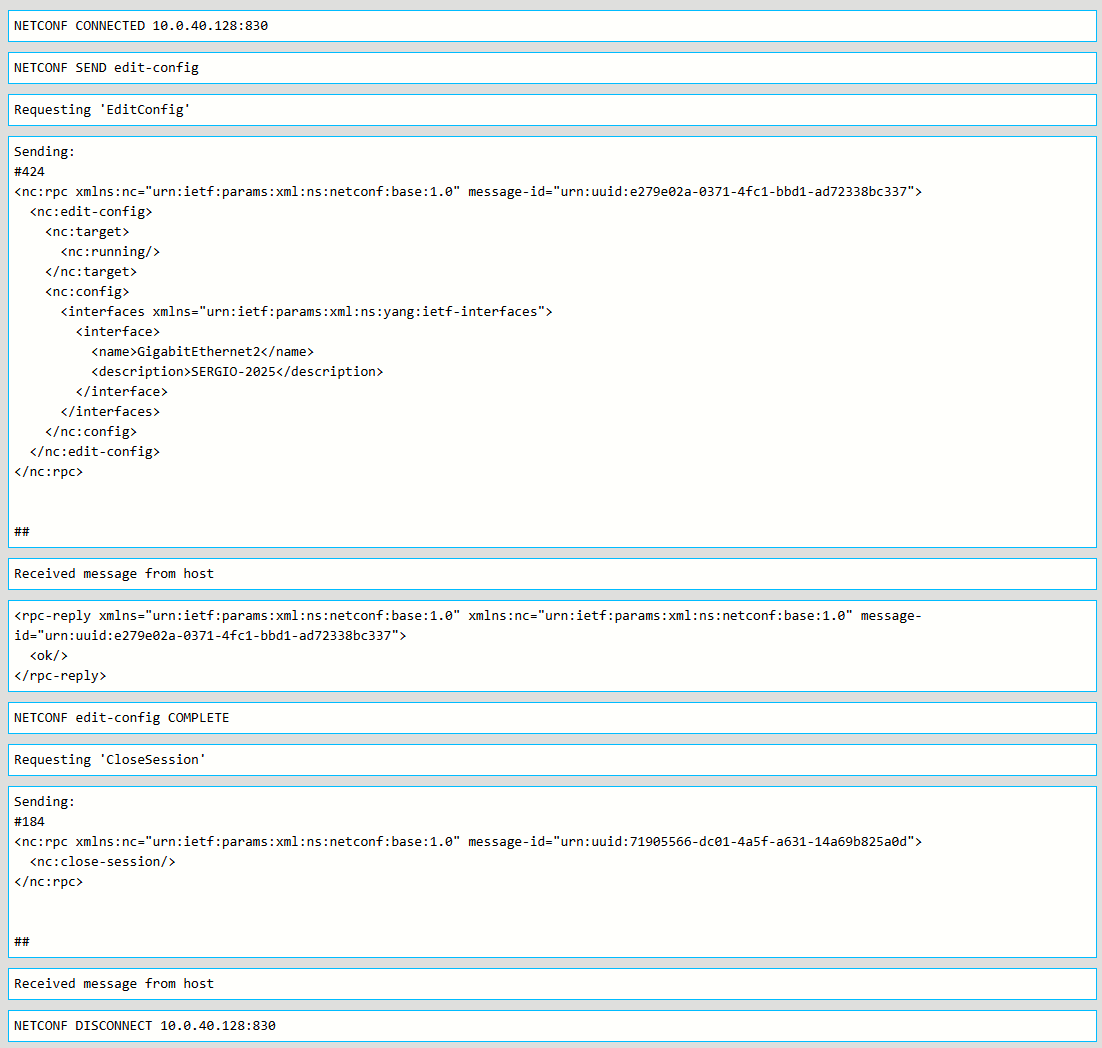
Once Run RPC(s) is clicked, a new windows open and we can see sent RPC and reply RPC:


Source
Configure NETCONF/YANG for Cisco IOS XE 16.X Platforms
https://www.cisco.com/c/en/us/support/docs/storage-networking/management/200933-YANG-NETCONF-Configuration-Validation.html