OpenWRT - Bridging the 4G Modem Public IP to Another Device
Introduction
In order test further topologies, I need another device (like a firewall) to hold the real, non-NATed dynamic public IPv4 address provided by the ISP (Movistar) via a Huawei E3372s-153 4G USB modem.
Standard Linux kernel bridges (br-ctl / br-lan) operate strictly on Ethernet frames (Layer 2) by building a MAC address forwarding table. However, cellular modems running protocols such as NCM (Network Control Model), QMI, or MBIM operate over a point-to-point Layer 3 WAN architecture. The mobile carrier's upstream gateway assigns a single IP address bound to a single session and does not recognize or route traffic to arbitrary downstream MAC addresses. If a standard bridge is used, the carrier drops any packet originating from a MAC address other than the modem's virtual interface.
To resolve this protocol mismatch without introducing a double-NAT layer, we utilize the Relay Daemon (relayd). relayd functions as a proxy ARP and DHCP relay agent. It injects itself between the cellular WAN interface (wan_lte_4) and the physical USB-Ethernet adapter (eth1). To the ISP, all outgoing traffic appears to originate from the authenticated cellular endpoint; to the downstream client, the connection appears as a seamless, transparent Layer 2 pipe where it directly acquires the public IP.
By avoiding a double NAT setup (where the Pi acts as a router and the firewall would sit behind it on a private subnet), we ensure clean, native handling of incoming traffic, seamless static NAT (port forwarding) for possible DMZ servers, and a straightforward deployment of standard S2S IPsec VPNs without relying on NAT-Traversal (NAT-T) workarounds.
We want the Raspberry Pi to act as a transparent Layer 2 media converter.
Verification on a Windows 10 PC
Before physically connecting a firewall to the Pi, network validation requires testing the mechanism on a controlled host. We need to prove two critical behaviors:
- Layer 2 Transparency: That a device downstream from the Raspberry Pi could successfully broadcast a DHCP request and have it traverse the cell network directly to the ISP.
- Mac-to-IP Binding: That Movistar's upstream DHCP server would bind the single available public IP address directly to the Network Interface Card (NIC) of the connected client host rather than terminating on OpenWrt.
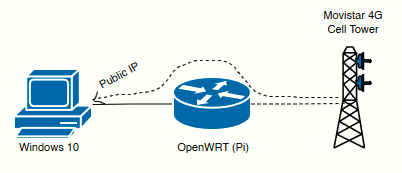
Because standard Linux network bridges (br-lan) operate on Layer 2 and expect standard Ethernet frames, they fail on cellular interfaces (wwanX running NCM, QMI, or MBIM protocols) because the mobile network relies on tight Layer 3 bindings and refuses to talk to arbitrary downstream MAC addresses.
We bypassed this limitation entirely using a pseudo-bridge relay daemon (relayd) on OpenWrt 24.10, mapping a secondary USB-to-Ethernet adapter (eth1) directly to the carrier's dynamic interface.
OpenWRT Configuration
In order to keep the existing eth0 connection on OpenWRT unmodified (which maps to the Pi's Ethernet port), I will connect an USB-to-Ethernet adapter TP-LINK UE300 (eth1). No additional drivers are needed for this device, it is recognized by OpenWRT in the PI as PnP device. The TP-Link UE300 contains a Realtek RTL8153 chipset. During initial initialization, it maps directly to the generic Linux Communication Device Class Ethernet (cdc_ether) driver:
root@OpenWrt:~# lsusb
Bus 001 Device 001: ID 1d6b:0002 Linux 6.6.110 dwc_otg_hcd DWC OTG Controller
Bus 001 Device 002: ID 0424:9514
Bus 001 Device 003: ID 0424:ec00
Bus 001 Device 005: ID 12d1:1506 HUAWEI_MOBILE HUAWEI_MOBILE
Bus 001 Device 006: ID 2357:0601 TP-LINK USB 10/100/1000 LAN
Bus 001 Device 006 shows correct detection of the adapter, and so do dmesg:
[  437.365913] usb 1-1.5: new high-speed USB device number 6 using dwc_otg
[  437.497155] usb 1-1.5: New USB device found, idVendor=2357, idProduct=0601, bcdDevice=30.00
[  437.508286] usb 1-1.5: New USB device strings: Mfr=1, Product=2, SerialNumber=6
[  437.517100] usb 1-1.5: Product: USB 10/100/1000 LAN
[  437.523469] usb 1-1.5: Manufacturer: TP-LINK
[  437.529191] usb 1-1.5: SerialNumber: 000001000000
[  437.538025] cdc_ether 1-1.5:2.0 eth1: register 'cdc_ether' at usb-3f980000.usb-1.5, CDC Ethernet Device, d0:37:45:0c:d4:78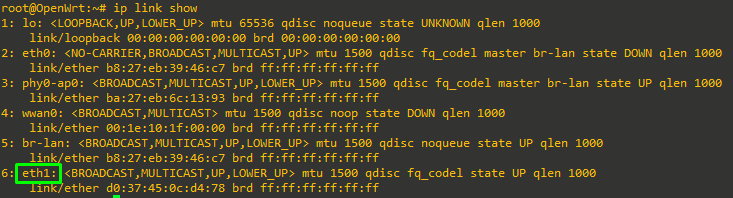
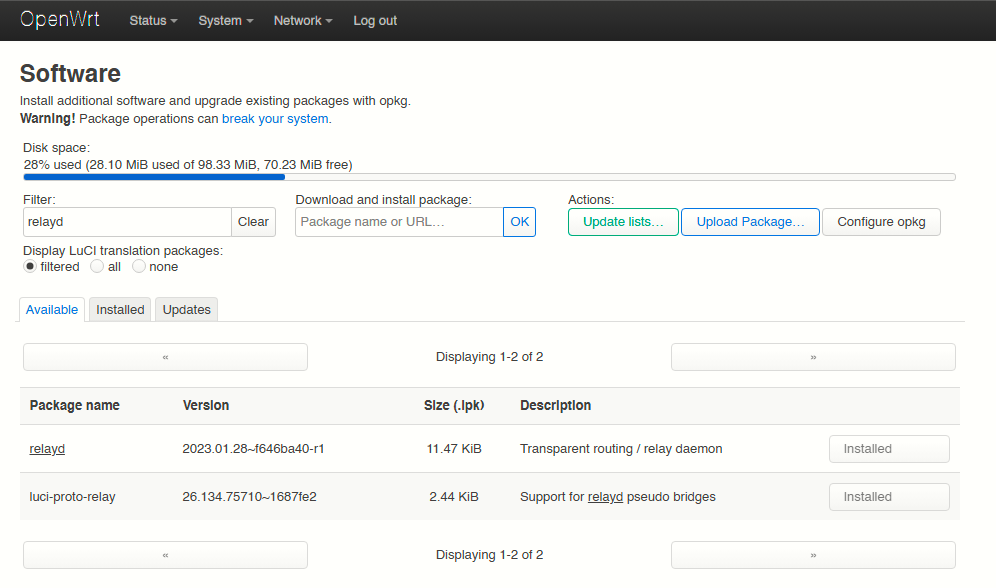
Step 1: Install relayd and luci-proto-relay
As stated standard Linux kernel bridges (br-lan) operate purely on Ethernet frames (Layer 2). Cellular modems running protocols like NCM or QMI operate on a specialized Layer 3 point-to-point network architecture; they fundamentally refuse to bridge natively with local network interfaces. relayd acts as a smart proxy bridge that seamlessly glues these two incompatible network types together.
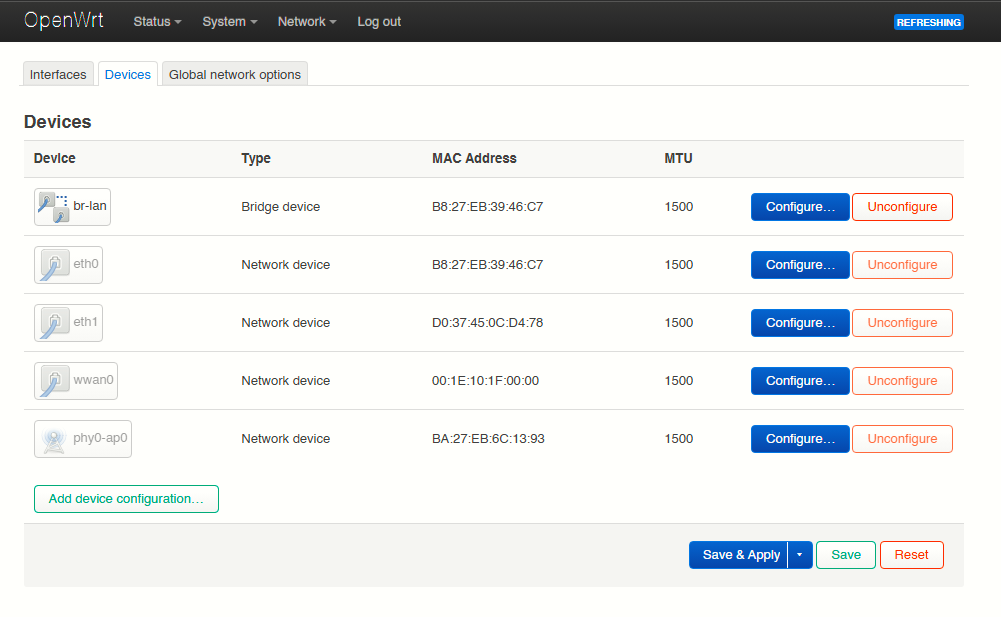
Step 2; Re-initialize the TP-Link adapter (eth1) under an Unmanaged protocol profile.
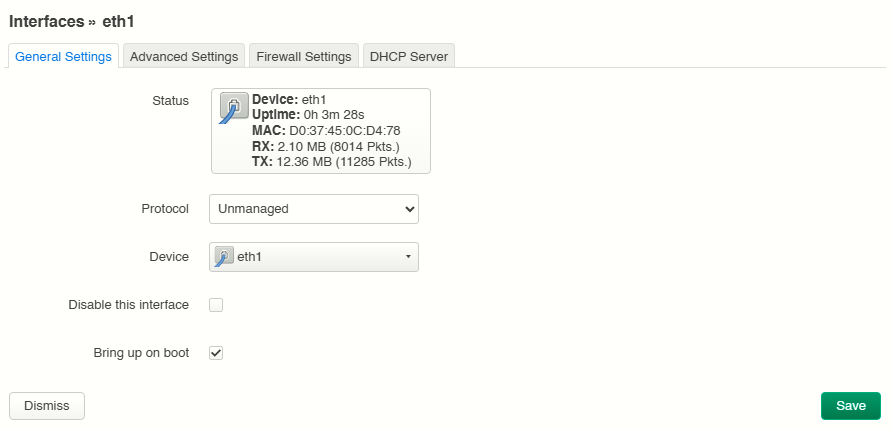
We need OpenWrt to keep the physical USB-Ethernet port powered on and listening to traffic, but we explicitly order the OS not to assign any local IP address, routing rules, or local DHCP services to it. It becomes a completely blank, raw pipe. To turn eth1 into a raw, unmanipulated data conduit, we remove all Layer 3 configuration parameters. OpenWrt maintains power to the port and monitors link-state, but ceases all local IP routing, DHCP tracking, and address assignments.
|
|
|
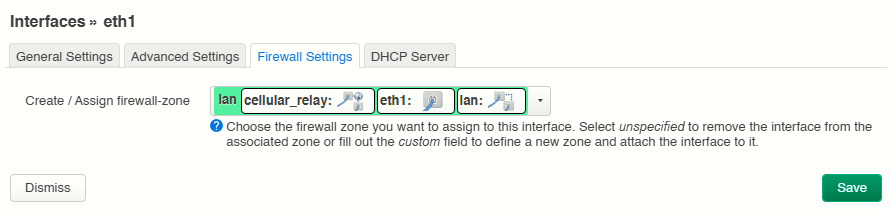
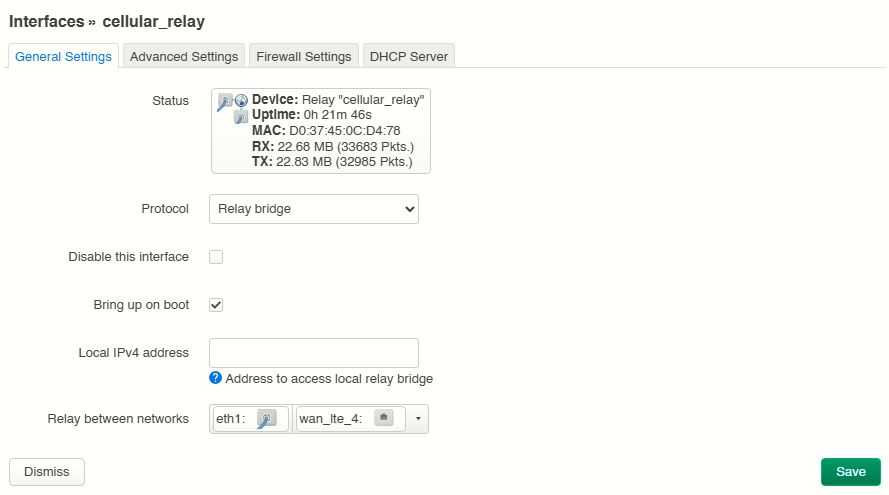
Step 3: Create a Relay bridge interface, linking the dynamic cellular interface (wan_lte_4) directly to the unmanaged eth1 interface.
A logical relay interface is provisioned to bind the dynamic cellular interface (wan_lte_4) to the isolated Ethernet link (eth1). This instructs the kernel to mirror Broadcast/Multicast flags, pass DHCP allocations cleanly, and handle proxy-ARP mutations.
This instructs the OpenWrt kernel to catch any incoming network request from the TP-Link adapter and instantly duplicate/relay it into the Movistar cellular stream, and vice-versa, making the Pi a transparent bridge.
Because the downstream client host will hold the true public IP address, the newly generated cellular_relay interface must reside directly within OpenWrt's WAN Zone. The forwarding rules are updated to permit traffic traversal across the zones seamlessly.
|
|
|
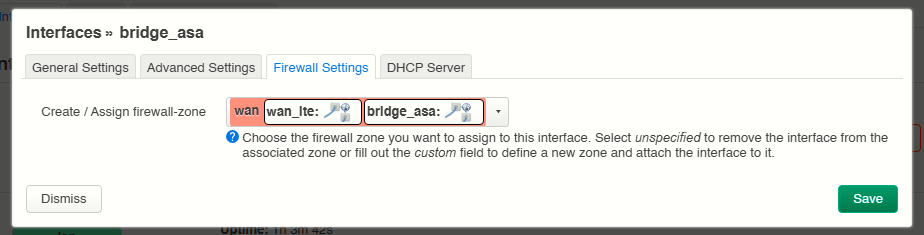
Step 4: Trick OpenWRT to make it a full L2 transparent bridge between the WWAN interface and the eth1 interface.
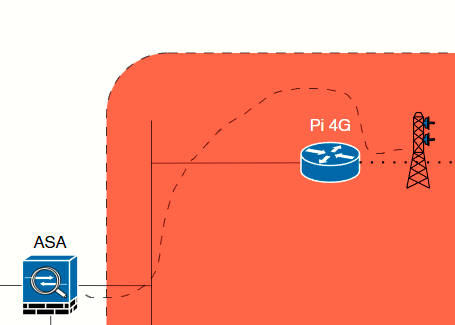
At this moment, the picture is as follows:
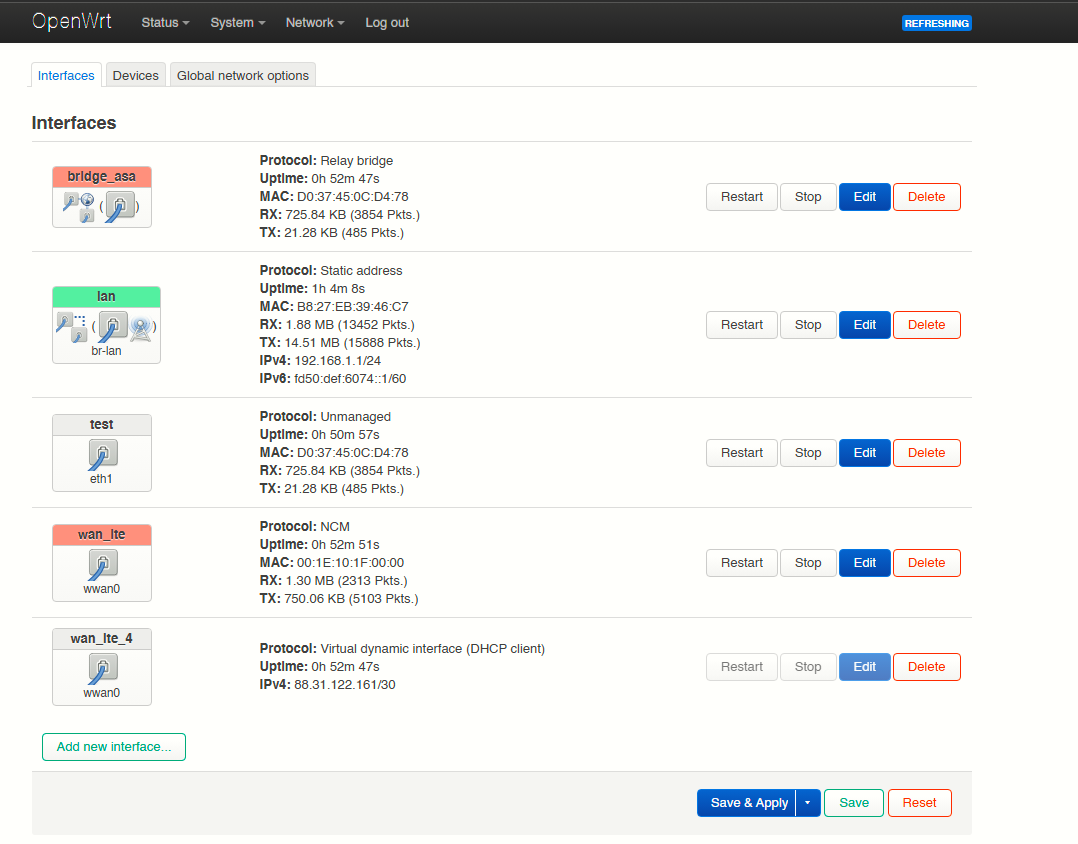
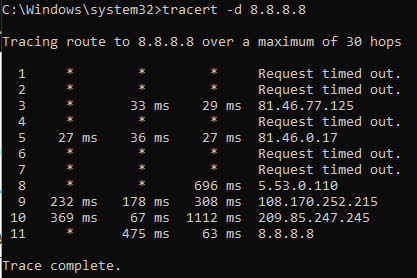
If we do an ipconfig /renew at Windows 10 we can see the adapter Ethernet 5 (the one connected to the Pi) gets the same IP public as the wan_lte_4 interface, however the connection is not working! Pings tests to 8.8.8.8 (i.e) are not working!
The central challenge of this deployment is that cellular NCM (Network Control Model) networks are inherently Layer 3 point-to-point links. The carrier (Movistar) allocates exactly one public IPv4 address per cellular data session, which is bound to the modem's internal MAC address.
If OpenWrt configures wan_lte_4 with a standard DHCP client (option proto 'dhcp'), OpenWrt's local network stack intercepts the incoming carrier lease. The Pi consumes the public IP itself, forcing us into a double-NAT configuration for any downstream hardware.
The ping would came out of the Windows 10 PC, only for the OpenWRT to keep the response to itself!
To bypass this, we trick OpenWrt into viewing wan_lte_4 as a raw, unmanaged Layer 1/2 hardware slice:
- By setting
option proto 'none', OpenWrt initializes the modem control plane via/dev/cdc-wdm0and brings up the physicalwwan0data interface, but it never triggers a local DHCP request. - The Pi's local network stack on that interface remains blank.
- Because the Pi refuses to claim the IP, the carrier's single lease remains unassigned on the wire.
- The
relayddaemon (cellular_relay) bridgeseth1andwan_lte_4, passing the downstream host's DHCP requests directly to the cell tower. The tower responds, and the downstream host pulls the public IP address directly.
Windows 10 Public IP Verification
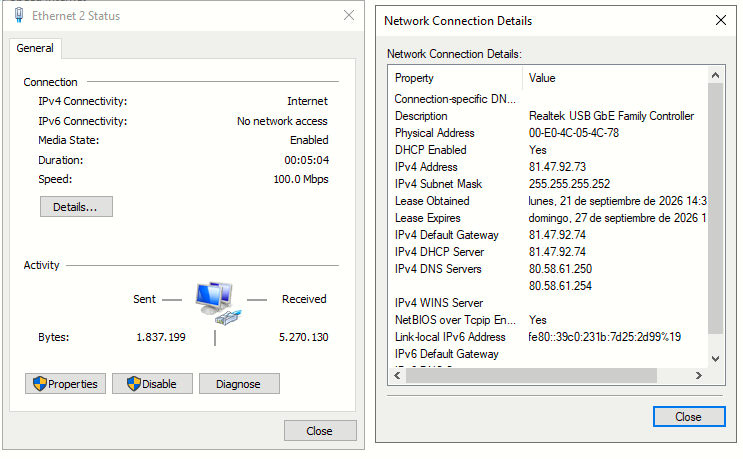
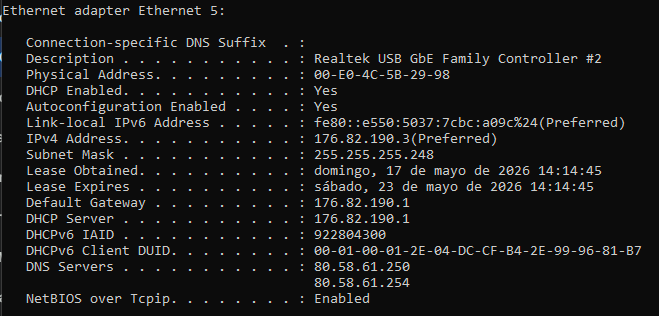
After applying the changes, an issuing an ipconfig /renew on the Windows 10 machine we can see it gets the IP Public on the USB Ethernet adapter:
Traffic Flow
Before looking at the traffic, let's look at the identities of the devices in current working state:
-
The Cell Tower (ISP Gateway): Thinks it is talking exclusively to a single router end-point.
-
The Windows 10 PC: Has the public IP (
172.82.190.3), its default gateway is set to the ISP's remote router (.1). -
The Raspberry Pi (The Ghost): Its physical TP-Link port (
eth1) is completely Unmanaged (it has no IP address), and itsbridge_asainterface has no local IP. The Pi is structurally an invisible middleman running therelayddaemon.
Let's trace a packet when we open a browser on Windows 10 and request a webpage from a server on the internet (e.g., Google at 8.8.8.8).
|
|
|