
0. Introduction to GNS3 and its documentation
Introduction
GNS3 is used by hundreds of thousands of network engineers worldwide to emulate, configure, test and troubleshoot virtual and real networks. GNS3 allows you to run a small topology consisting of only a few devices on your laptop, to those that have many devices hosted on multiple servers or even hosted in the cloud. GNS3 is open source, free software.
GNS3 has allowed network engineers to virtualize real hardware devices for over 10 years. Originally only emulating Cisco devices using software called Dynamips, GNS3 has now evolved and supports many devices from multiple network vendors including Cisco virtual switches, Cisco ASAs, Brocade vRouters, Cumulus Linux switches, Docker instances, HPE VSRs, multiple Linux appliances and many others. Go here to see a list of appliances available: https://gns3.com/marketplace/appliances
Architecture
GNS3 consists of two software components:
- The GNS3-all-in-one software (GUI)
- The GNS3 virtual machine (VM)
GUI
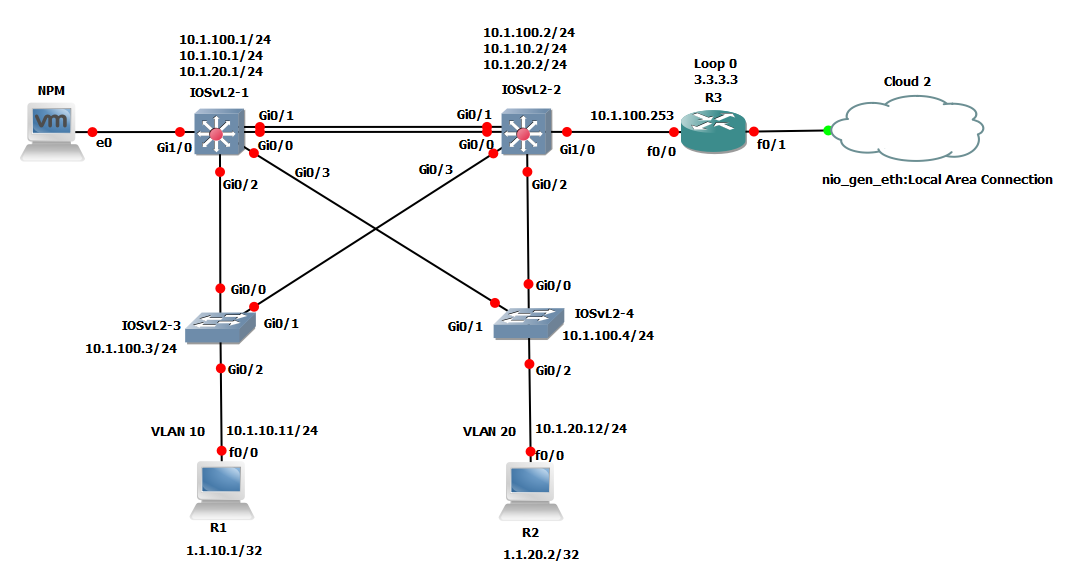
This is the client part of GNS3, the graphical user interface (GUI). You install the all-in-one software on your local PC (Windows, MAC, Linux) and create your topologies using this software. This is what you usually see show in screenshots such as the following:
VM
When you create topologies in GNS3 using the all-in-one software GUI client, the devices created need to be hosted and run by a server process. You have a few options for the server part of the software:
- Local GNS3 server
- Local GNS3 VM
- Remote GNS3 VM
The local GNS3 server runs locally on the same PC where you installed the GNS3 all-in-one software. If for example you are using a Windows PC, both the GNS3 GUI and the local GNS3 server are running as processes in Windows. Additional processes such as Dynamips will also be running on your PC.
If you decide to use the GNS3 VM (recommended), you can either run the GNS3 VM locally on your PC using virtualization software such as VMware Workstation, Virtualbox or Hyper-V; or you can run the GNS3 VM remotely on a server using VMware ESXi or even in the cloud.
If you want to create more advanced GNS3 topologies, or want to include devices such as the Cisco CML devices (IOSvL2, IOSvL3, ASAv) or other other devices that require Qemu, the GNS3 VM is recommended (and is often required).
Emulation vs Simulation
When we dive into the world of network virtualization, the terms emulator and simulator represent two completely different ways of handling code. GNS3 supports both emulated and simulated devices.
- Emulation: GNS3 mimics or emulates the hardware of a device and you run actual images on the virtual device. For example, you could copy the Cisco IOS from a real, physical Cisco router and run that on a virtual, emulated Cisco router in GNS3. An emulator recreates the hardware of a specific device (CPU, ASIC, RAM) in software. Because the virtual hardware looks "real" to the software, you can run the actual Operating System (OS) that runs on a physical router or firewall.
- Simulation: GNS3 simulates the features and functionality of a device such as a switch. You are not running actual operating systems (such as Cisco IOS), but rather, a simulated device developed by GNS3, like the built-in layer 2 switch. A simulator does not run the real OS. Instead, it is a program written to act like a network device. If you type
show ip route, the simulator isn't actually checking a routing table in memory; it’s simply displaying a pre-programmed response that looks correct.
The lines between simulation and emulation blur a bit these days. You are now able to run Cisco CML images which are images of real Cisco operating system images which run on standardized virtual hardware. GNS3 emulates the hardware that CML images require to run.
To beware:
- Dynamips is an older technology that emulates Cisco hardware. It uses real Cisco IOS images. It is good for basic CCNA type topologies, but has a number of limitations such as only supporting older Cisco IOS versions (12.X) which are also not supported or actively updated by Cisco.
- The recommended Cisco images to use with GNS3 are those from Cisco CML (IOSv, IOSvL2, IOS-XRv, ASAv). This images are supported and are actively updated by Cisco. The images support current releases of the Cisco IOS (15.X) and provide the best scale and user experience.