
Huawei E3372s-153 - Full Guide
Introduction
HUAWEI E3372s-153 is a high-speed packet access mobile hotspot. It is a multi-mode wireless terminal for SOHO (Small Office and Home Office) and business professionals.
The E3372s-153 supports the following standards:
- Long Term Evolution(LTE)
- Dual Cell High-Speed Packet Access Plus (DC-HSPA+)
- High-Speed Packet Access Plus (HSPA+)
- Universal Mobile Telecommunications System (UMTS)
- Enhanced data rates for global evolution (EDGE)
- General packet radio service (GPRS)
- Global system for mobile communications (GSM)
The E3372s-153 provides the following services:
- LTE FDD packet data service
- DC-HSPA+ packet data service
- HSPA+ packet data service
- HSPA packet data service
- HSUPA packet data service
- HSPA/UMTS packet data service
- EDGE/GPRS packet data service
- LTE Short Message Service (SMS) over SGs
You can connect the E3372s-153 with the USB interface of a computer. In the service area of the LTE/DC HSPA+/HSPA+/UMTS/EDGE/GPRS/GSM network, you can surf the Internet and send/receive messages/emails cordlessly.
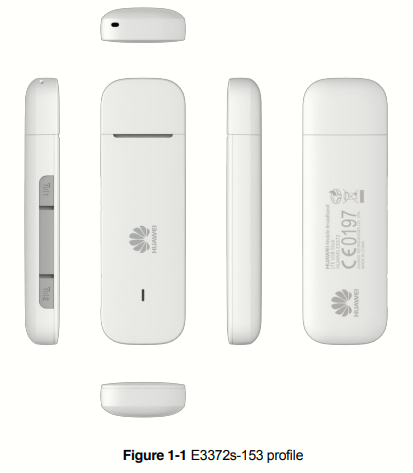
The E3372s-153 mainly supports the following features:
- Support LTE FDD Band 1(2100)/Band 3(1800)/Band 7(2600)/Band 8(900)/Band 20(800), DC-HSPA+/HSPA+/UMTS Band 1(2100)/Band 8(900), GSM/GPRS/EDGE 850/900/1800/1900MHz
- Support LTE FDD 800/1800/2100/2600 5M/10M/15M/20M bandwidth
- Support LTE FDD 900 5M/10M bandwidth
- Support LTE FDD cat.4 downlink 150Mbps/uplink 50Mbps@20M bandwidth
- LTE 2*2 MIMO
- DC-HSPA+ data service of up to 43.2Mbps
- HSPA+ data service of up to 21.6Mbps(64QAM)
- HSPA data service of up to 14.4Mbps
- HSUPA data service of up to 5.76Mbps
- UMTS PS domain data service of up to 384kbps
- EDGE packet data service of up to 236.8kbps on downlink with MSC12
- GPRS packet data service of up to 85.6kbps on downlink with MSC12
- LTE/UMTS/GSM SMS over SGs service
- Support LTE intra-frequency handover and inter-frequency handover
- Support LTE and UMTS inter-RAT idle mobility, LTE and GERAN inter-RAT idle mobility
- Support LTE and UMTS Inter-RAT connected mobility, LTE and GERAN inter-RAT connected mobility will be supported by CCO(cell change order)
- Automatic installation
- Standard USB interface(Type A)
- microSD card Slot
- Windows XP SP3, Windows Vista SP1/SP2, Windows 7, Windows 8(Does not support Windows RT), Windows 8.1; Mac OS x 10.7,10.8 and 10.9 with latest upgrades
- HiLink Version of E3372s-153 support the following features:Driverless, WebUI, Auto connect
The HiLink version of E3372s-153 does not need dashboard and all interaction with user are through WebUI.
The normal version of E3372s-153 does need dashboard on PC.
HiLink vs Stick
I have bought a pair of E3372s-153 modems. They came in HiLink mode.
In the world of Huawei modems like the E3372s, there are two primary operational philosophies: HiLink and Stick.
HiLink Mode
In HiLink mode, the modem acts as a standalone router. When you plug it to a PC, it appears as an Ethernet/Network card:
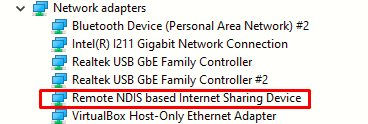
The modem itself handles the connection to the ISP and performs NAT, you manage it via a web browser (WebUI) at http://192.168.8.1.
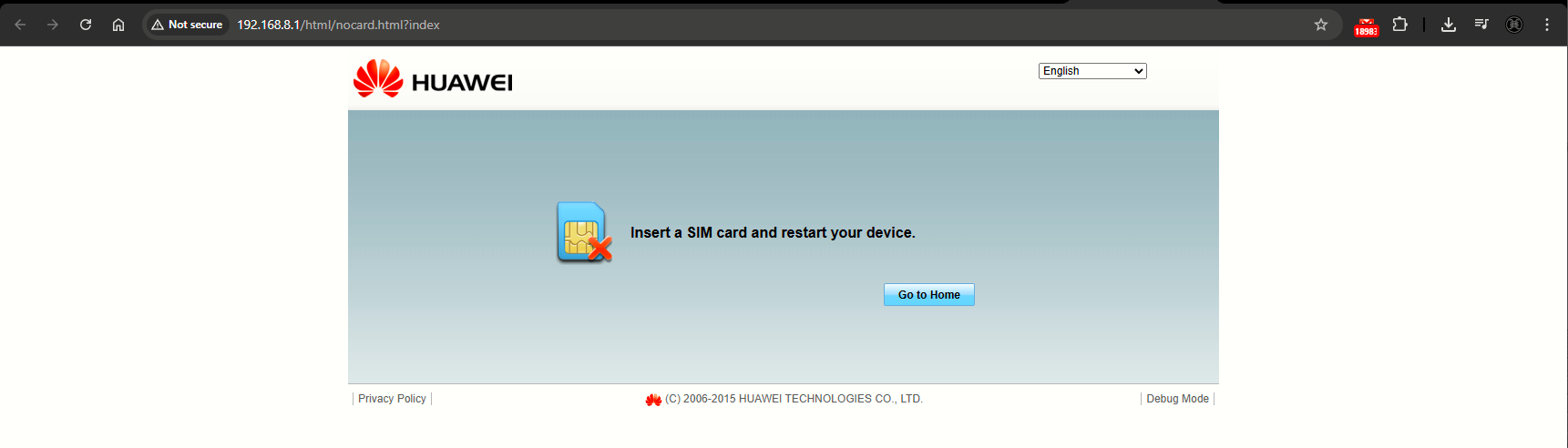
Because it performs NAT, a Cisco ASA or OpenWRT router receives a private IP in the 192.168.8.0/24 network instead of the actual public IP. This creates a doble NAT situation, which breaks VPNs and complex routing.
Stick Mode
In this mode, the modem acts as a "dumb" bridge or a traditional serial modem. It appears as a legacy serial device (COM ports) rather than a network card. The modem does not perform NAT. It simply passes the data through. There is no web interface, connection is managed via AT commands or dial-up software.
Installing the Drivers for the E3372 and Conversion to Stick Mode
This is from http://192.168.8.1/html/deviceinformation.html
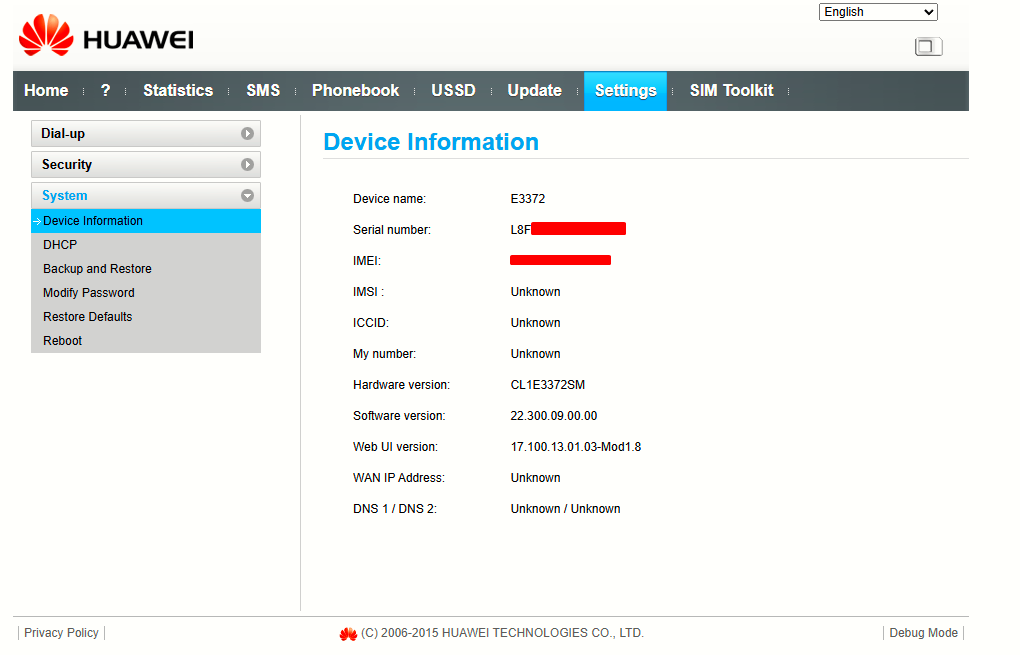
This pair of modem I got, are in HiLink mode, sofware version 22.300.09.00.00.
Firmware: Starts with 22 (HiLink) or 21 (Stick), and nothing else (for this model).
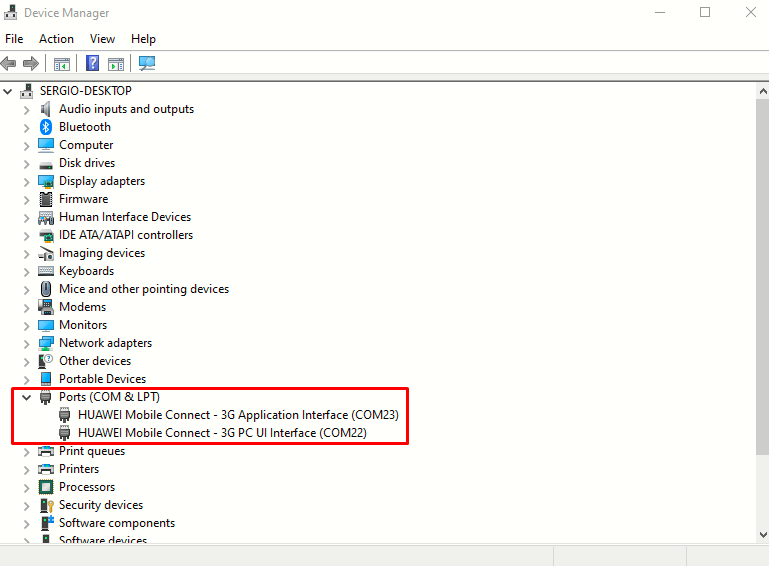
I will install driver HUAWEI_DataCard_Driver_6.00.08.00_Setup.rar and FC_Serial_Driver_Setup.rar.
- First .rar are the standar driver package for Huawei cellular hardware, it provides the basic instructions for Windows to recognize the device as a Huawei-branded product. It typically handles the "Modem" and "Network" interfaces, allowing Windows to use the device for internet connectivity in either mode. On its own, it often fails to properly identify the specific low-level diagnostic ports required for flashing on modern Windows versions.
- Later .rar stands for FastCard (or sometimes referred to as Forensic/Factory Control). It specifically targets the USB-to-Serial bridge interfaces of the Balong chipset. It forces Windows to map the raw hardware IDs to specific functional ports: PC UI Interface and Application Interface. The firmware update utilities cannot "talk" to the modem's internal memory without these serial ports. By installing this, we will enable COM ports, which are the "data pipe" we need to send the security unlock commands via DC-Unlocker or Putty.
Getting Started
Let's break down the switchProjectMode http://192.168.8.1/html/switchProjectMode.html URL. This command was originally discovered by reverse-engineering the WebUI of Huawei modems. It is an internal API endpoint built into the HiLink firmware's web server. When accesing it on HiLink mode, it triggers a CGI script on the modem’s internal Linux OS.
When the modem receives this request, it performs a "USB Composition" switch:
-
Standard Mode (VIDs/PIDs): The modem presents itself with a Product ID (PID) usually starting with
14xx(Network/CD-ROM). -
Project Mode Trigger: The script sends a signal to the kernel to detach the current USB drivers and re-attach using a different PID (often
1442or1001depending on the exact sub-version). -
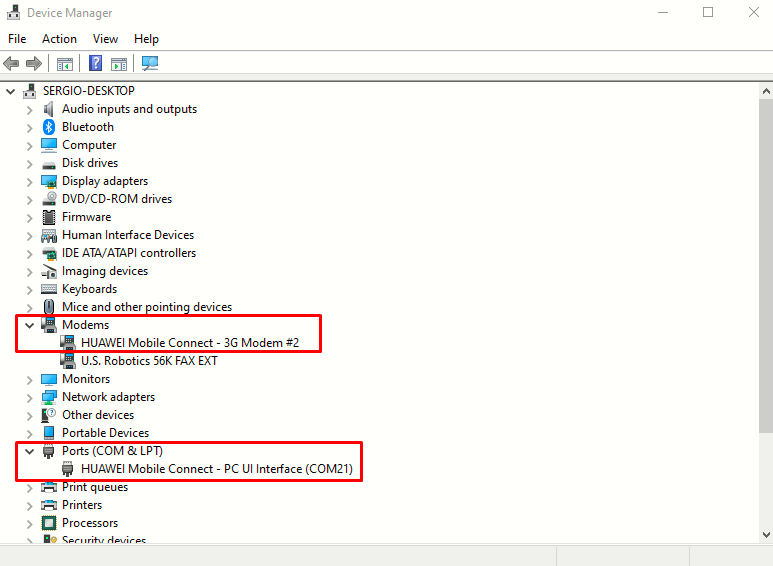
The Result: This exposes the Balong chipset's internal UART (Universal Asynchronous Receiver-Transmitter) interfaces over USB. These are the ports we should now see as COM21 (PC UI Interface) and COM9 (Application Interface).
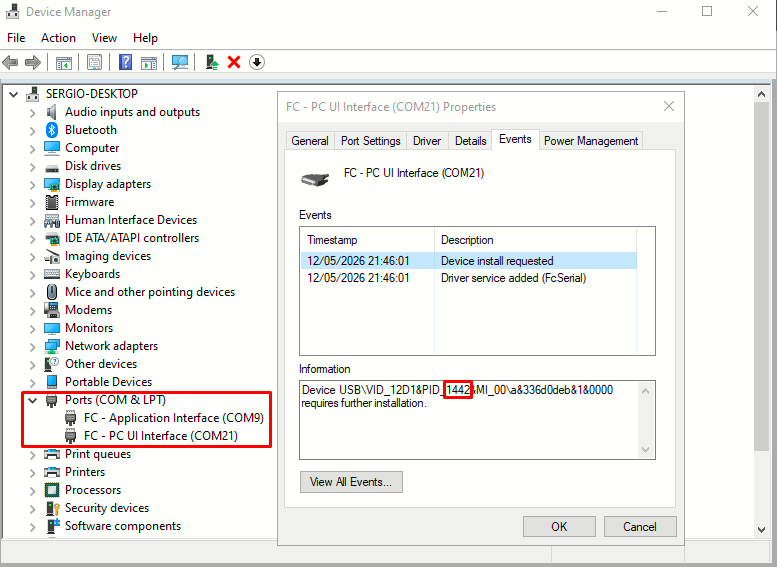
This change is not permanent. If you unplug the modem or it loses power before you finish the flashing process, it will revert to standard Hilink mode. Using the URL is significantly safer than hardware methods because if something goes wrong during this stage, a simple reboot usually restores the device to its original state (soft-brick protection).
Because I have a "new security" firmware, the modem's internal memory is locked. The switchProjectMode is the only software-based method to get a "shell" (via AT commands) to send the AT^SFM=1 command.
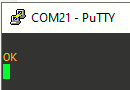
Now we can connect to the modem (via PC UI Interface - COM21), using PuTTY:
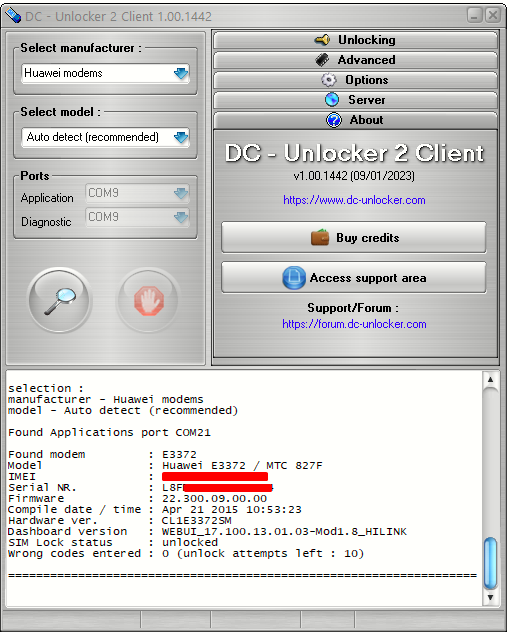
We can also detect it using DC-Unlocker
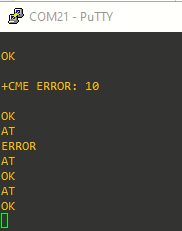
Back on PuTTY, we can activate echo with ATE1:
Converting from HiLink to Stick Mode
Since we are on firmware 22.300.09.00.00, the modem has "New Security." It will reject any firmware that isn't signed by the original provider (Polsat/Cyfrowy) unless we lower the defenses.
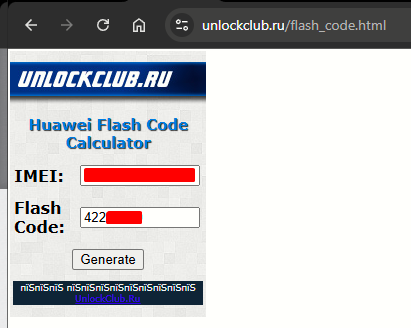
Step 1: Calculate the Flash Code Using the tool at https://unlockclub.ru/flash_code.html
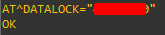
Step 2: Send the Unlock Command
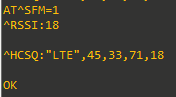
Step 3: Enter Factory Mode with AT^SFM=1.This command "unlocks" the flash memory to accept unsigned code.
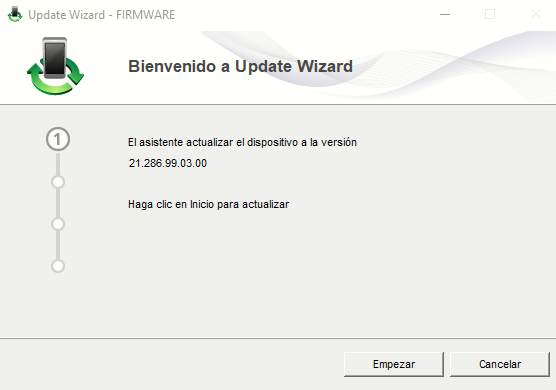
Step 4: Now, we cannot jump directly to a Stick firmware from a 22.300 HiLink version. We need a transition firmware that "erases" the provider's signature requirements. Close PuTTY and run the Transition Flasher E3372s-153_Update_21.286.99.03.00.exe

|
|
|
|
|
|
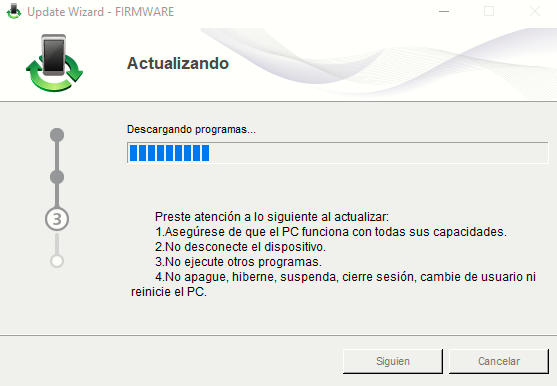
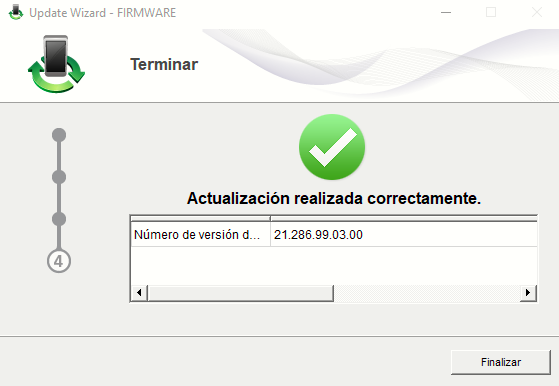
Step 5: Now the modem is a "blank slate." We will install the Unbranded/Universal firmware.
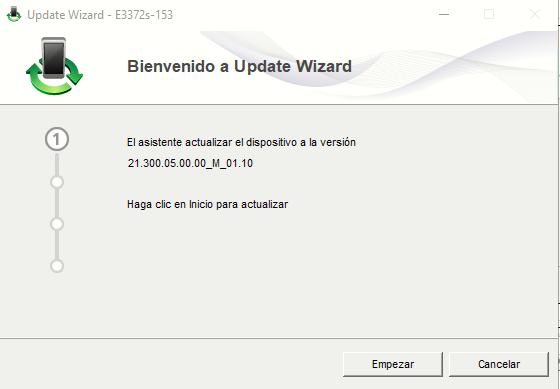
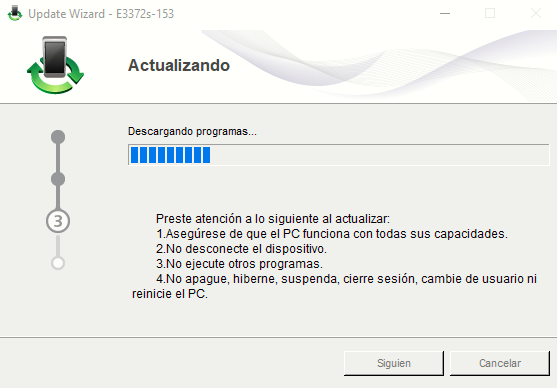
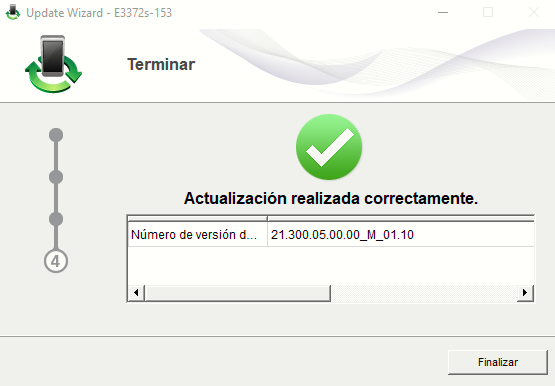
Run the Final Flasher: E3372s-153_Update_21.300.05.00.00.exe
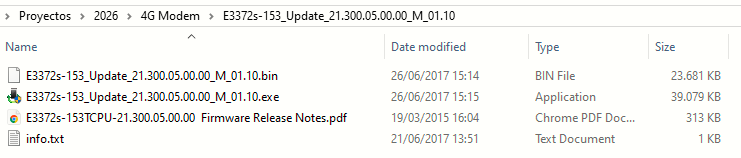
|
|
|
|
|
|
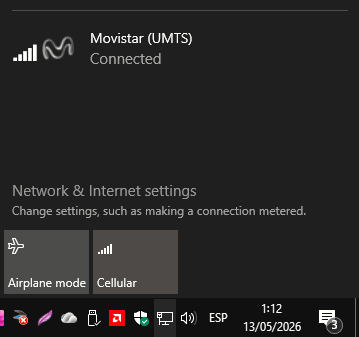
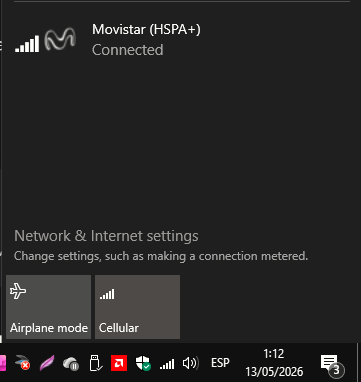
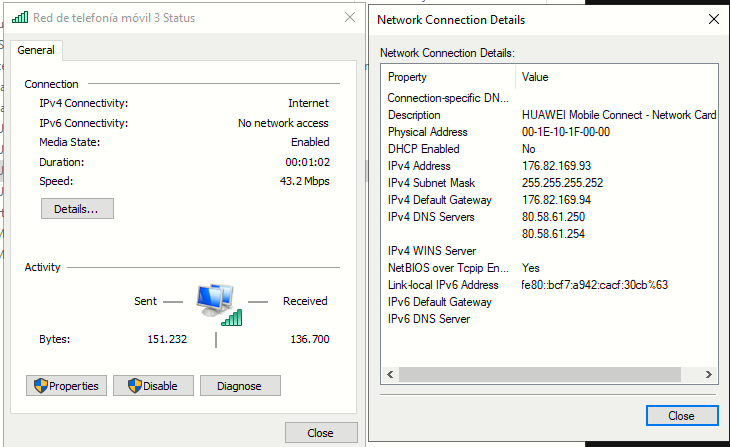
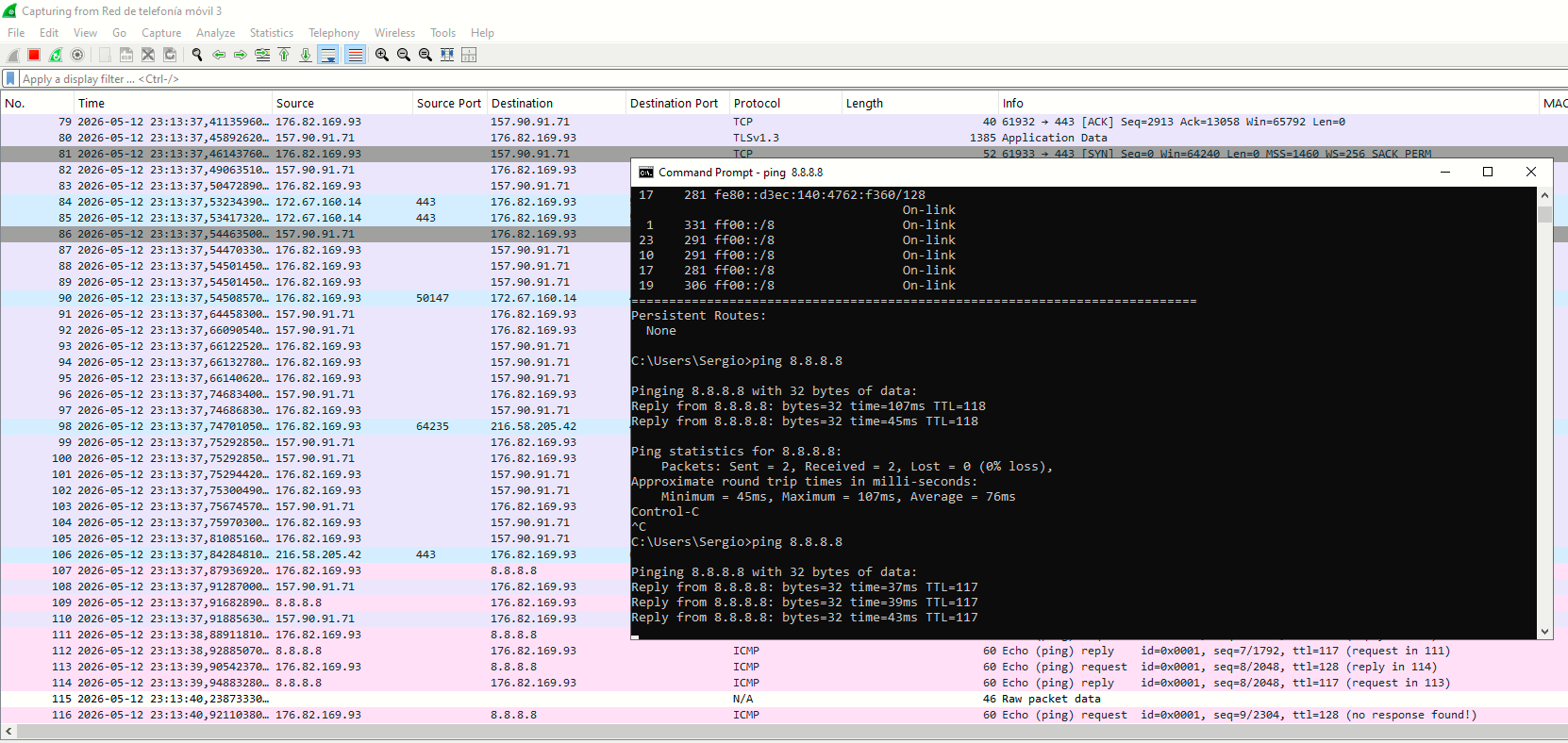
After removing and connecting the modem again to the PC, we gain LTE connectivity:
 |
|
|
|
|
Force LTE-Only Mode
While in use, and connected via COM port, I see the following output:
COM output
^DSFLOWRPT:00000088,00000000,0000003C,00000000000AA6E0,000000000015689D,00000000                                                ,00000000


^DSFLOWRPT:0000008A,00000000,00000000,00000000000AA6E0,000000000015689D,00000000                                                ,00000000


^MODE: 5,4


^RSSI: 10


^HCSQ:"WCDMA",45,29,33


^DSFLOWRPT:0000008C,0000003D,00000149,00000000000AA76F,00000000001569E6,00000000                                                ,00000000


^DSFLOWRPT:0000008E,000000C4,00000078,00000000000AA85B,0000000000156A7C,00000000                                                ,00000000


^DSFLOWRPT:00000090,00000050,00000000,00000000000AA947,0000000000156A7C,00000000                                                ,00000000


^DSFLOWRPT:00000092,00000240,00000100,00000000000AACED,0000000000156BB0,00000000,00000000


^MODE: 5,9


^DSFLOWRPT:00000094,0000C334,00000733,00000000000C047B,0000000000159D14,00000000,00000000


^RSSI: 10


^HCSQ:"WCDMA",44,29,35


^DSFLOWRPT:00000096,00000000,00000000,00000000000C053F,0000000000159DBC,00000000,00000000


^DSFLOWRPT:00000098,00000052,00000034,00000000000C0591,0000000000159DF0,00000000,00000000


^MODE: 5,4


^DSFLOWRPT:0000009A,00000000,00000000,00000000000C0591,0000000000159E50,00000000,00000000


^DSFLOWRPT:0000009C,00001B5C,00000170,00000000000C2176,0000000000159FC0,00000000,00000000


^MODE: 5,9


^DSFLOWRPT:0000009E,00000000,00000000,00000000000C33DC,000000000015D53E,00000000,00000000


^DSFLOWRPT:000000A0,00000000,00000000,00000000000C33DC,000000000015D53E,00000000,00000000


^RSSI: 10


^HCSQ:"WCDMA",45,29,33


^MODE: 5,4


^DSFLOWRPT:000000A2,0000003D,0000005C,00000000000C346B,000000000015D6A7,00000000,00000000


^MODE: 5,9


^DSFLOWRPT:000000A4,00000CE0,00008A60,00000000000C42F9,00000000001661FA,00000000,00000000


^DSFLOWRPT:000000A6,000005AD,0000130D,00000000000C54C7,000000000016877D,00000000,00000000


^DSFLOWRPT:000000A8,00000F6D,00002F85,00000000000C73FD,000000000016F3FC,00000000,00000000


^DSFLOWRPT:000000AA,00000000,00000034,00000000000C74C1,000000000016F50C,00000000,00000000


^RSSI: 10


^HCSQ:"WCDMA",44,29,35


^DSFLOWRPT:000000AC,00000B98,00001E0E,00000000000C80F5,000000000017131A,00000000,00000000


^DSFLOWRPT:000000AE,00000000,0000002C,00000000000C80F5,0000000000171372,00000000,00000000


^DSFLOWRPT:000000B0,00000039,00000000,00000000000C8242,0000000000171372,00000000,00000000


^DSFLOWRPT:000000B2,00000050,00000024,00000000000C82E2,00000000001713CB,00000000,00000000


^DSFLOWRPT:000000B4,00000028,0000004F,00000000000C8333,000000000017144E,00000000,00000000


^RSSI: 11


^HCSQ:"WCDMA",44,30,37


^MODE: 5,4


^DSFLOWRPT:000000B6,0000003D,000000E1,00000000000C8370,000000000017152F,00000000,00000000


^DSFLOWRPT:000000B8,00000034,00000000,00000000000C840C,000000000017152F,00000000,00000000


^DSFLOWRPT:000000BA,00000000,00000034,00000000000C8486,0000000000171633,00000000,00000000
Analyzing the output (with the help of AI):
- Look at the
^HCSQlines:^HCSQ:"WCDMA",45,29,33. The modem has downshifted from 4G to 3G. - The "Flapping": The
^MODE: 5,4and^MODE: 5,9lines show the modem is constantly switching between HSPA and HSPA+. This "flapping" is likely why traffic feel inconsistent. -
Signal Strength: Your
^RSSI: 10and11are quite low. The modem is barely hanging onto the 3G cell tower.
Sometimes the modem rejects band-locking commands because the internal radio is actively trying to negotiate a connection (like the 3G flapping saw earlier on the output). We need to put it into "Airplane Mode" first.
- Turn the radio off:
AT+CFUN=0 - Send the LTE-Only Command:
AT^SYSCFGEX="03",3FFFFFFF,2,4,7FFFFFFFFFFFFFFF,,(Note the2,4here instead of1,2. Some specific Unbranded firmwares require these parameters for the roaming/domain settings). - Turn radio on:
AT+CFUN=1
COM output (after forcing LTE-Only mode)
^MODE: 5,4

AT+CFUN=0

^DSFLOWRPT:00000120,00001FBD,000000A8,00000000001695B3,00000000002DE4B6,00000000,00000000


+CGREG: 0


^MODE: 5,9


^MODE: 5,4


^SRVST: 0


+CREG: 0


OK


^MODE: 0,0

AT^SYSCFGEX="03",3FFFFFFF,2,4,7FFFFFFFFFFFFFFF,,

OK

AT+CFUN=1

OK


^SIMST:1,0


^PLMNSELEINFO:0,4


+CREG: 2


+CGREG: 2


^RSSI:99


^PLMN:214,07


^MODE: 5,4


+CGREG: 0


+CGREG: 2


^XLEMA:1,3,112,0,1,fff


^XLEMA:2,3,911,0,1,fff


^XLEMA:3,3,112,1,1,fff


^RSSI:17


^HCSQ:"LTE",43,29,66,14


^XLEMA:1,3,112,0,1,fff


^XLEMA:2,3,911,0,1,fff


^XLEMA:3,3,112,1,1,fff


^SRVST: 2


+CGREG: 1,"6FB9","044B8216"


+CREG: 1,"6FB9","044B8216"


^PLMNSELEINFO:1,0


^NWTIME:26/05/12,23:21:54+08,01


^RSSI:17


^HCSQ:"LTE",43,30,61,12


^DSFLOWRPT:00000002,00000E5D,0000289D,0000000000001BAE,000000000000323B,00000000,00000000


^DSFLOWRPT:00000004,00000000,0000002C,0000000000003C76,0000000000009F4B,00000000,00000000


^DSFLOWRPT:00000006,0000495A,00005865,0000000000008954,000000000000F84C,00000000,00000000


^DSFLOWRPT:00000008,000005FB,00000719,0000000000008F4F,000000000000FF65,00000000,00000000


^DSFLOWRPT:0000000A,000170DF,0001342F,000000000002A25F,0000000000049BBC,00000000,00000000


^RSSI:17


^HCSQ:"LTE",43,31,61,12


^DSFLOWRPT:0000000C,0000C312,0003E7D0,00000000000455C8,00000000000978D4,00000000,00000000


^DSFLOWRPT:0000000E,000072F5,000D201D,000000000005CB3C,00000000002052ED,00000000,00000000


^RSSI:26


^HCSQ:"LTE",60,42,71,4


^RSSI:17


^HCSQ:"LTE",43,30,71,14


^DSFLOWRPT:00000010,00009CB7,0009A173,000000000006BAD0,0000000000326623,00000000,00000000


^DSFLOWRPT:00000012,00013012,000CCF70,0000000000087E10,0000000000469E94,00000000,00000000


^DSFLOWRPT:00000014,0000CE5D,000B821D,00000000000A3A09,00000000005F12C9,00000000,00000000


^DSFLOWRPT:00000016,0000679A,00065BD7,00000000000B199F,00000000006DAA25,00000000,00000000


^DSFLOWRPT:00000018,000003E8,00014F47,00000000000BCB86,0000000000794311,00000000,00000000


^RSSI:17


^HCSQ:"LTE",43,30,66,14


^DSFLOWRPT:0000001A,00000000,0000002C,00000000000BCBBF,00000000007943E4,00000000,00000000


^DSFLOWRPT:0000001C,00001975,0001CCF9,00000000000BEE09,00000000007B1417,00000000,00000000


^DSFLOWRPT:0000001E,00000065,000001B8,00000000000BEE6E,00000000007B15CF,00000000,00000000


^DSFLOWRPT:00000020,00000000,00000000,00000000000BEE6E,00000000007B15CF,00000000,00000000


^DSFLOWRPT:00000022,0000BBE3,00022294,00000000000CAAA1,00000000007D3863,00000000,00000000


^RSSI:18


^HCSQ:"LTE",44,31,66,14


^DSFLOWRPT:00000024,0000D089,00085CAA,00000000000D9245,0000000000887011,00000000,00000000


^DSFLOWRPT:00000026,0000A5BE,000A35CC,00000000000ECA9E,00000000009FF67B,00000000,00000000


^DSFLOWRPT:00000028,00005C49,00031EEF,00000000000F74EA,0000000000A9F7A4,00000000,00000000


^DSFLOWRPT:0000002A,0000118E,0000F5D8,00000000000FD86B,0000000000B046D9,00000000,00000000


^DSFLOWRPT:0000002C,00000050,00000000,00000000000FE422,0000000000B12E79,00000000,00000000


^DSFLOWRPT:0000002E,00000F6E,00006A73,0000000000100EAD,0000000000B19921,00000000,00000000


^DSFLOWRPT:00000030,00003B40,000796E4,0000000000107235,0000000000C38F90,00000000,00000000


^DSFLOWRPT:00000032,0000155D,000008A7,000000000010EBF9,0000000000CACC94,00000000,00000000


^RSSI:17


^HCSQ:"LTE",43,30,71,14


^DSFLOWRPT:00000034,00000000,00000000,0000000000110328,0000000000CAD2D2,00000000,00000000


^DSFLOWRPT:00000036,00000000,00000000,0000000000110328,0000000000CAD2D2,00000000,00000000


^DSFLOWRPT:00000038,00000050,00000000,00000000001103F1,0000000000CAD306,00000000,00000000


^DSFLOWRPT:0000003A,00000029,00000034,000000000011041A,0000000000CAD33A,00000000,00000000
- The Confirmation:
^HCSQ:"LTE",43,30,71,14proves we are back on 4G. -
The Stability: Notice that the
^MODElines have stopped spamming. We are no longer jumping between HSPA and HSPA+; we are locked onto the LTE grid. -
RSSI 17-18: This is a solid, usable signal for a home lab.
-
SINR 14: Your Signal-to-Interference-plus-Noise Ratio is now 14. Anything above 10 is considered good for LTE.
Sources
HUAWEI E3372s-153 LTE USB Stick (Cat.4)
https://www.4gltemall.com/downloads/dl/file/id/12/product/561/huawei_e3372_datasheet_specifications.pdf