
Some History and Original LAN Addressing
From Copper to Glass: A Personal Journey Through Spain’s Broadband Evolution
For many tech enthusiasts, the history of home internet is measured in the hardware that sat in our living rooms. Looking back at the connectivity history of my parents house (which I will onwards call just Home 1), the transition from late-2000s copper lines to mid-2010s fiber optics perfectly mirrors the broader telecommunications revolution in Spain.
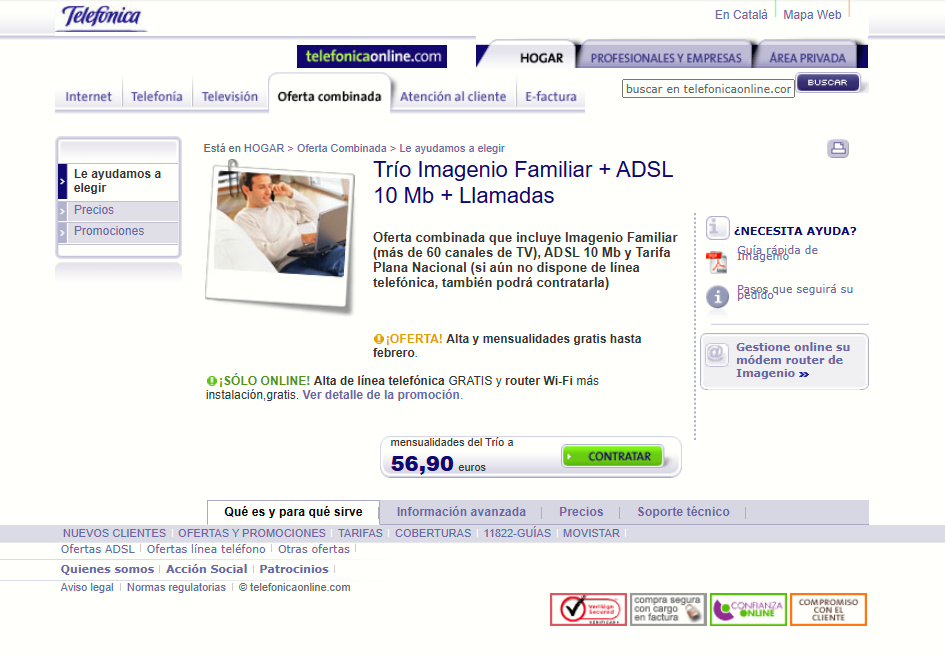
2007: The Era of Movistar Trio and Copper Wires
Telefonica officially launched Trio 10Mb on December 3, 2007. This was an ambitious "triple-play" bundle that combined landline voice, broadband internet, and IPTV (television over internet protocol) through a platform then known as Imagenio.
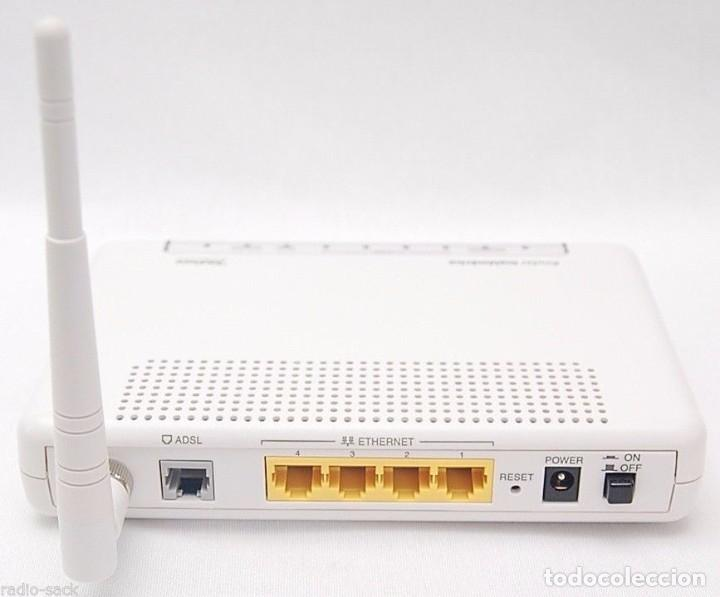
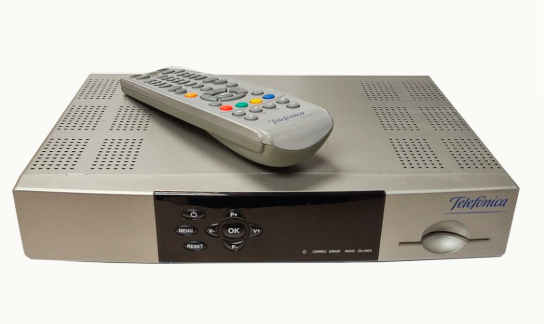
To handle this multi-stream traffic over a standard copper telephone line, Movistar provided one of the most iconic pieces of hardware of that era: the Zyxel P-660HWD1, accompanied by the Imagenio "deco", which at that time was the ADB 3800-TW
|
|
|
I will upload here some bills from that era.
[ Telephone Wall Jack ] ---> ( RJ-11 Copper Cable Splitter + Microfilter) ----------> [ Zyxel P-660HWD1 ]
                                                |                                             |
                                                |                                  +----------------------+
                                        [ Landline Phone]                          |                      |
                                                                             (Wi-Fi 2.4GHz)           (Ethernet)
                                                                                   |                      |
                                                                                 [ PC ]            [ Imagenio STB ]
Managing the Trio on ADSL was a delicate balancing act. Because IPTV required high bandwidth, turning on the Imagenio set-top box to watch TV would instantly "steal" about 4 to 5 Mbps from the internet connection. The Zyxel router had to rely heavily on IGMP snooping and primitive Quality of Service (QoS) rules to ensure that changing channels didn't crash the home Wi-Fi network.
2014: The Jump to Fiber Optics
By 2014, copper had reached its absolute physical limits. Movistar was aggressively rolling out its FTTH network, promising symmetric speeds and rock-solid stability. When we upgraded that year, the old white Zyxel was replaced by a ONT + router setup.
Huawei HG8240 ONT + Comtrend VG-8050 Router
While they are often forgotten today in favor of modern "all-in-one" integrated routers, this two-box setup was the backbone of early high-speed fiber deployments.
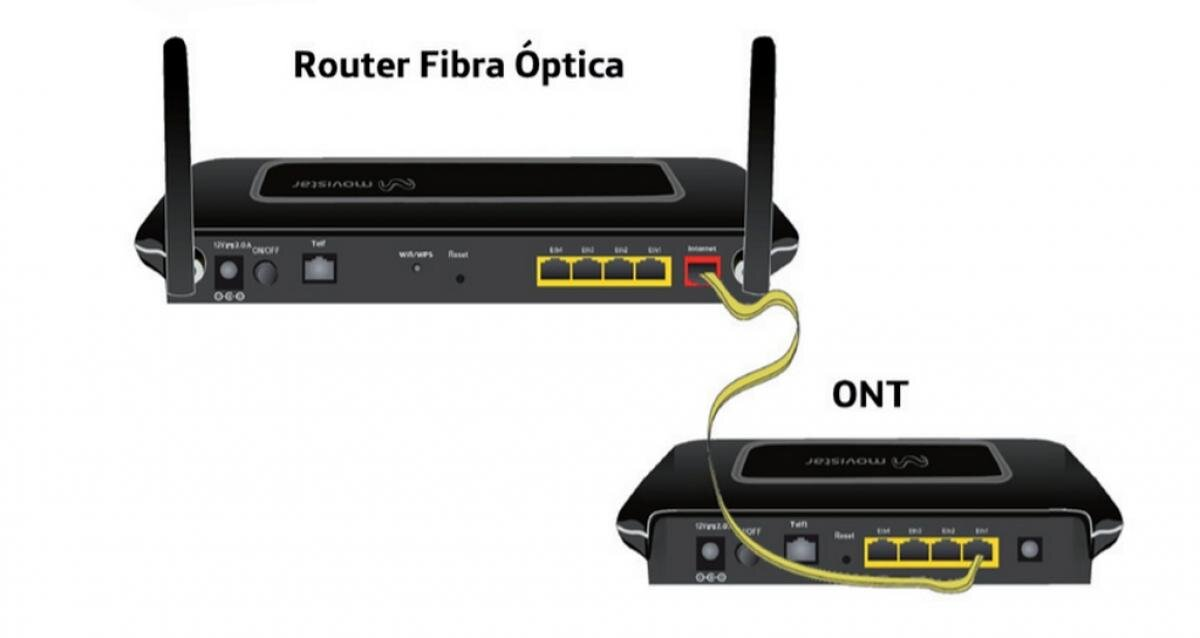
The commercial product was called Movistar Fusion at that time. We just got rid of the TV because of the abusive price.
[ Fiber Optic Wall Outlet ]
           │
     (Fiber Cable)
           ▼
┌──────────────────────┐
│  Huawei HG8240 ONT   │ ──(RJ-11)──> [ Traditional Home Phone ]
└──────────────────────┘
           │
    (Gigabit Ethernet)
           ▼
┌──────────────────────┐
│  Comtrend VG-8050    │ ──(Wi-Fi 2.4GHz / LAN)──> [ PCs, Consoles, Movistar TV ]
└──────────────────────┘
The Architecture: Triple-VLAN Tagging
To deliver internet, television, and voice simultaneously without interference over a single fiber strand, Movistar uses 802.1Q VLAN tagging. The router splits the traffic into three distinct virtual lanes:
-
VLAN 6: Dedicated strictly to Internet traffic (established via a PPPoE connection).
-
VLAN 3: Reserved for IPTV (Movistar TV/Imagenio) utilizing multicast traffic.
-
VLAN 2: Reserved exclusively for VoIP management.
2017: The HGU Era
At the beginning of 2017, and mainly due to the lack of support for the 5GHz by the VG-8050, we asked to replace the ONT+router combo with the Askey HGU (Home Gateway Unit) RFT3505VW.
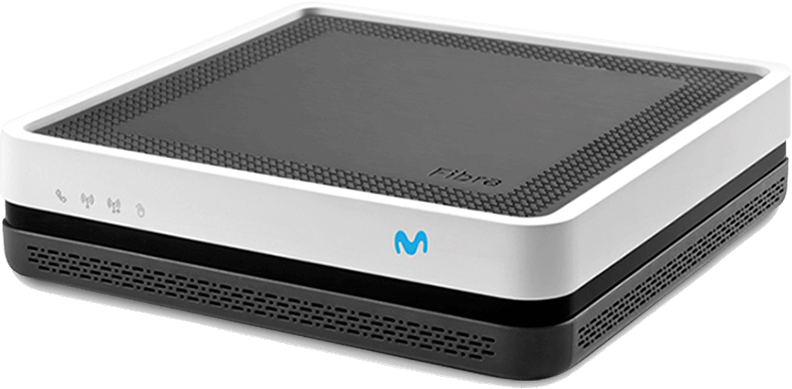
[ Fiber Optic Wall Outlet ]
           │
     (Fiber Cable)
           ▼
┌────────────────────────────────────────┐
│         Askey HGU (All-In-One)         │
├────────────────────┬───────────────────┤
│  Built-in GPON ONT │ Dual-Band Router  │
└────────────────────┴─────────┬─────────┘
                               │
       +-----------------------+-----------------------+
       |                       |                       |
 (Wi-Fi 2.4 GHz)         (Wi-Fi 5 GHz)            (Ethernet)
       |                       |                       |
[ Older Devices ]       [ Modern Phones/PCs ]     [ Movistar TV ]
Up until 2017, our home network was strictly bottlenecked by the 2.4 GHz wireless band of the Comtrend router. Even though the fiber optic line could deliver 100 Mbps (and later 300 Mbps) over an Ethernet cable, Wi-Fi speeds routinely dropped to a fraction of that due to channel congestion and wireless interference.
The Askey HGU introduced simultaneous dual-band Wi-Fi:
-
2.4 GHz Band (802.11n): Retained for older legacy devices and maximum coverage range, operating on a 2x2 MIMO configuration.
-
5 GHz Band (802.11ac): Marketed by Movistar as "Wi-Fi Plus", utilizing an internal 4x4 MIMO antenna array. For the first time, wireless devices could fully saturate our fiber line's speed with incredibly low latency.
Internally, the Askey HGU still maintained the classic Triple-VLAN configuration (VLAN 2, 3, and 6), but it handled the routing processing natively under a single Broadcom chipset. It streamlined data delivery, drastically improved local streaming to the Movistar TV decoder, and simplified home network management.
Original LAN Addressing
One of the most fascinating aspects of Movistar’s home networking history is that while the physical medium changed completely—moving from copper lines to glass fibers—their logical LAN addressing architecture remained almost entirely frozen in time. Movistar established a standard configuration back in the ADSL days of the mid-2000s to simplify technical support and mass device deployment, and they stuck to it through every single hardware generation.
1. The Subnet and Gateway
Movistar has always used the most standard class C private network range for their local deployment:
-
LAN Subnet:
192.168.1.0/24(providing 254 usable host addresses). -
Subnet Mask:
255.255.255.0 -
Router LAN IP (Default Gateway): Always
192.168.1.1. Whether I was hitting the web interface of the Zyxel in 2007 or the Askey HGU in 2017, that IP address never changed.
2. The Traditional DHCP Range
To prevent IP conflicts with specific devices that required fixed IPs (like their television set-top boxes), Movistar pre-configured their DHCP servers on these routers with a specific pool:
-
DHCP Range:
192.168.1.33to192.168.1.254 -
The "Reserved" Lower Pool (
.2to.32): This space was intentionally left outside the dynamic pool. Movistar’s installation technicians used this lower range to assign static IPs manually.
3. The Unchanging Telefónica/Movistar DNS
This is perhaps the most nostalgic piece of data for anyone who has troubleshot a network in Spain. If you had to manually configure a network card at any point between 2007 and today, you probably memorized these two IP addresses:
-
Primary DNS:
80.58.61.250 -
Secondary DNS:
80.58.61.254
These DNS servers belonged to Telefónica Data and were pushed automatically via DHCP to every single device on your network. Even as third-party alternatives like Google (8.8.8.8) or Cloudflare (1.1.1.1) became popular for being faster or more reliable, Movistar routers continued (and still continue) to hand out these exact same 80.58.xx.xx servers to this day.