UC500: Initialization
Introduction
The UC500, part of the Cisco Smart Business Communications System (SBCS), is a unified communications solution for small businesses that provides voice, data, video, security, and wireless capabilities for 8 to 32 employees.
UC500 = a small-business PBX appliance built around a Cisco IOS router running CME, with voicemail, switching, PSTN interfaces, DSPs, routing, firewall/VPN, and management bundled into one box.
Compact Flash Factory Defaults
If the appliance is brand new, it will ship with a 256 MB Compact Flash, which, in the case of the UC540 with BRI, contains the following files and folders:
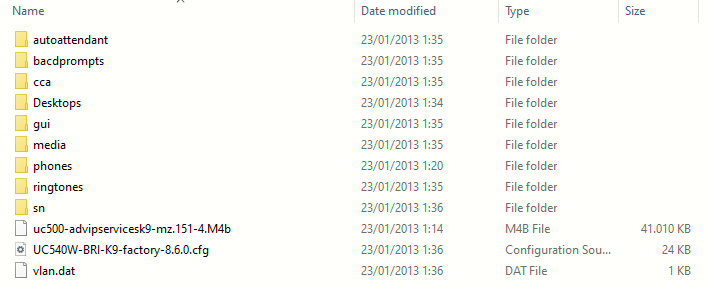
| Item | What it is | Used by |
|---|---|---|
autoattendant |
Auto Attendant scripts | CUE / CCA |
bacdprompts |
Basic Automatic Call Distribution scripts + voice prompts | IOS/CME B-ACD |
cca |
Metadata for Cisco Configuration Assistant | CCA |
Desktops |
IP phone wallpapers | Cisco IP phones |
gui |
CME's old web-management GUI | IOS HTTP server |
media |
Music on Hold audio | CME |
phones |
IP phone firmware | CME/TFTP |
ringtones |
IP phone ringtone files | CME/TFTP |
sn |
Temporary/status working directories | UC500 software |
uc500-advipservices... |
The actual Cisco IOS image | UC540 itself |
UC540W-BRI...factory...cfg |
Cisco factory configuration template | Factory restore |
vlan.dat |
Persistent VLAN database | Integrated switch |
Factory Configuration File
The UC540W-BRI-K9-factory-8.6.0.cfg is basically the ready-made startup configuration Cisco shipped for a brand-new UC540W-BRI running Software Pack 8.6.0. It is not just a blank router config: it pre-builds the whole “small office” environment so CCA and the phones can work immediately. Cisco documents that the UC540 factory defaults include:
| Attribute | Default Setting |
| IP address | 192.168.10.1 |
| Username | cisco |
| Password | cisco |
| Voice VLAN (100) | 10.1.1.x |
| Data VLAN (1) | 192.168.10.x |
| Wireless SSID (data) | cisco-data |
| Wireless SSID (voice) | cisco-voice |
| Smartports (PoE LAN ports) | Role: IP Phone + Desktop Access VLAN: 1 Voice VLAN: 100 |
The box is not an empty IOS router. It comes up as a prebuilt UC500 phone system, ready for CCA to finish the customer-specific setup. Cisco support explicitly used these *-factory-8.6.0.cfg files to restore UC500 units to their factory baseline.
Installing Cisco Configuration Assistant
The Cisco Configuration Assistant (CCA) was Cisco’s Windows GUI for configuring UC500/SBCS systems without doing everything manually in IOS/CME/CUE CLI. CCA simply connects to the UC540 and creates/modifies the underlying configuration for you.
It can manage users/extensions, phones, voicemail, Auto Attendant, incoming/outgoing dial plans, VLANs, DHCP, security, software/phone loads, etc. Cisco describes it as a PC-based GUI for deploying and administering small-business networks.
The final CCA version was 3.2.3, released in July 2013.
Download and install by locating the file: Cisco-config-assistant-win-k9-3_2_3-en.exe
Cisco officially supported:
- Windows XP
- Windows Vista
- Windows 7 32/64-bit
It also expected Internet Explorer 8+ and, for some functions, Adobe Flash.
The cleanest solution today is a small Windows 7 or XP VM:
- Give the VM a bridged NIC so it can directly reach the UC500.
- Install CCA on the VM.
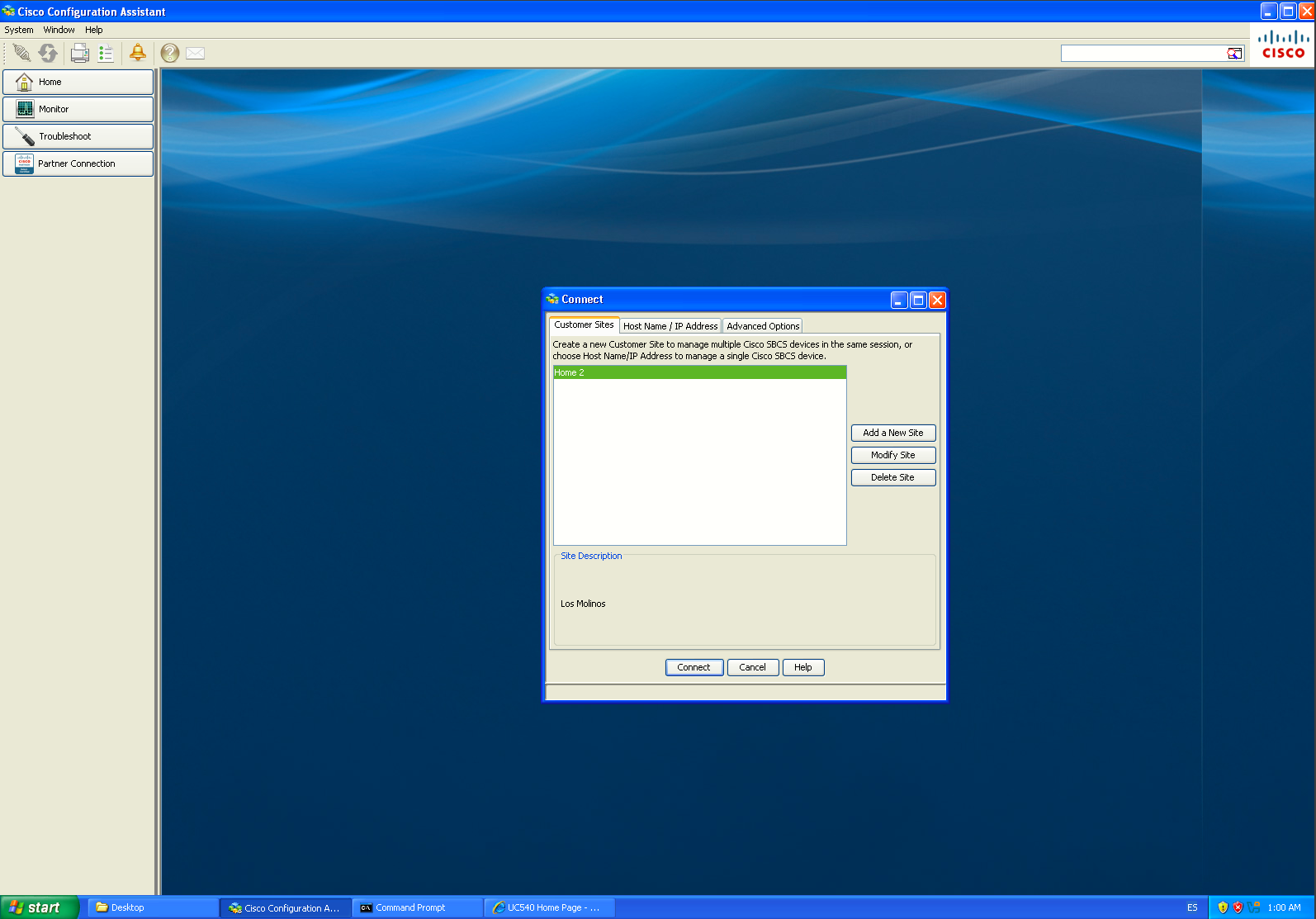
- Open CCA, create/open a community/site, then connect to the UC540 by IP address. If HTTPS gives you trouble, Cisco specifically recommends selecting HTTP under Advanced Options and connecting by hostname/IP for UC500 8.6.x systems.
|
|
|
|
|
|
|
|
|
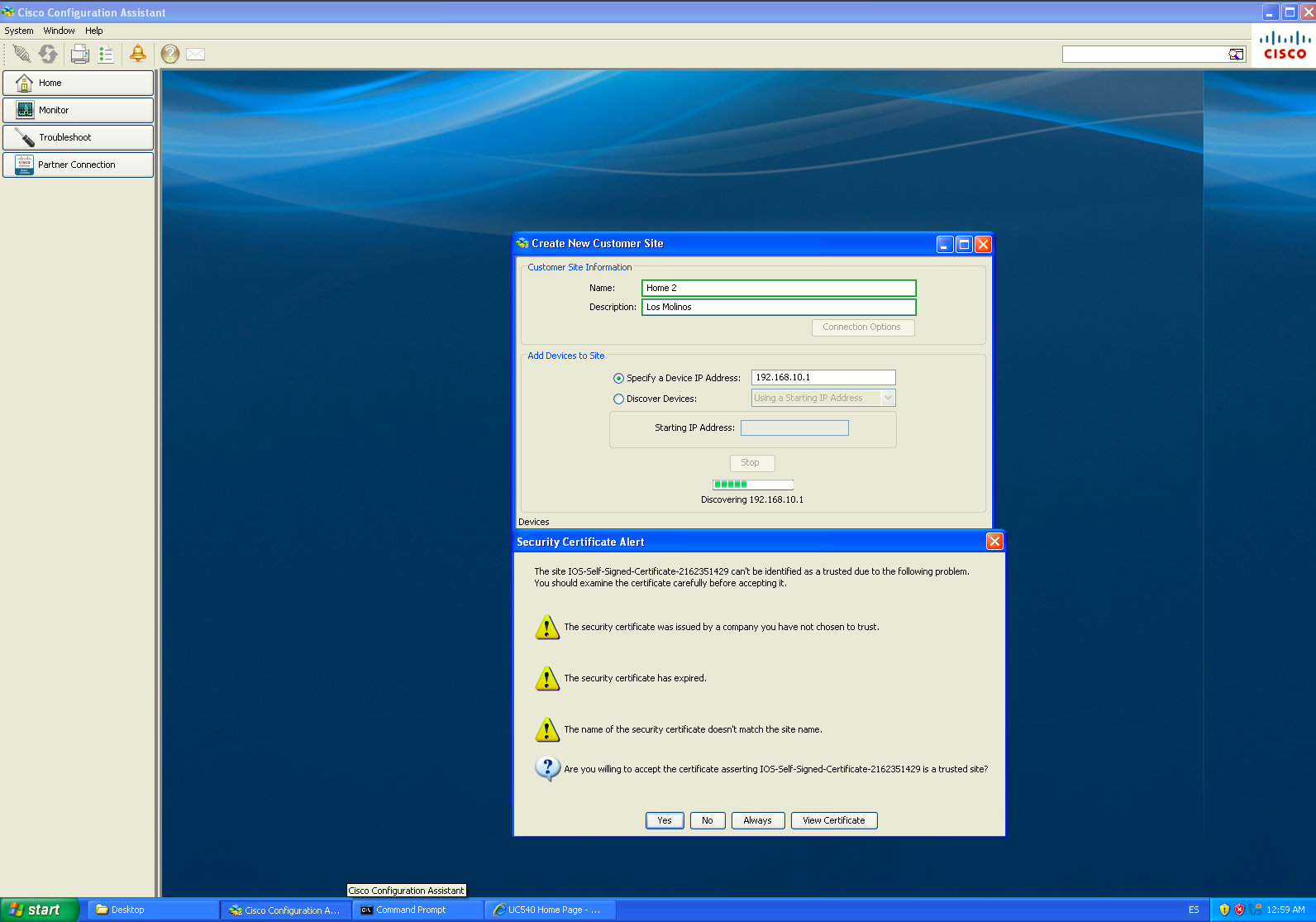
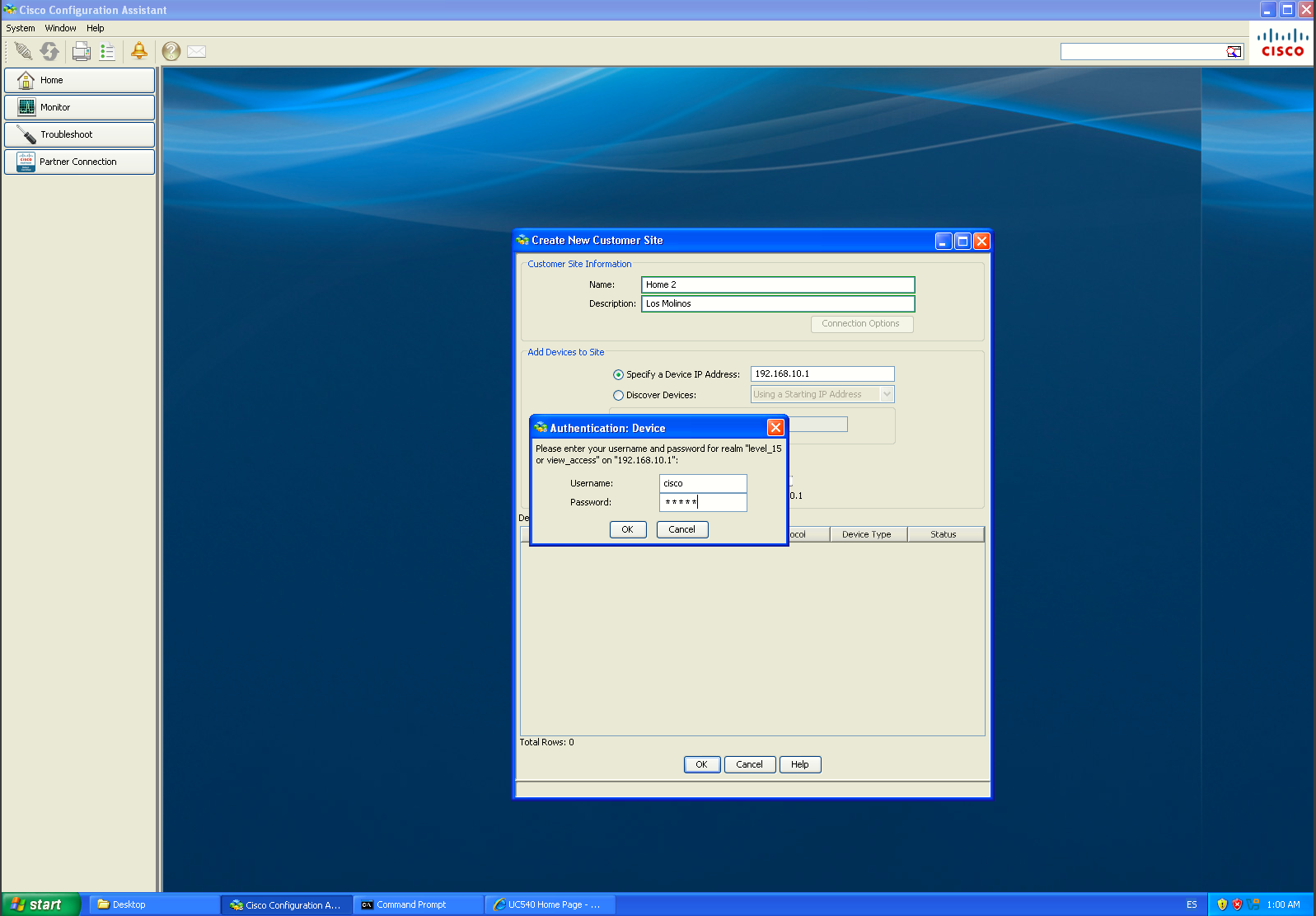
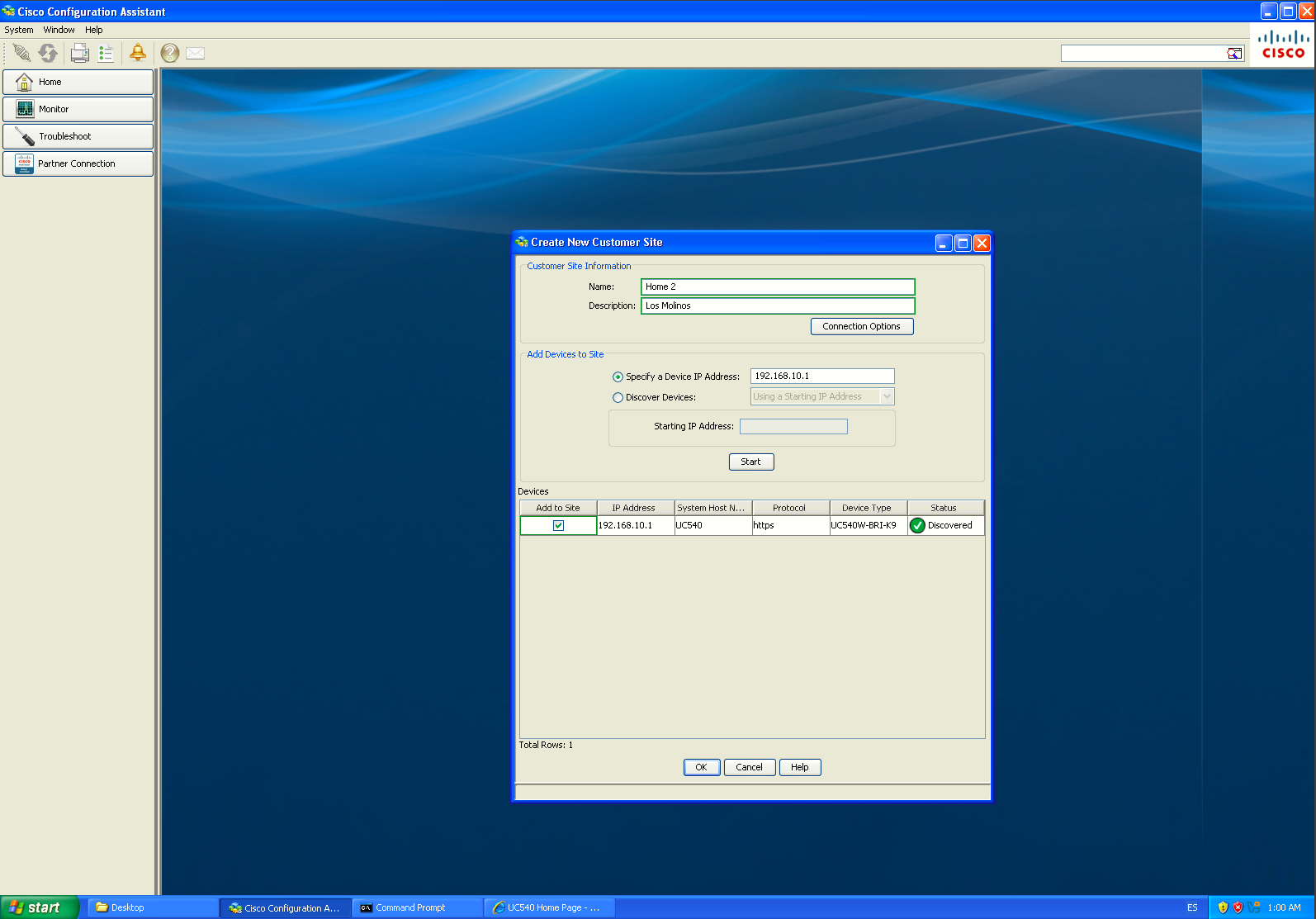
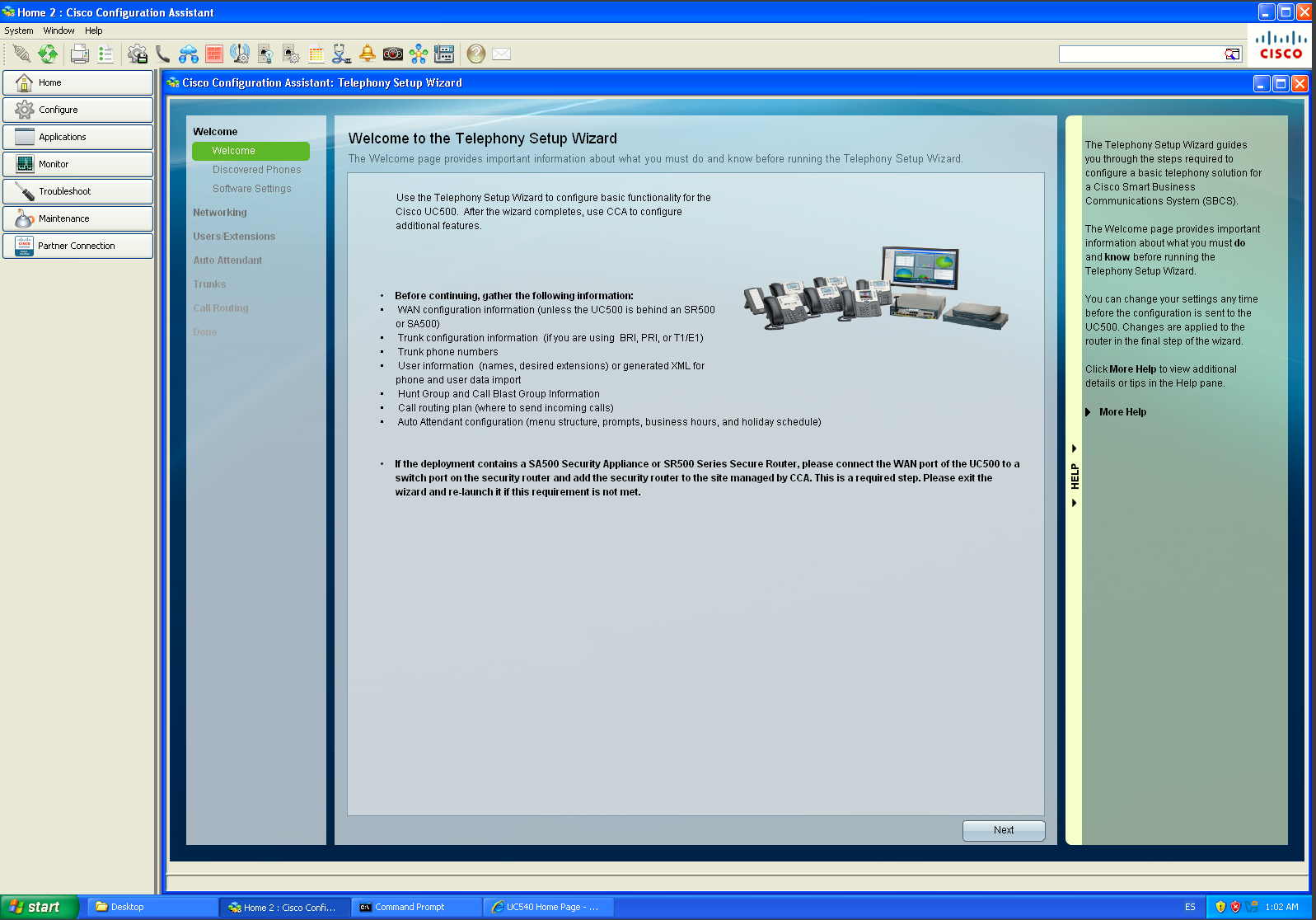
The Telephony Setup Wizard is essentially:
“Take this generic Cisco factory UC540 configuration and turn it into this customer's actual telephone system.”
Cisco specifically says that the wizard requires the UC500 to already be in factory-default state, and that's why CCA automatically launches it when it detects a factory-default UC500.
Software Pack Upgrade
UC500 Software Packs were Cisco’s bundled software releases for the Unified Communications 500 Series, including the UC520, UC540 and UC560. Instead of upgrading each component separately, Cisco packaged the main platform software into one coordinated release.
A typical Software Pack included:
- the Cisco IOS image
- the supported CME/CUCME version
- the CUE voicemail software
- IP phone firmware
- Auto Attendant and B-ACD files
- ringtones, wallpapers and Music on Hold files
- factory configuration files
- support files used by Cisco Configuration Assistant
The main advantage was compatibility: Cisco tested those components together, so installing a Software Pack was the preferred way to move a UC500 system to a newer supported software baseline.
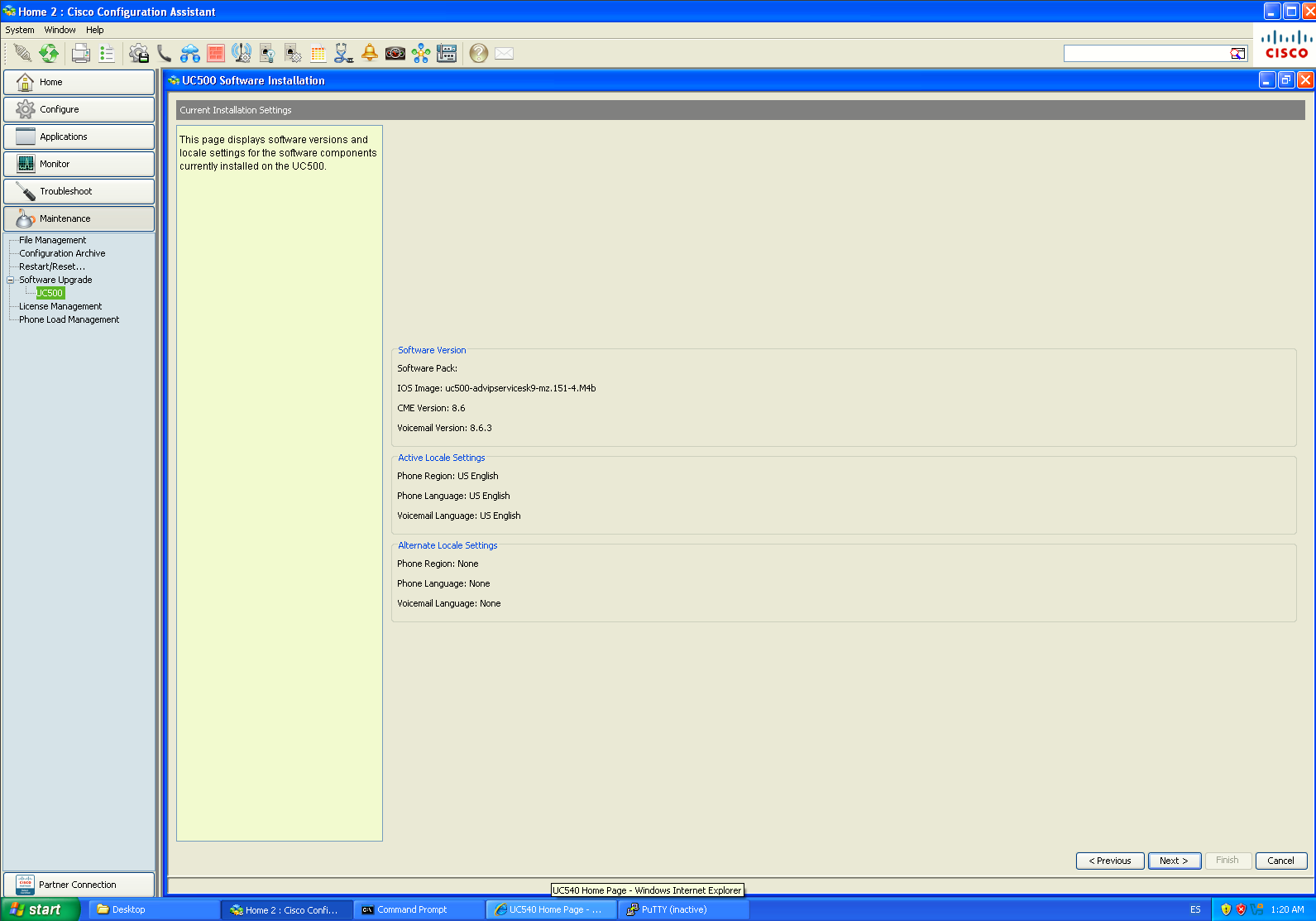
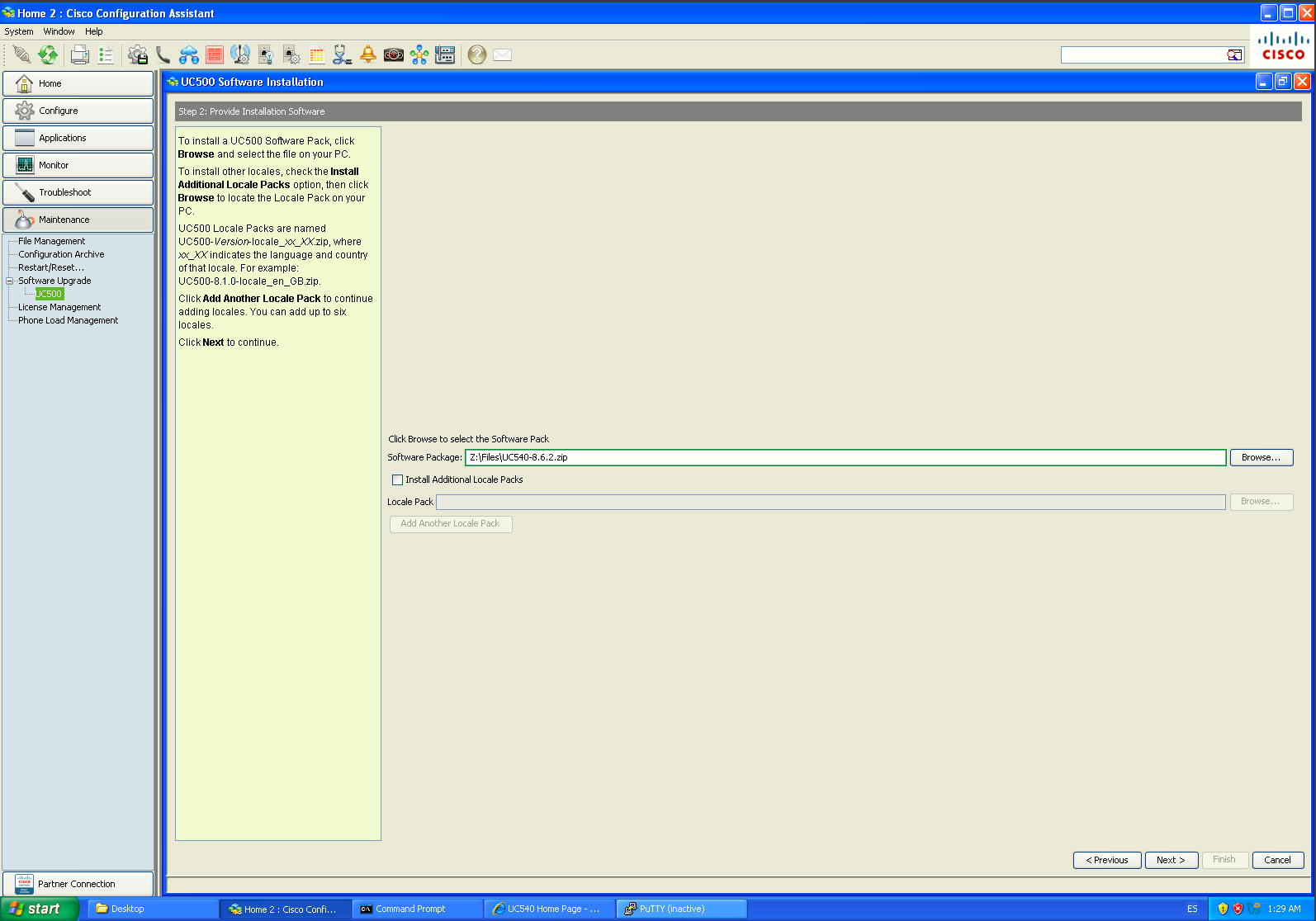
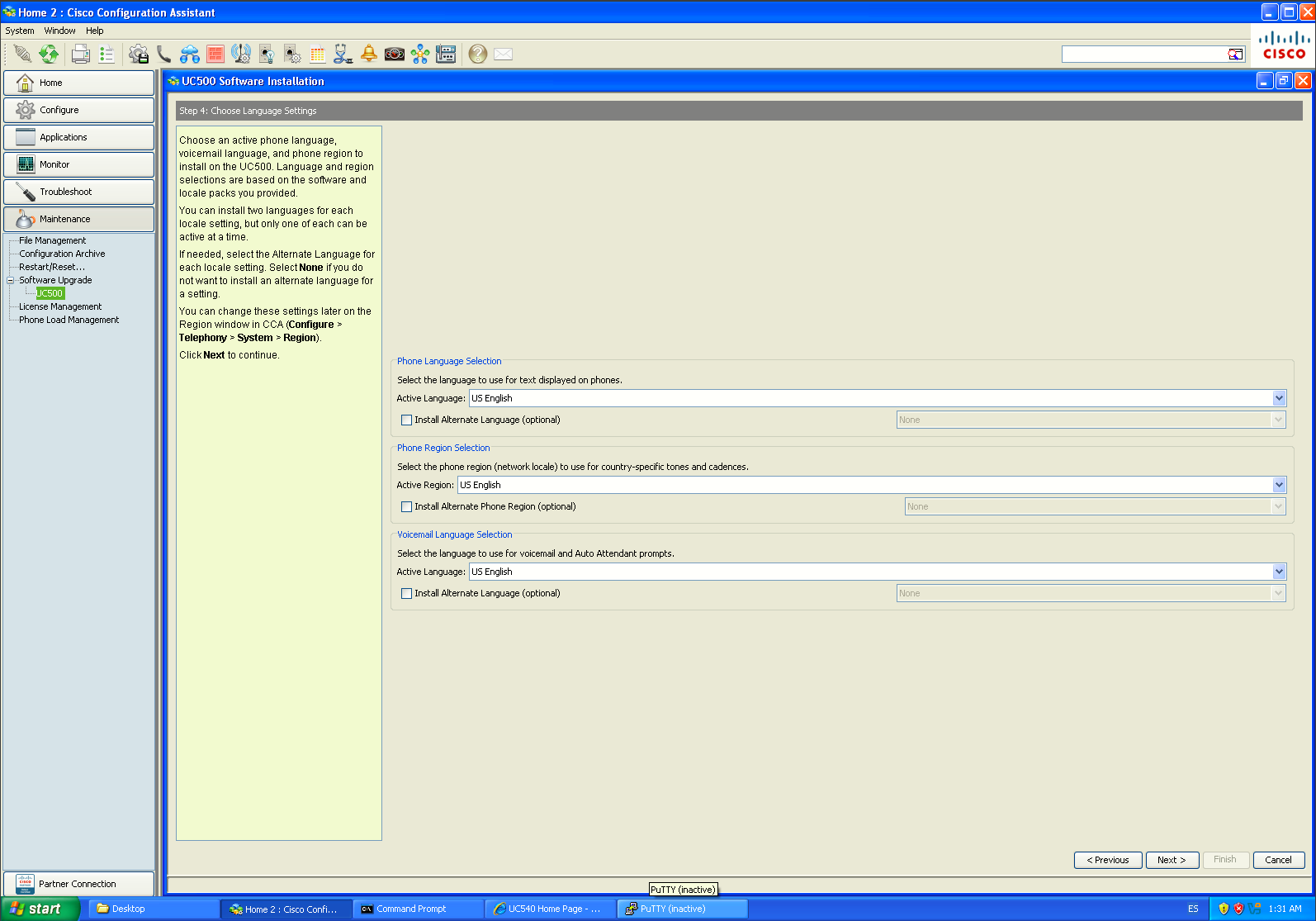
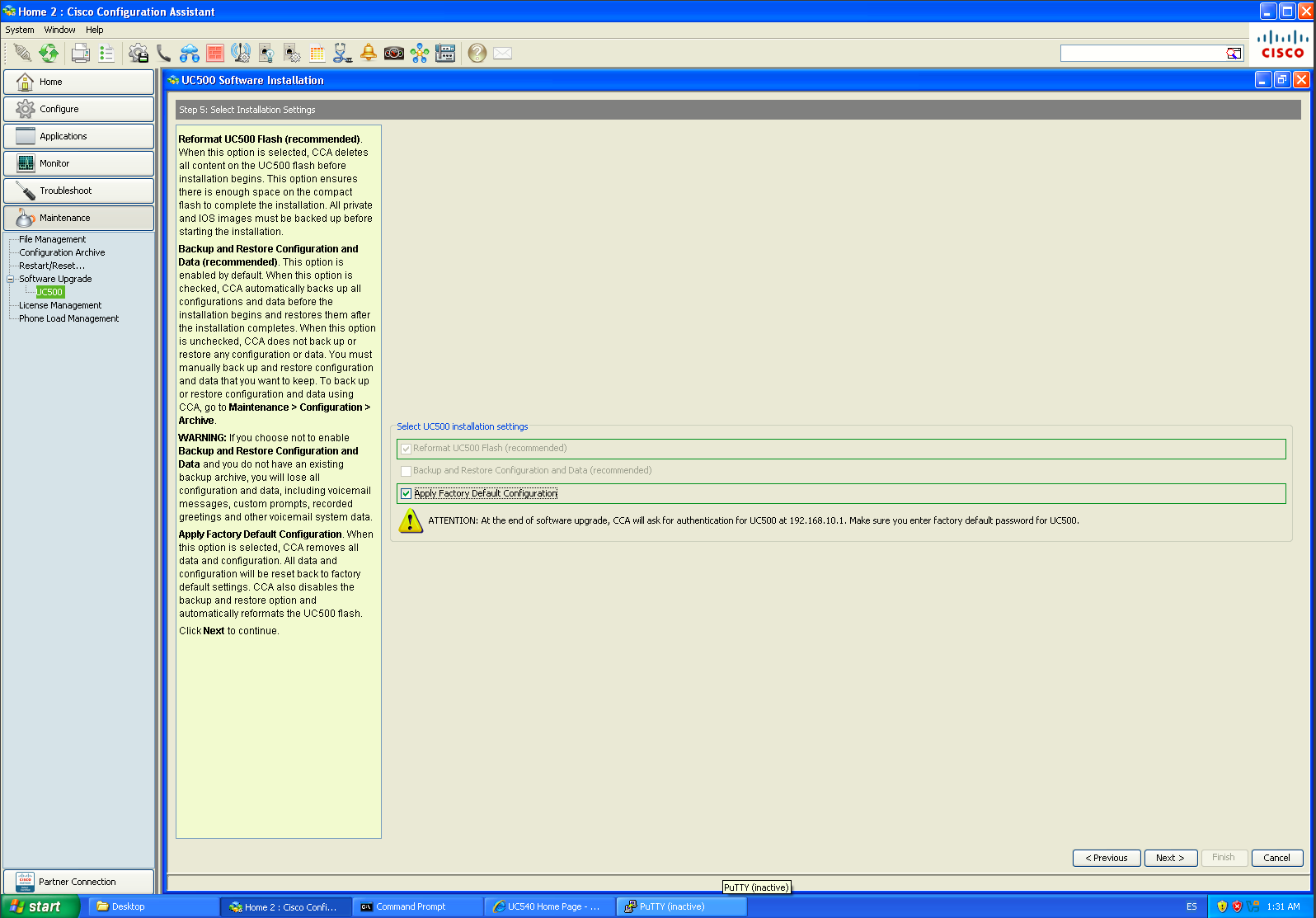
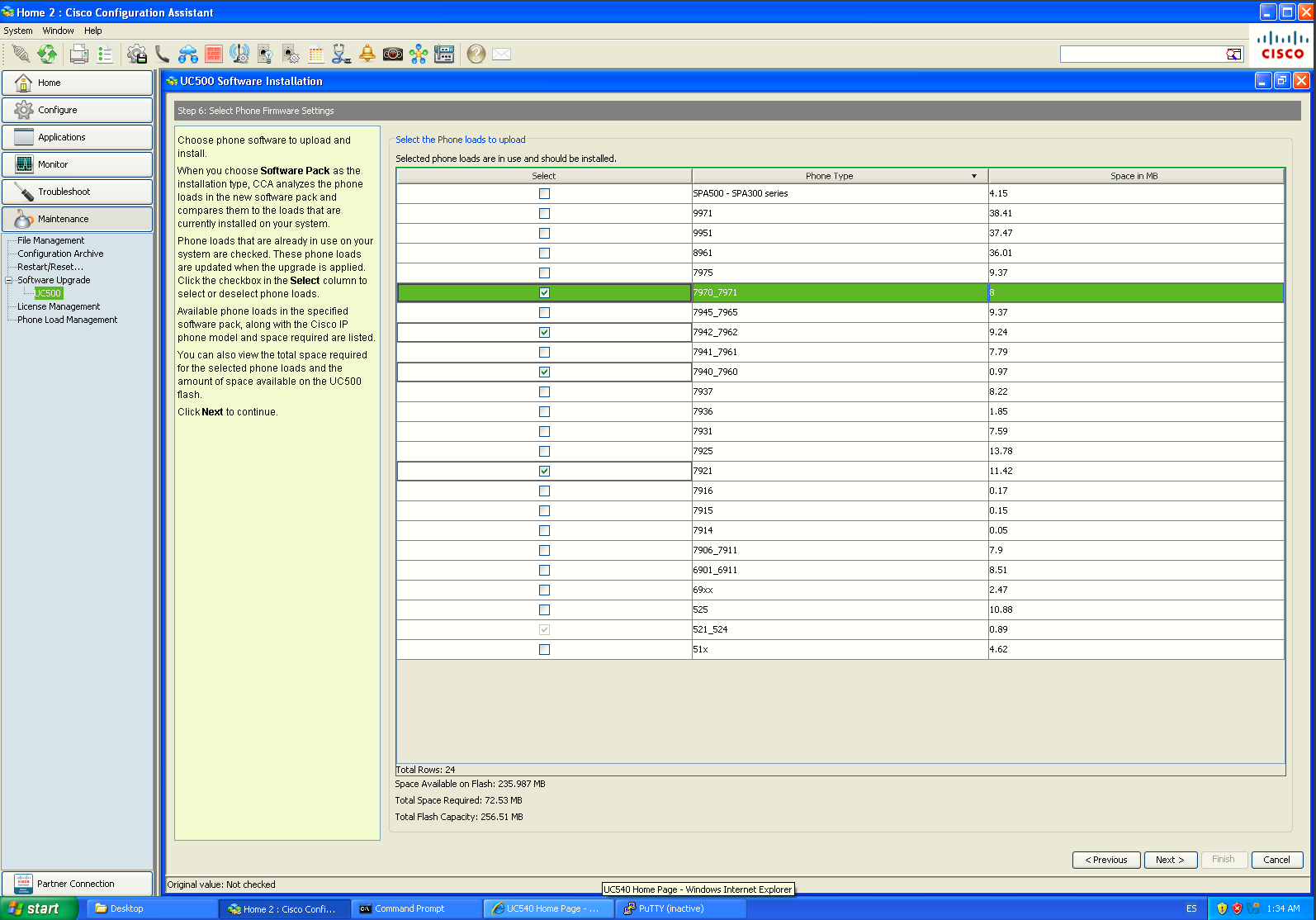
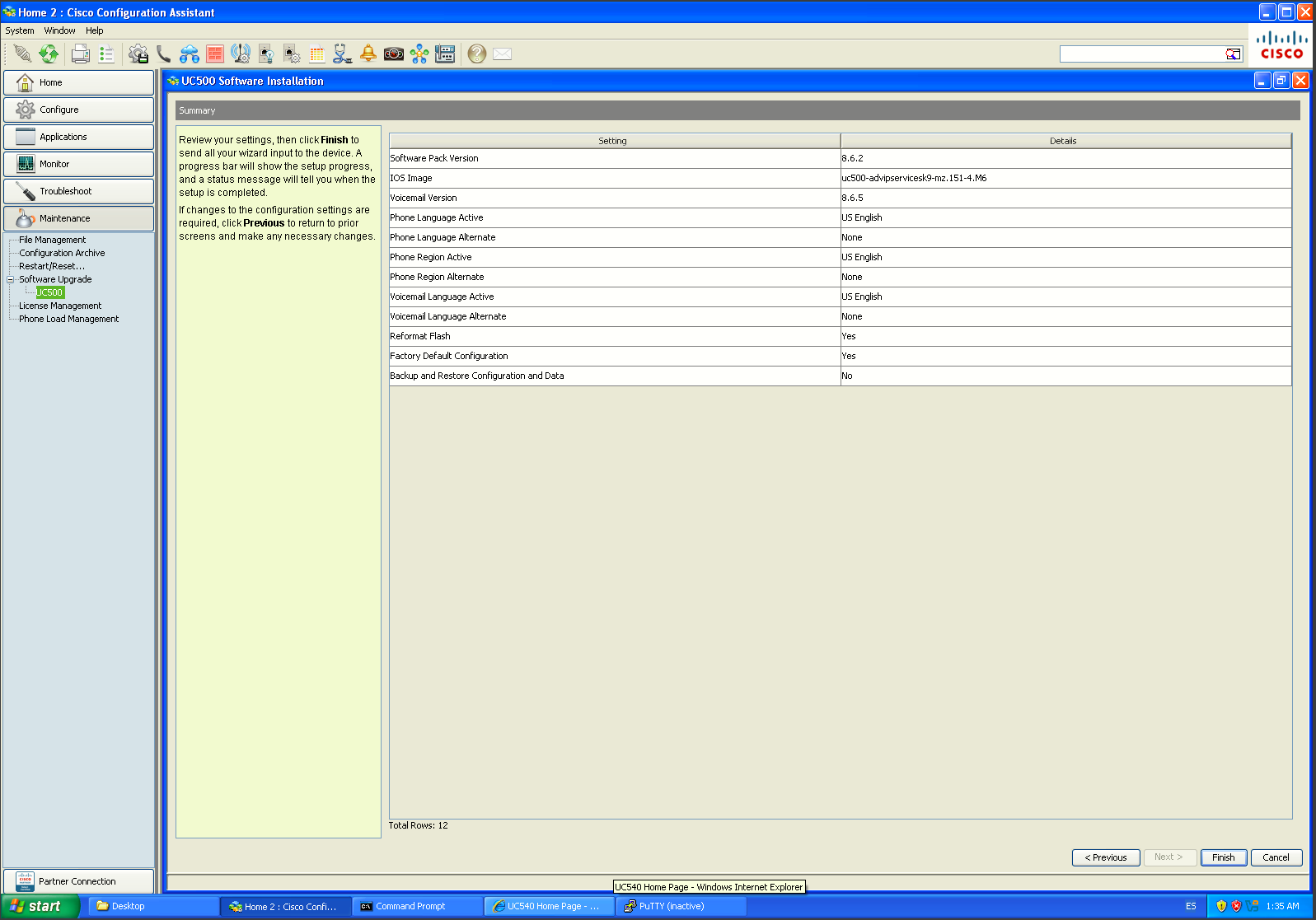
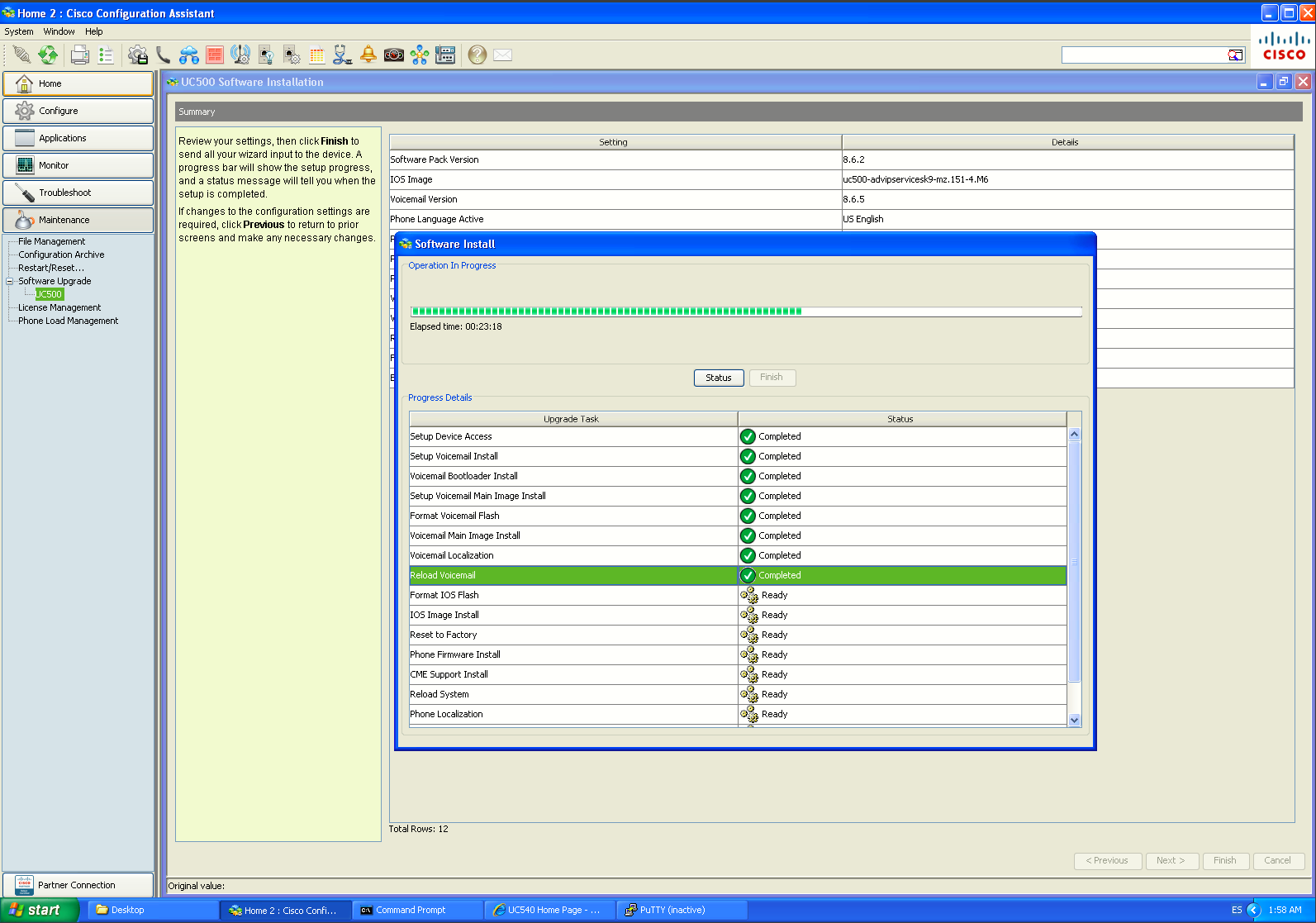
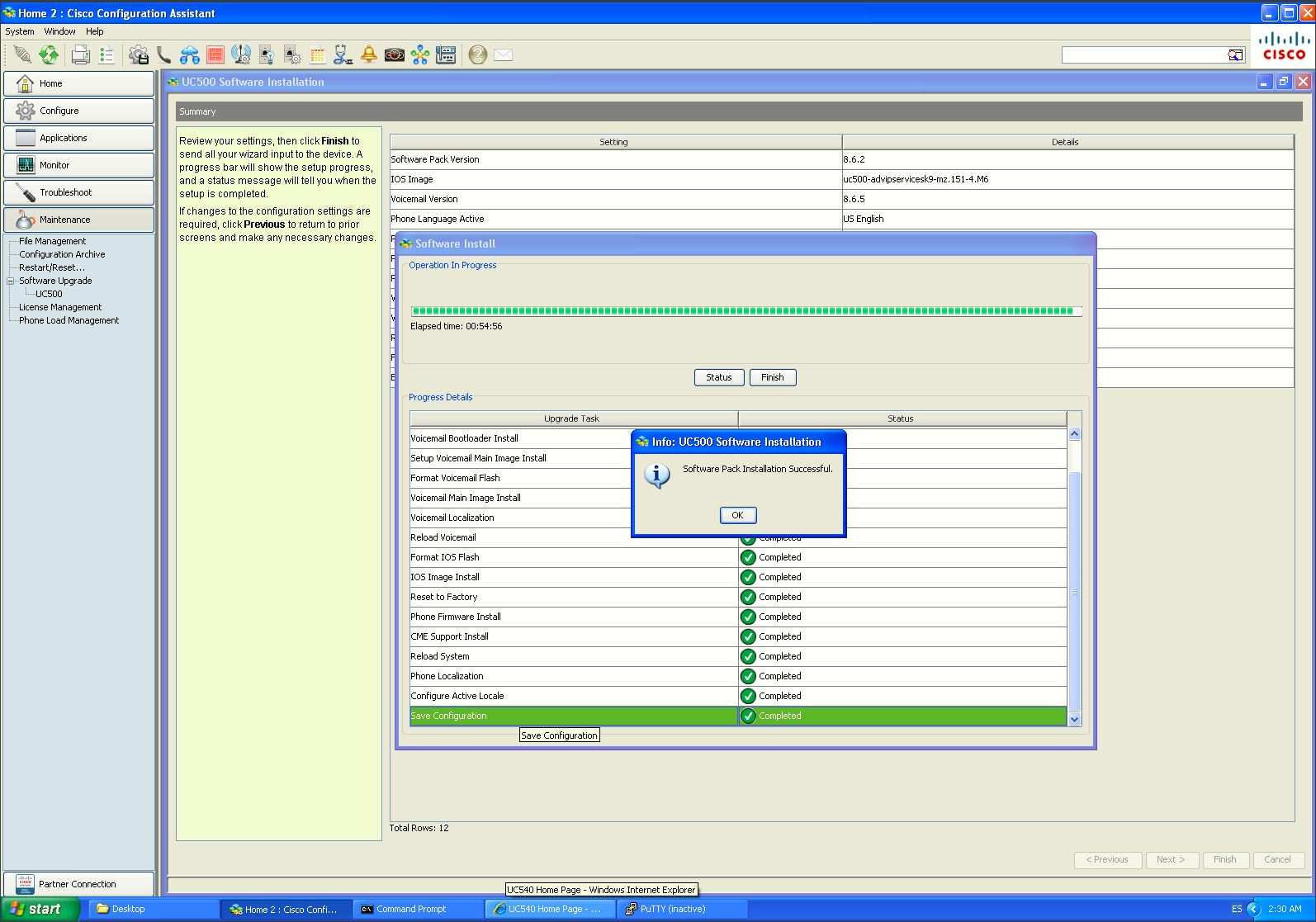
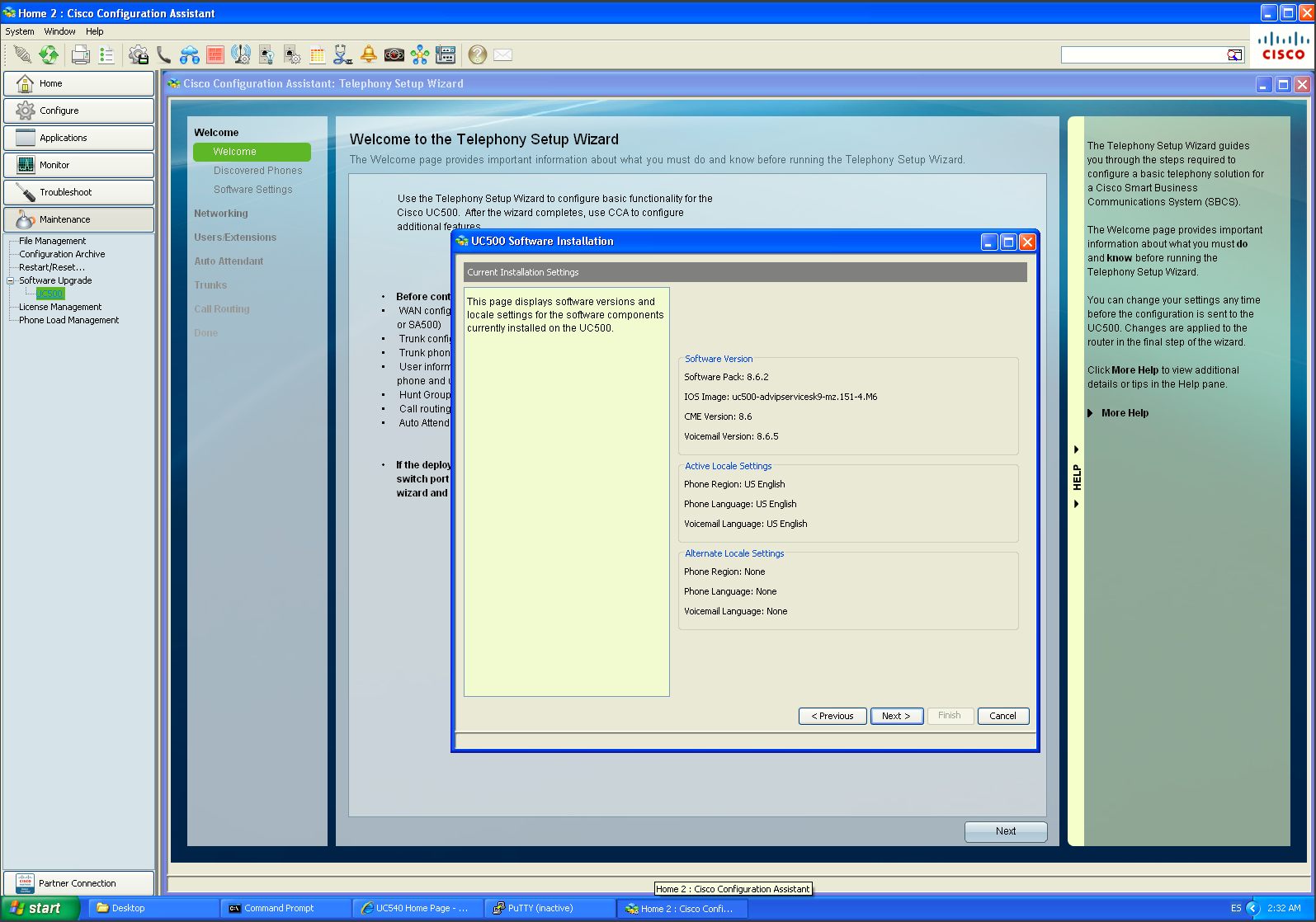
For this guide using and UC540, we will move from Software Pack 8.6.0 to 8.6.2 which updates the overall UC500 software environment rather than only changing IOS.
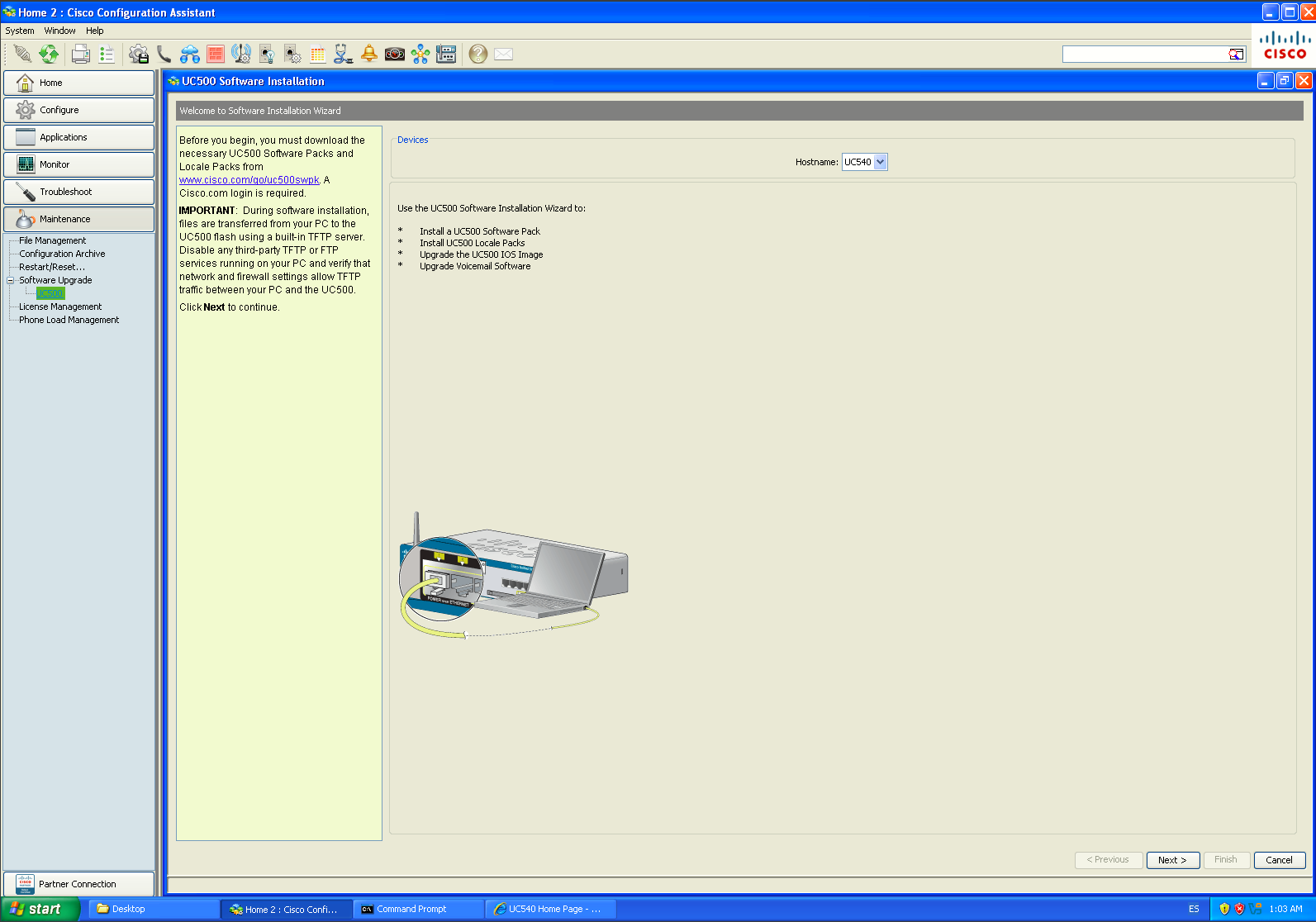
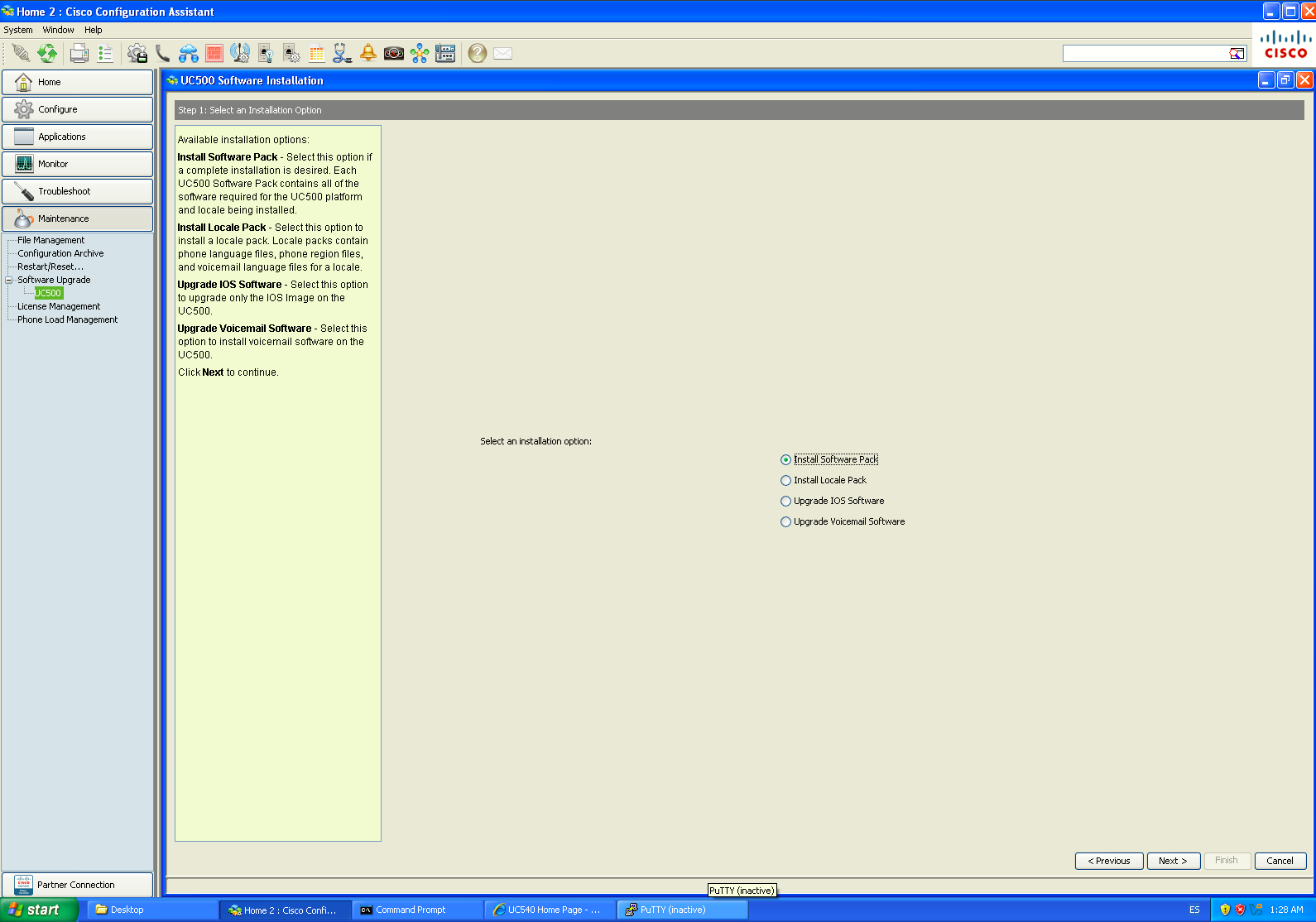
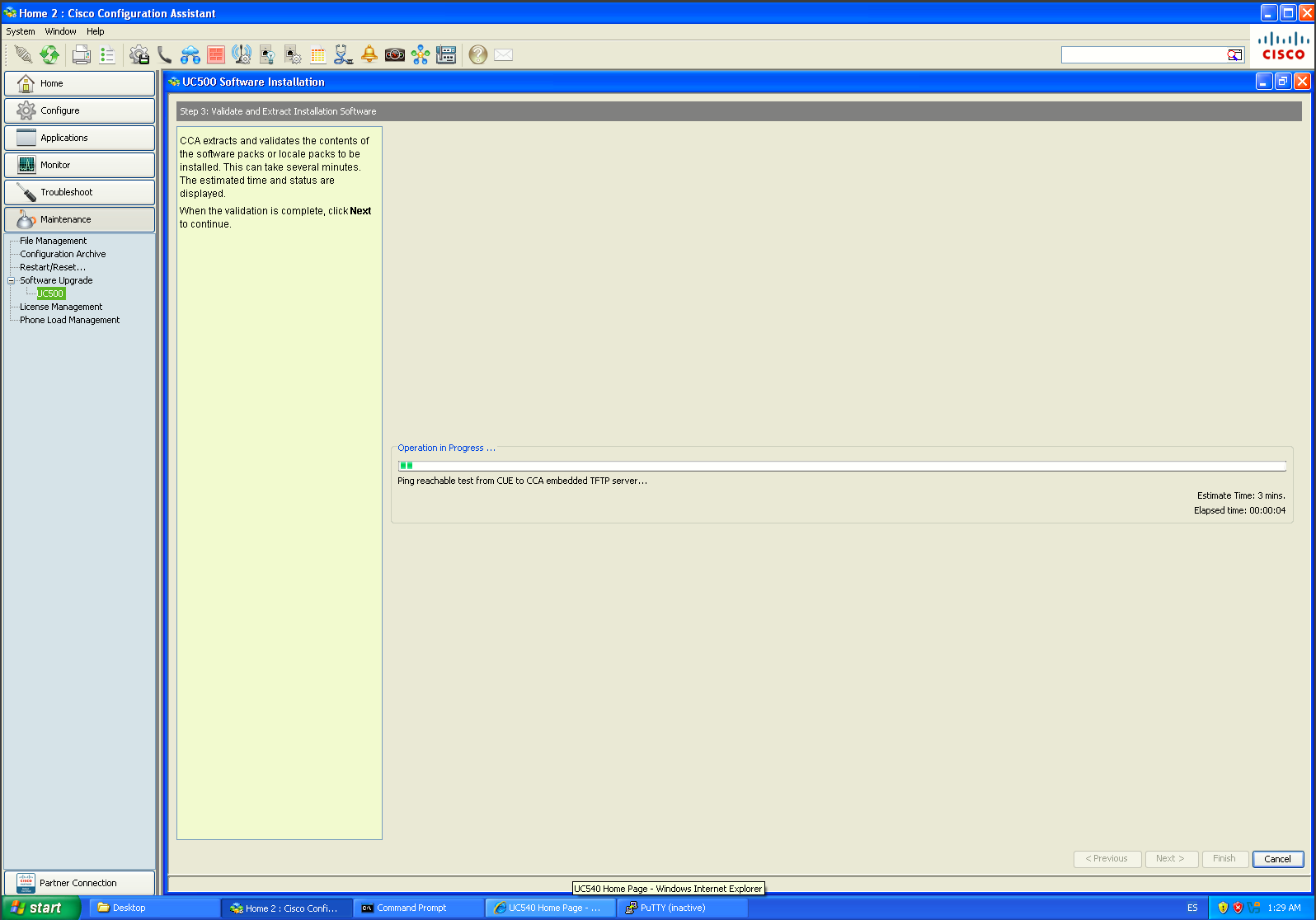
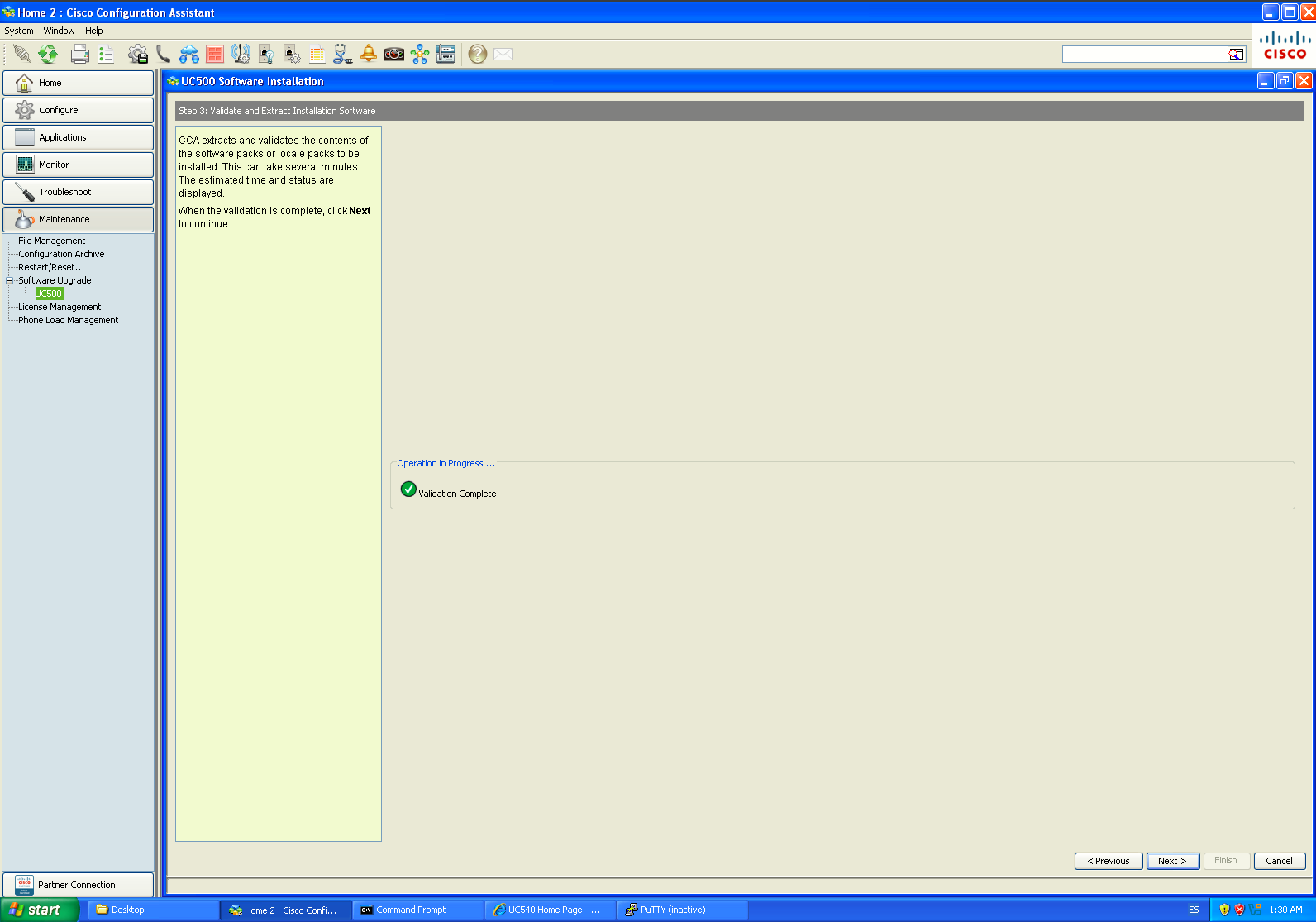
We need the file: UC540-8.6.2.zip and we'll just follow the screens starting from Maintenance → Software Upgrade → UC500:
|
|
|
|
|
|
|
|
|
|
|
|
|
|
|
|
|
|
Locale Installation [ES]
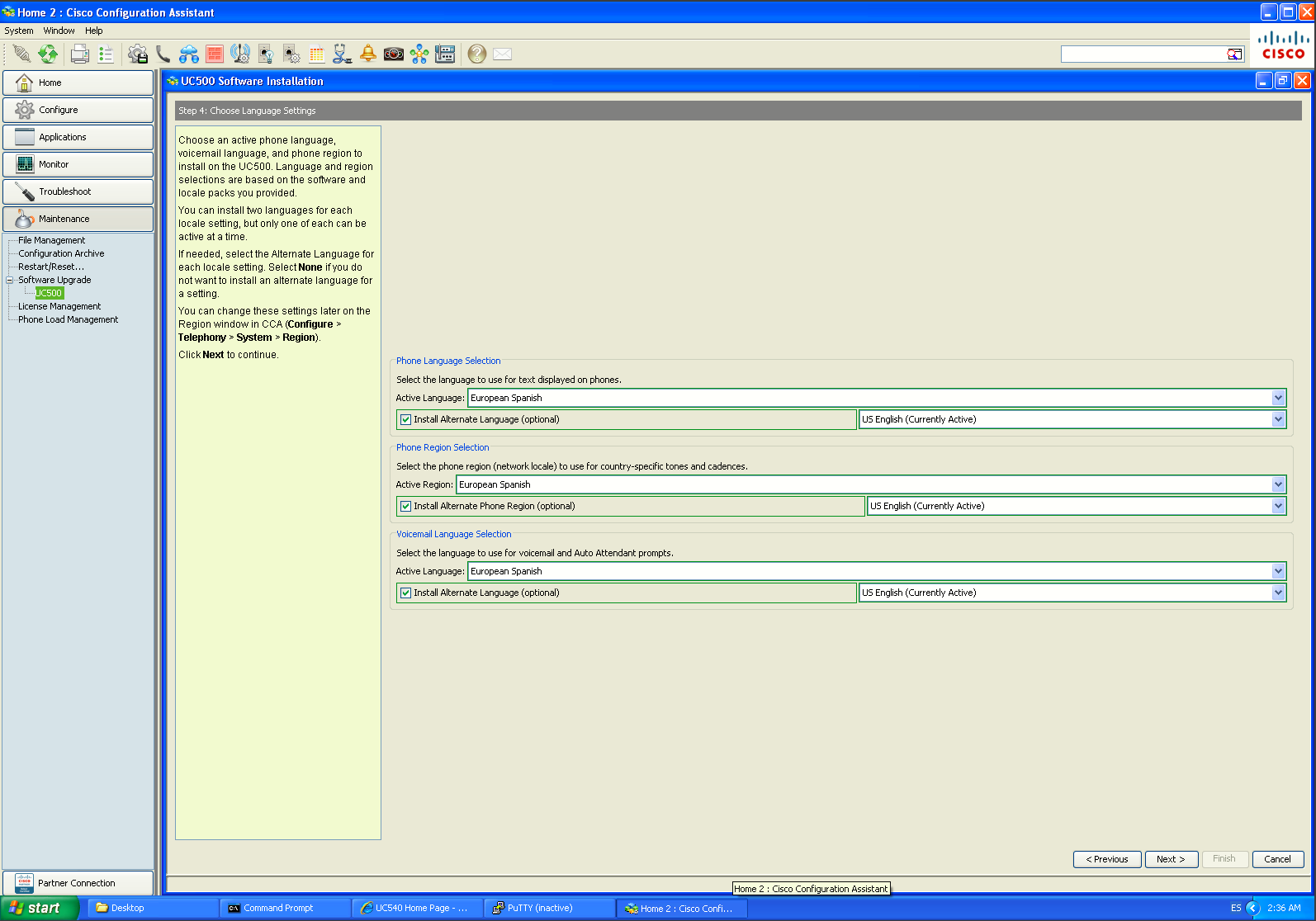
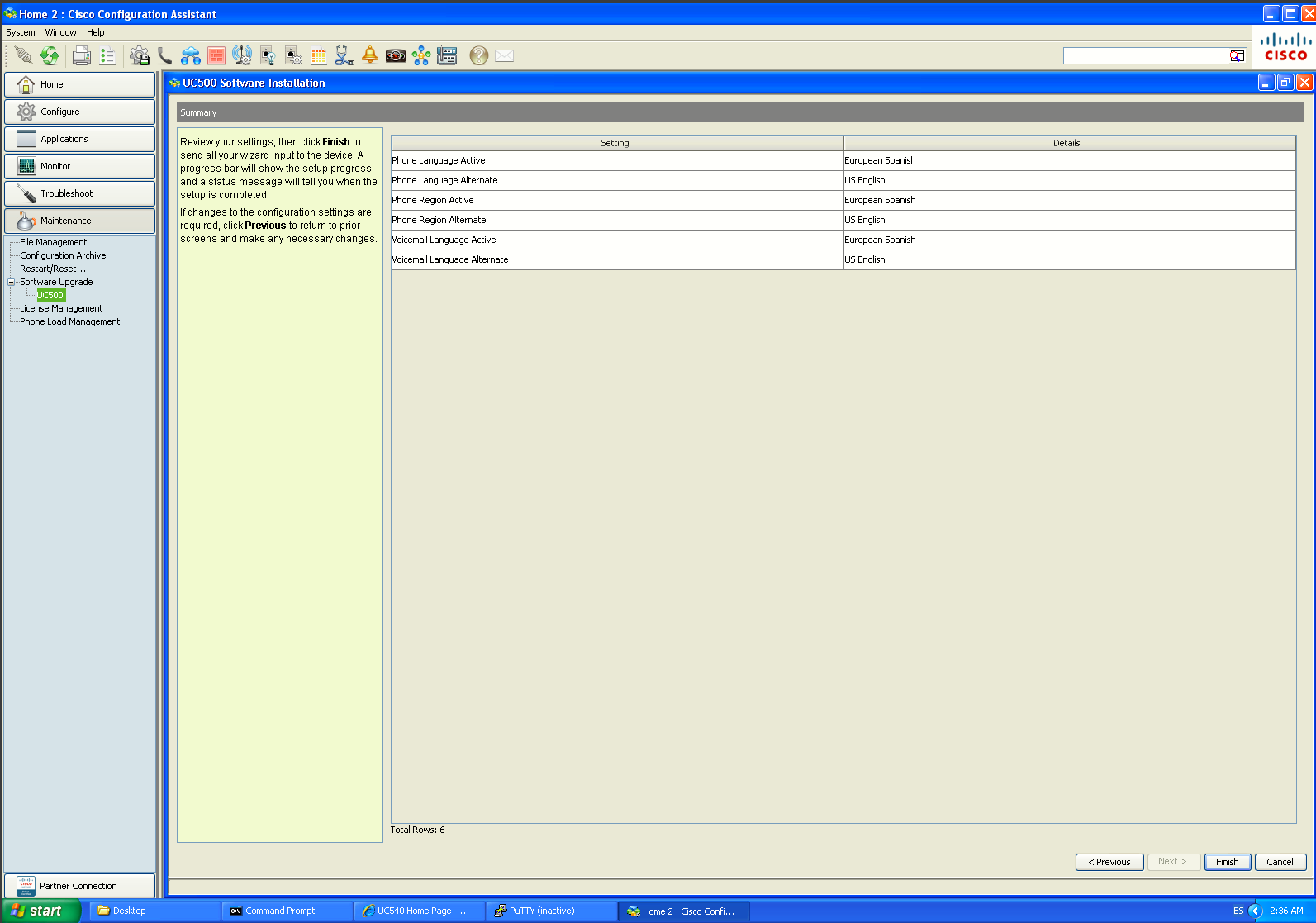
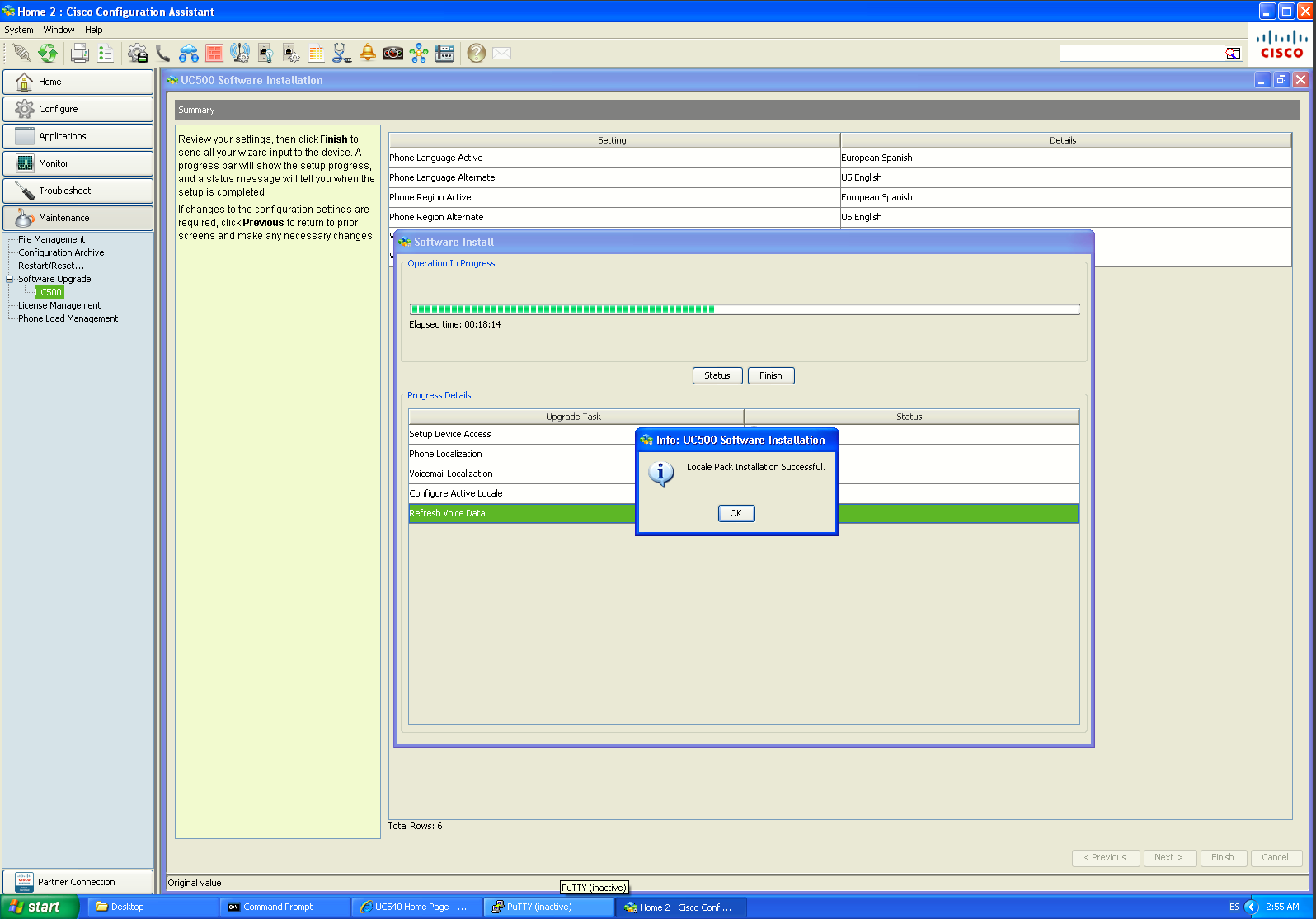
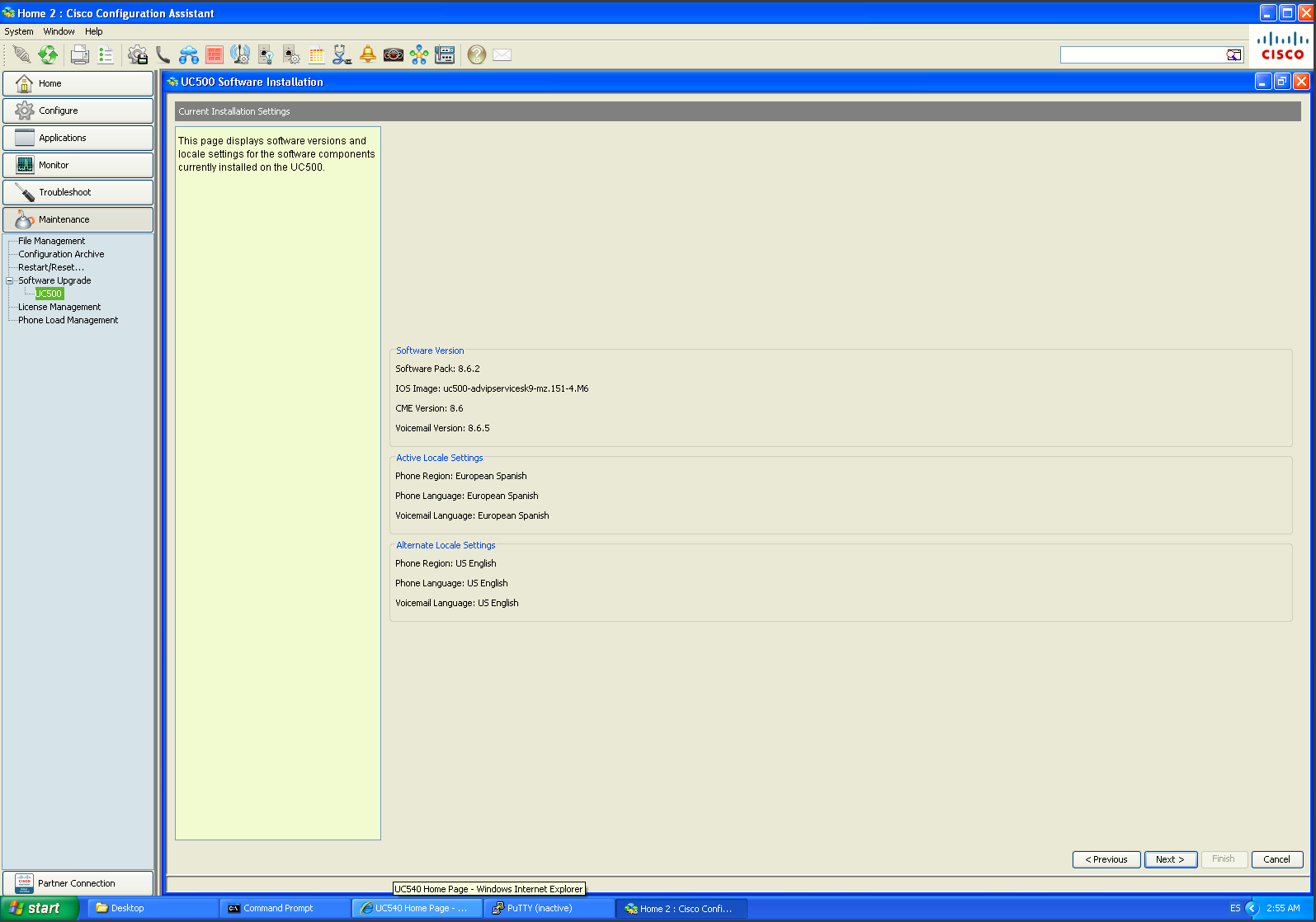
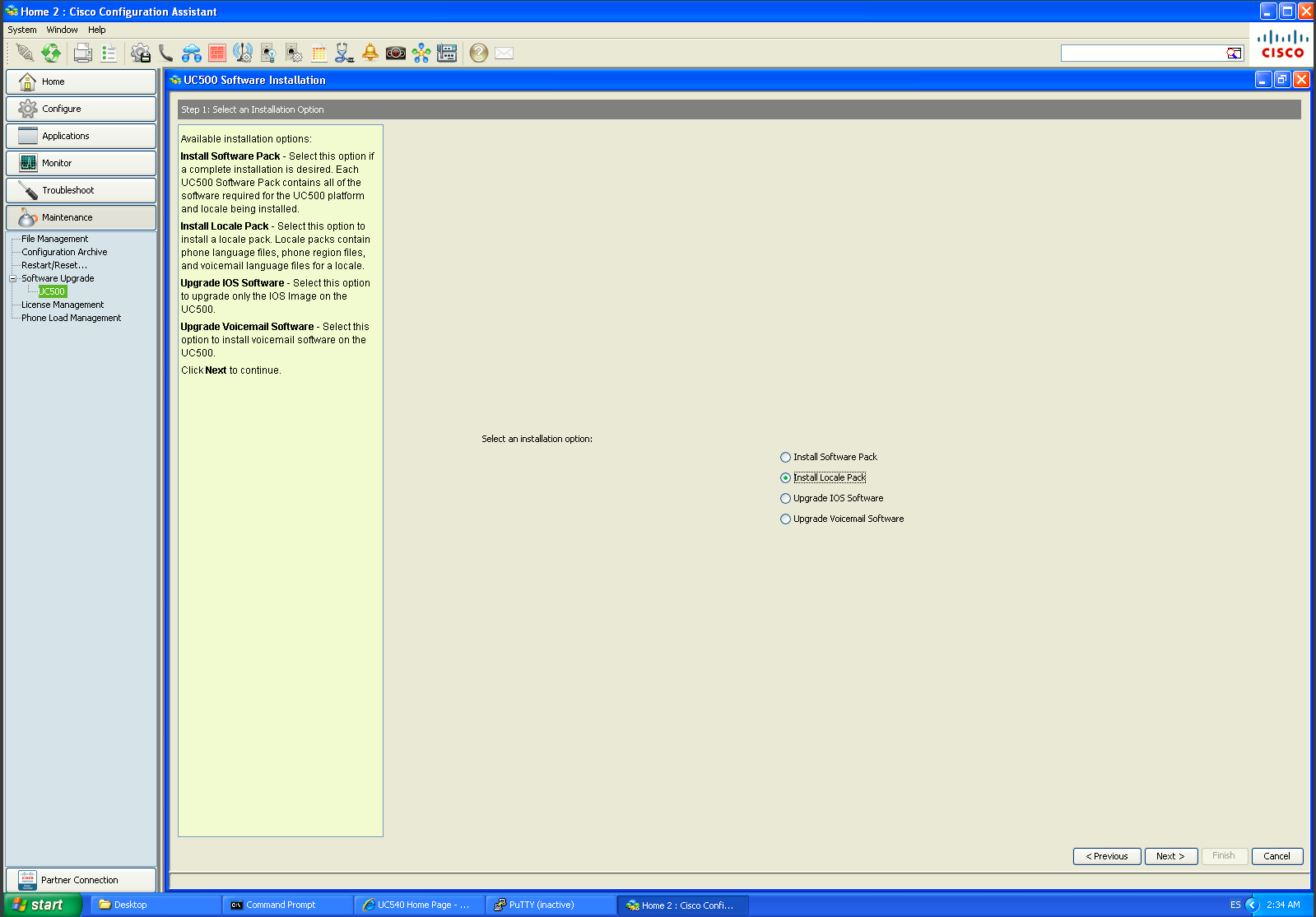
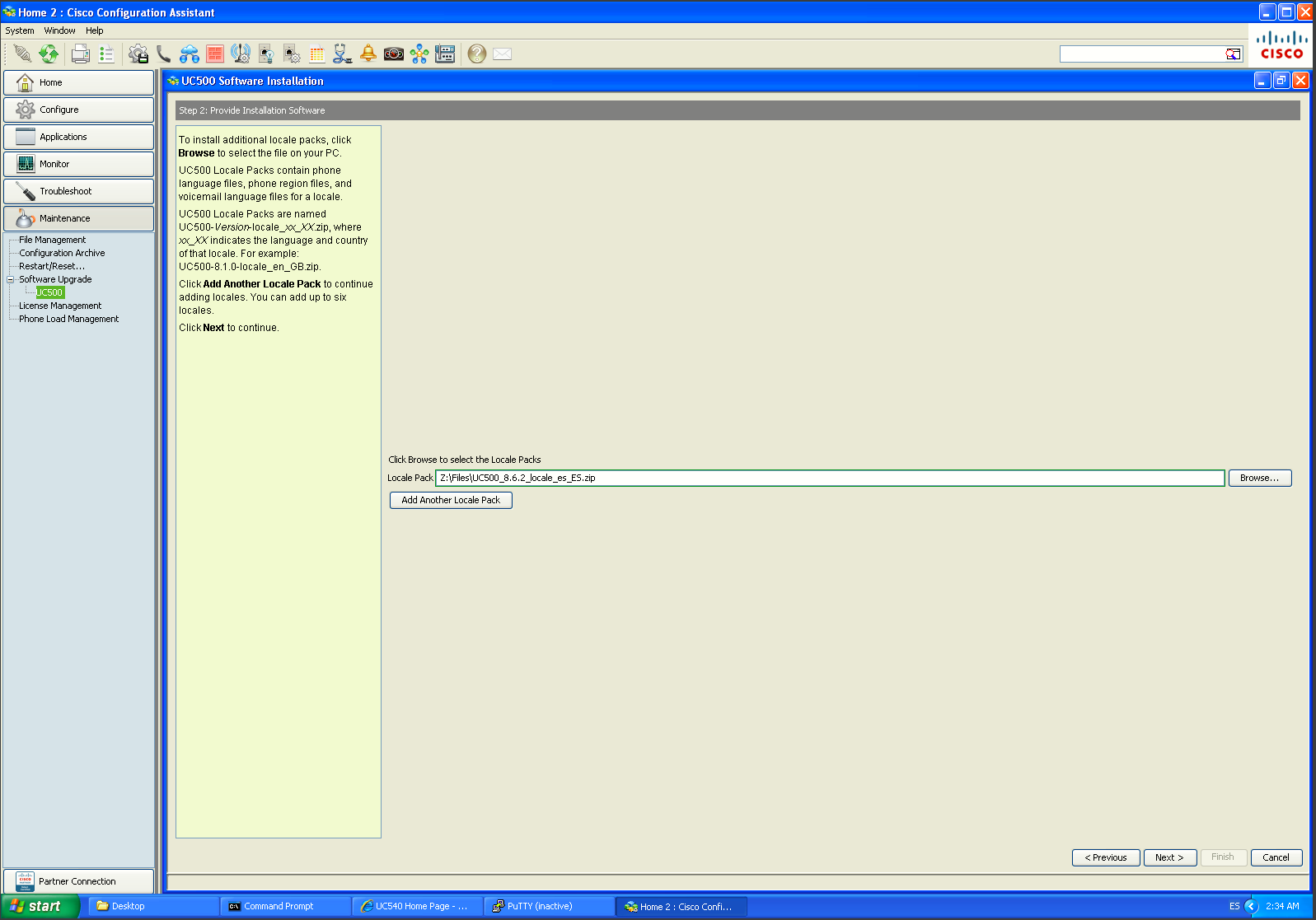
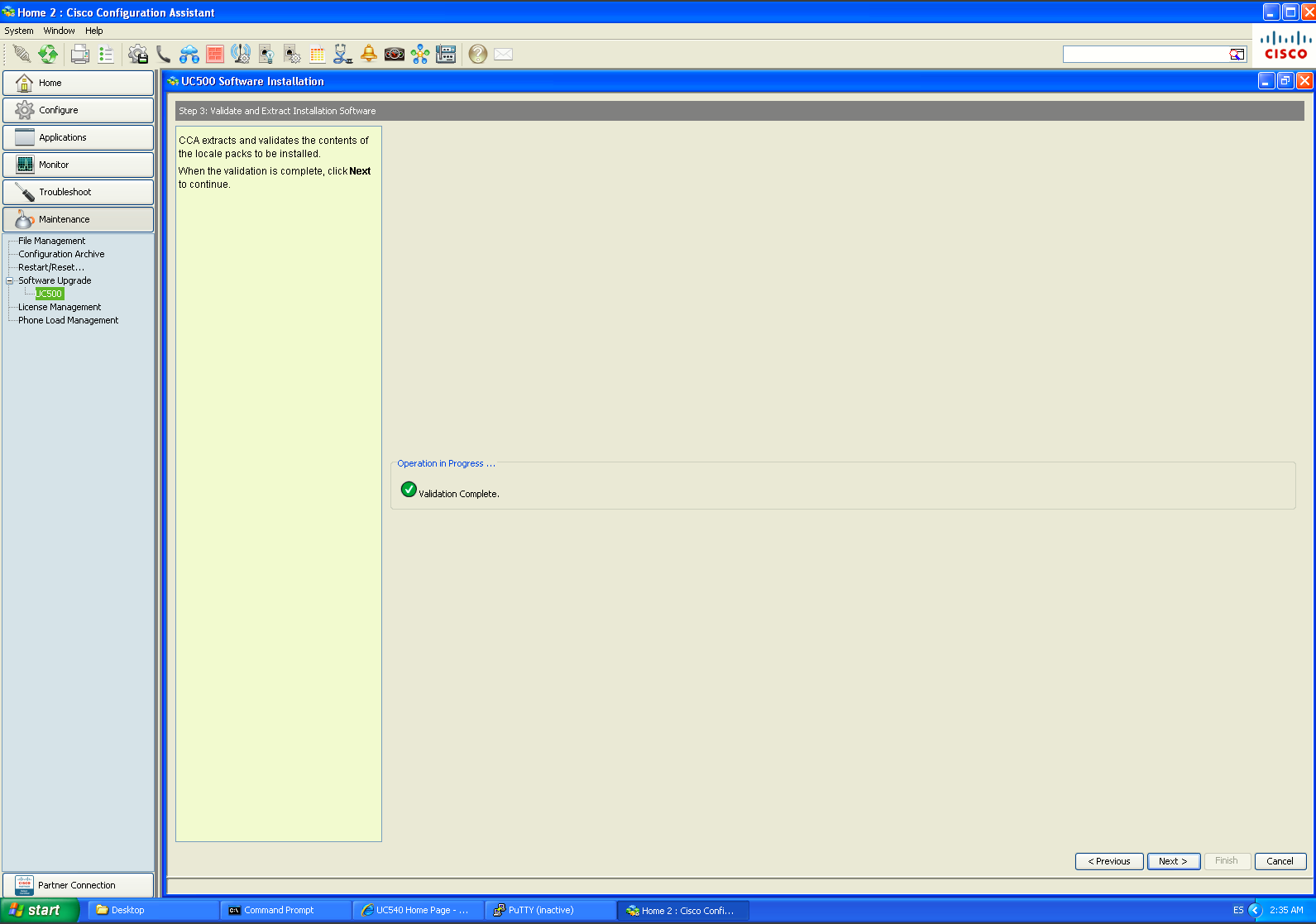
A UC500 Locale Pack localizes both the IP phones and Cisco Unity Express voicemail. For the upgraded UC540 on Software Pack 8.6.2, the correct Spanish package is UC500_8.6.2_locale_es_ES.zip for European Spanish. Cisco supports up to two languages on the UC500: one active and one alternate. To install it:
 |
 |
 |
|
|
|
|
|
|