
Lab 1-1: Cisco Secure ACS 5.8.1 - Introduction and VMware Installation
Introduction
ACS is a policy-based security server that provides standards-compliant Authentication, Authorization, and Accounting (AAA) services to your network. ACS facilitates the administrative management of Cisco and non-Cisco devices and applications.
As a dominant enterprise network access control platform, ACS serves as an integration point fornetwork access control and identity management.
ACS 5.x provides a rule-based policy model that allows you to control network access based on dynamic conditions and attributes. The rule-based policy is designed to meet complex access policy needs.
Within the greater context of two major AAA protocols—RADIUS and TACACS+—ACS provides thefollowing basic areas of functionality:
- Under the framework of the RADIUS protocol, ACS controls the wired and wireless access by users and host machines to the network and manages the accounting of the network resources used. ACS supports multiple RADIUS-based authentication methods that includes PAP, CHAP, MSCHAPv1, MSCHAPv2. It also supports many members of the EAP family of protocols, such as EAP-MD5, LEAP, PEAP, EAP-FAST, and EAP-TLS. In association with PEAP or EAP-FAST, ACS also supports EAP-MSCHAPv2, EAP-GTC, and EAP-TLS
- Under the framework of the TACACS+ protocol, ACS helps to manage Cisco and non-Cisco network devices such as switches, wireless access points, routers, and gateways. It also helps to manage services and entities such as dialup, Virtual Private Network (VPN), and firewall.
ACS is the point in your network that identifies users and devices that try to connect to your network. This identity establishment can occur directly by using the ACS internal identity repository for local user authentication or by using external identity repositories (for example, ACS can use Active Directory as an external identity repository, to authenticate a user to grant the user access to the network)
ACS provides advanced monitoring, reporting, and troubleshooting tools that help you administer and manage your ACS deployment.
Cisco Secure ACS:
- Enforces access policies for VPN and wireless users.
- Provides simplified device administration.
- Provides advanced monitoring, reporting, and troubleshooting tools.
Understanding the ACS Server Deployment
The most basic ACS deployment consists of two servers. One is the primary server that provides all of the configuration, authentication, and policy requirements for the network. The second server is used as a backup server if the connectivity is lost between the AAA clients and the primary server. You use replication from the primary ACS server to the secondary server to keep the secondary server in synchronization with the primary server. In a small network, this configuration allows you to configure the primary and secondary RADIUS or TACACS servers on all AAA clients in the same way.
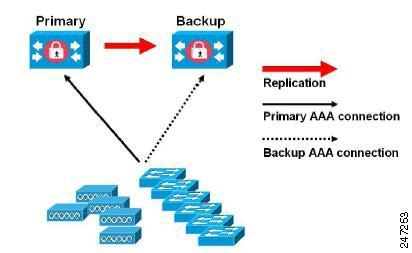 Small ACS Deployment
This labs and the following will be based on the small ACS deployment (just two servers, primary and backup).
Primary Server
In an ACS deployment, only one instance serves as an ACS primary, which provides the configuration capabilities and serves as the source for replication. On an ACS primary server, you can set up all the system configurations that are required for an ACS deployment. However you must configure licenses and local certificates individually for each ACS secondary server.
Secondary Server
Except the primary server, all the other instances function as a secondary server. A secondary ACS server receives all the system configurations from the primary server, except that you need to configure the following on each secondary server:
- License: Install a unique base license for each of the ACS secondary servers in the deployment.
- New local certificates: You can either configure the local certificates on the secondary servers or import the local certificates from the primary server.
- Logging server: You can configure either the primary server or the secondary server to be the logging server for ACS. Cisco recommends that you configure a secondary ACS server as the logging server.
The secondary server must be activated to join the ACS environment. The administrator can either activate a secondary server or set up automatic activation. By default, the activation is set to Automatic. After the secondary server is activated, it is synchronized with the configuration and replication updates from the primary server.
Logging Server
Either a primary server or one of the secondary servers can function as a logging server. The logging server receives the logs from the primary server and all the ACS secondary servers in the deployment. Cisco recommends that you allocate one of the ACS secondary servers as the Monitoring and Report server and exclude this particular secondary server from the AAA activities. The three main logging categories are Audit, Accounting, and Diagnostics.
Installing ACS in a VMware Virtual Machine
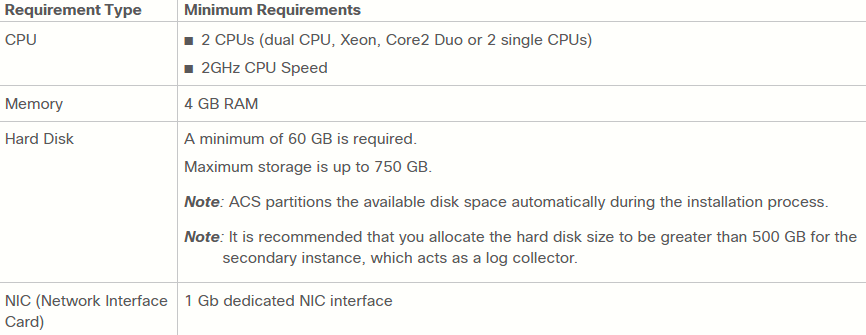
Minimum requirements to install ACS 5.8.1 on a WMware VM:
|
|
|
|
|
|
|
|
|
|
|
|
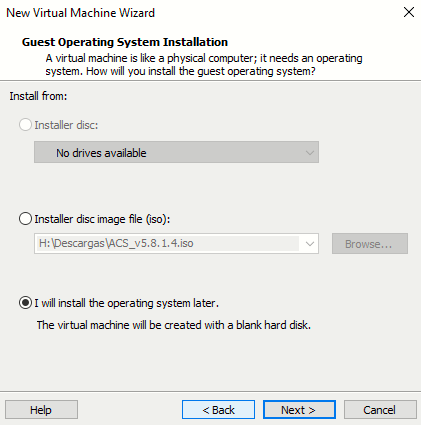
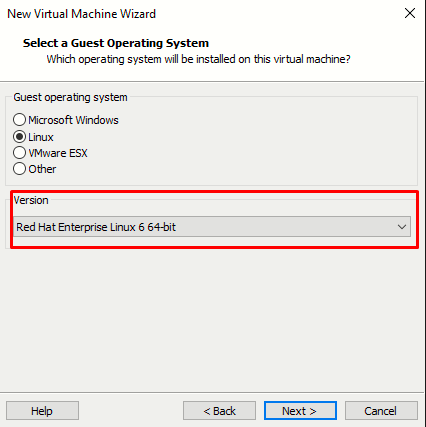
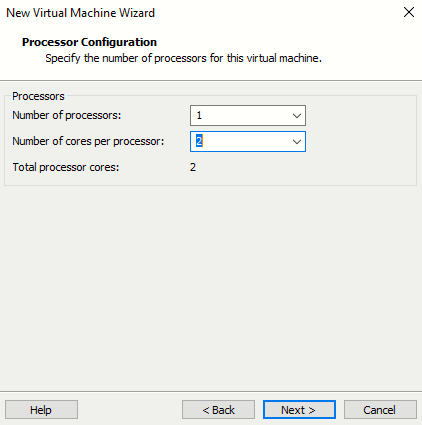
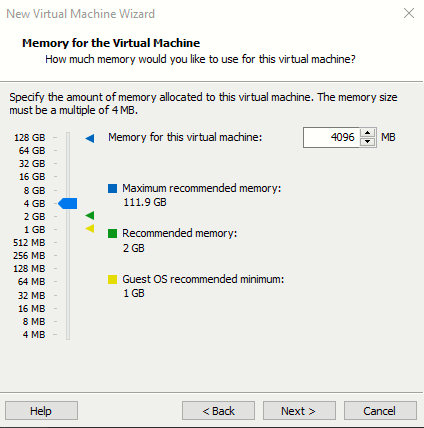
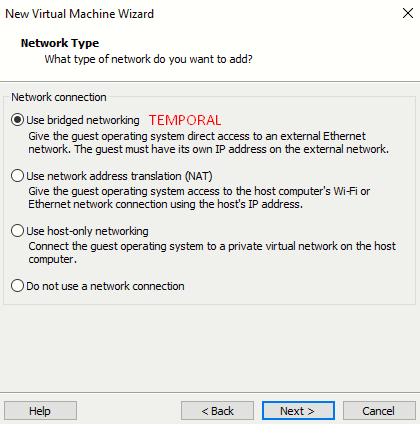
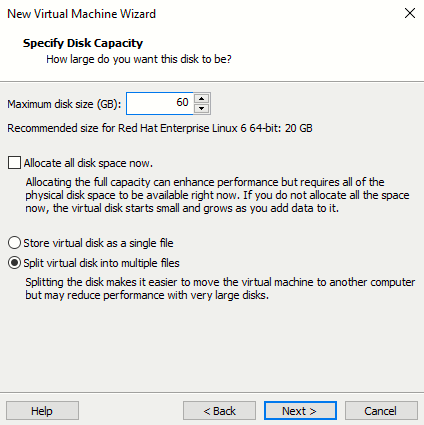
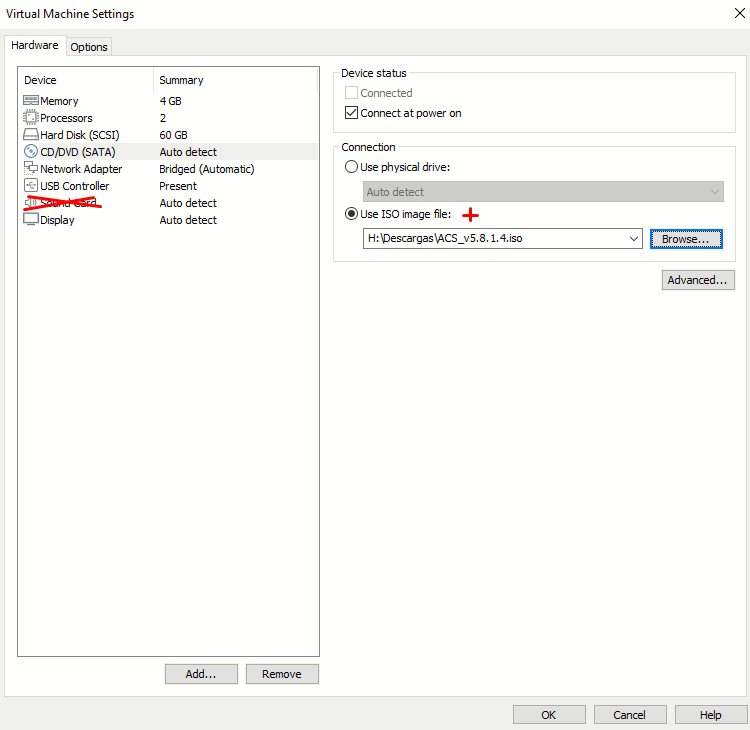
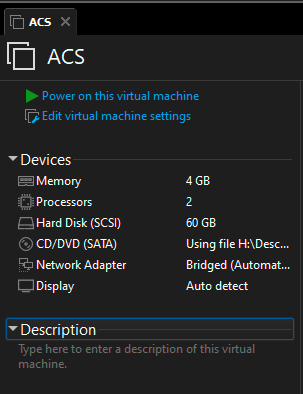
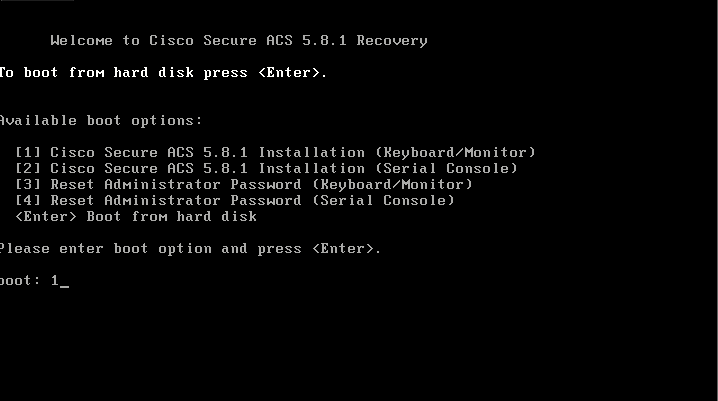
Boot up the VM and follow instructions:
|
Option 1 |
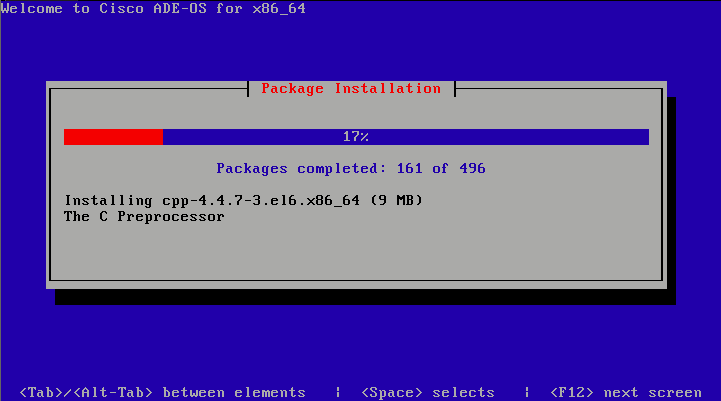
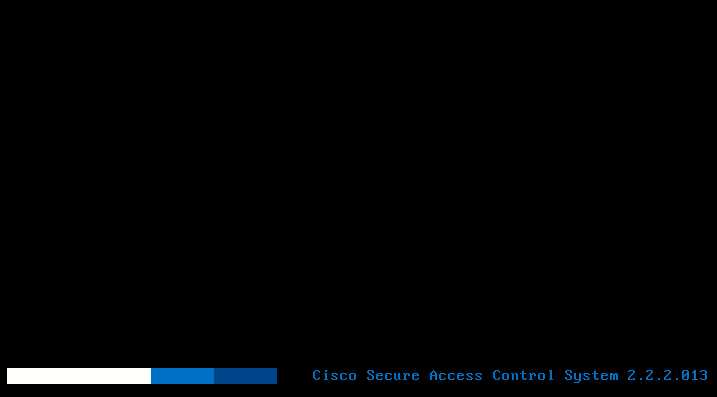
ACS installation begin on the VM. Allow 5 mins to complete. |
|
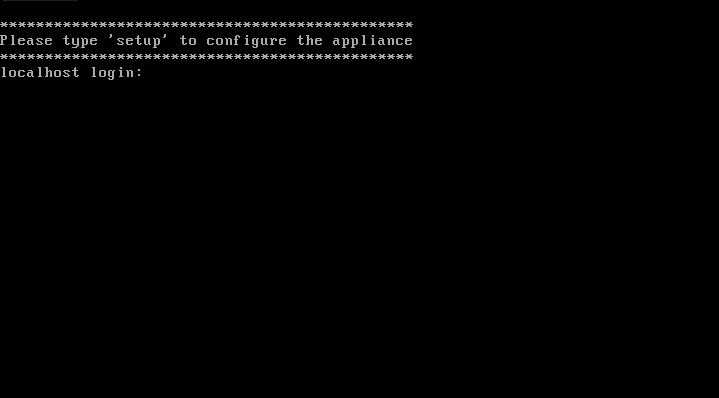
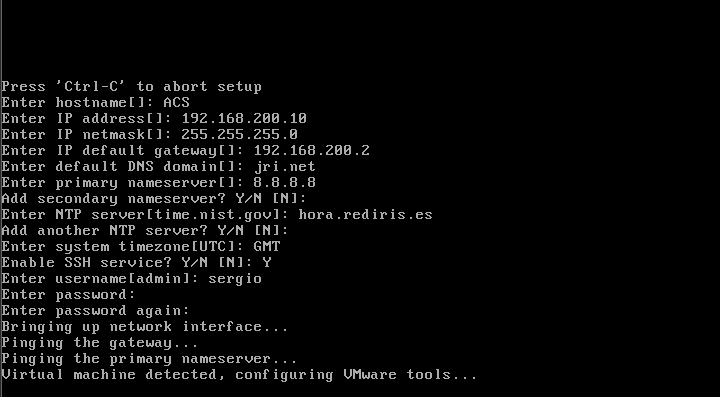
After reboot, at system prompt, enter setup |
|
|
|
|

Accesing the ACS 5.8 GUI on Chrome in 2026
The ACS web interface is supported on HTTPS-enabled Microsoft Internet Explorer and Mozilla Firefox browsers. To log into the ACS web interface: https://192.168.200.10/acsadmin
Thing is, if we try this on latest Chrome (which has old TLS versions disabled by default and there is no way to enable them), we get the following error:
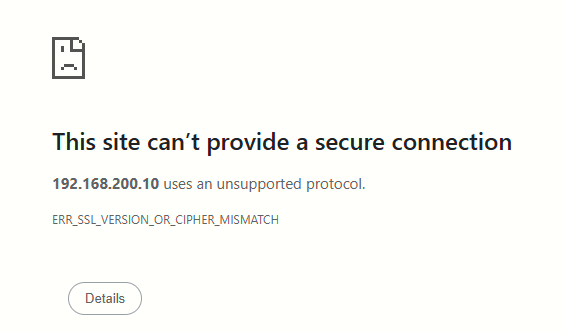
To fix this, install the extension IE Tab after enabling TLSv1.0 and 1.1 on Internet Options. Only then can we access the GUI via Chrome:
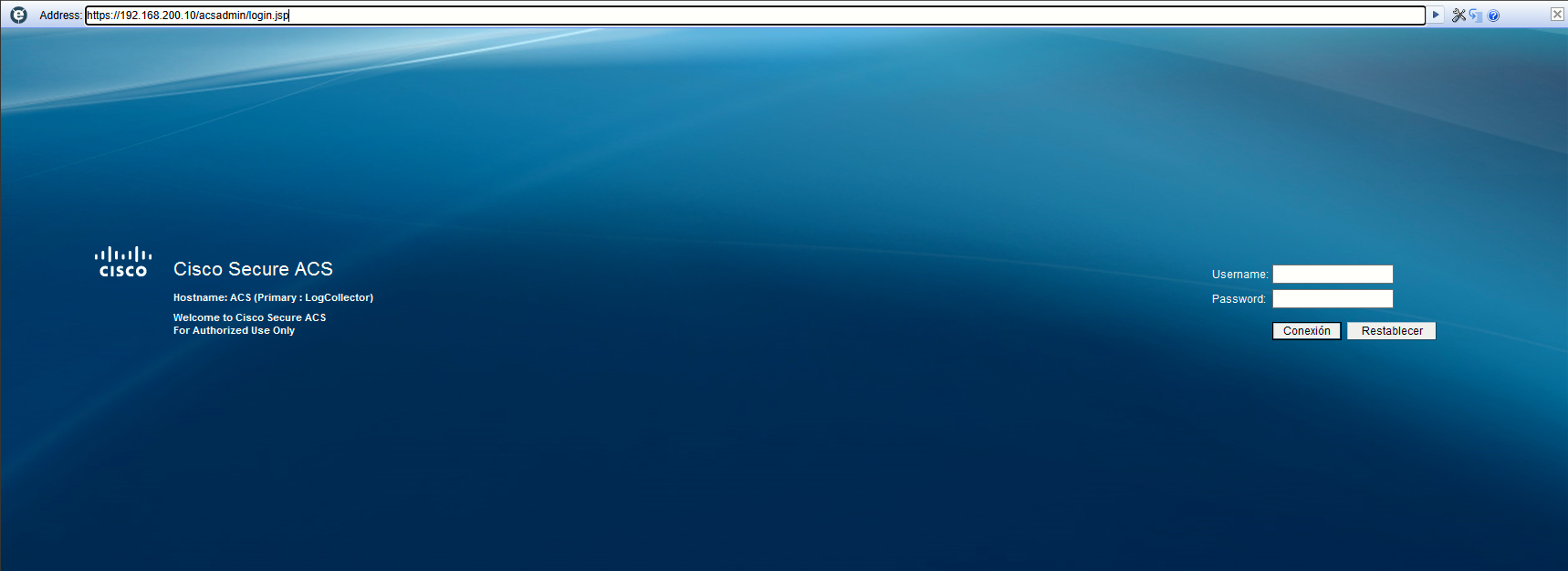
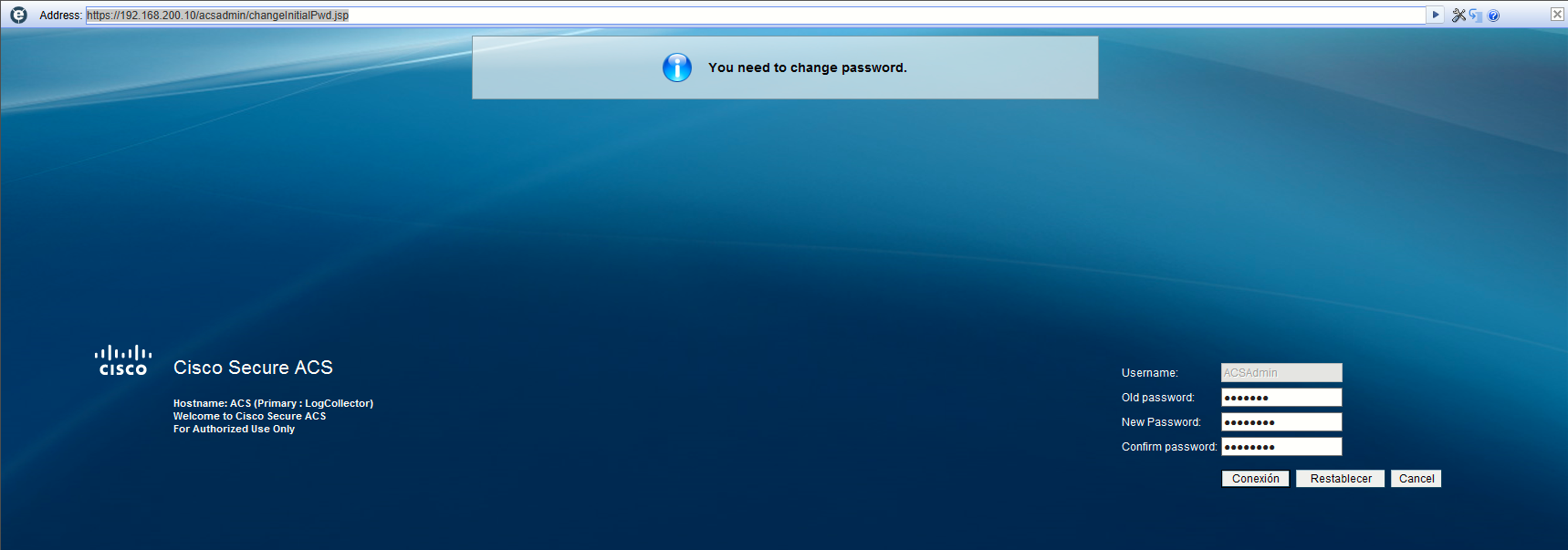
Default GUI user/pass is ACSAdmin/default, we are prompted to change the password at first login:
Sources
Installation and Upgrade Guide for Cisco Secure Access Control System 5.8
https://web.archive.org/web/20210509212039/https://www.cisco.com/c/en/us/td/docs/net_mgmt/cisco_secure_access_control_system/5-8/installation/guide/csacs_book/csacs_vmware.html
Release Notes for Cisco Secure Access Control System 5.8.1
https://web.archive.org/web/20211009150229/https://www.cisco.com/c/en/us/td/docs/net_mgmt/cisco_secure_access_control_system/5-8-1/release/notes/acs_581_rn.html
Installation and Upgrade Guide for Cisco Secure Access Control System 5.8.1
https://web.archive.org/web/20211009150242/https://www.cisco.com/c/en/us/td/docs/net_mgmt/cisco_secure_access_control_system/5-8-1/installation/guide/csacs_book.html